
Ordering DoorDash from the Terminal: The Rise of CLI-Based Commerce
The Rise of Command-Line Interfaces for Everyday Services For decades, the evolution of personal computing was defined by a steady migration…

For years, the experience of interacting with artificial intelligence has been largely passive. You would ask a question, and the model would scour its vast training data to provide a comprehensive answer, effectively acting as a highly advanced digital encyclopedia. While this capability revolutionized how we access information, it ultimately hit a wall: the “last mile” problem. After learning the answer to a query, you were still forced to manually navigate between different applications, copy and paste data, and execute the actual steps required to complete a task. This friction turned what should have been a seamless digital experience into a fragmented series of stop-and-start operations.
Google’s latest update signals a fundamental departure from this model of passive retrieval, pushing toward an agentic future where the AI functions as a proactive collaborator rather than a static library. By integrating directly with select applications, the platform is moving beyond the boundaries of a chat interface to bridge the gap between information and execution. Instead of simply telling you the details of a flight or a calendar event, the AI can now reach out into your connected apps to perform the heavy lifting on your behalf. This evolution marks the transition from search-based assistance to task-oriented agency, where the goal is no longer just to inform, but to accomplish.

The importance of this ‘actionability’ cannot be overstated in the current AI landscape. In an era where users are overwhelmed by the sheer number of digital tools they must juggle, the value of an assistant that can execute commands across these silos is immense. By allowing the AI to interact with your personal data and application suite, Google is effectively turning its search infrastructure into an operating layer for your digital life. This shift recognizes that the most useful AI is not the one that has read the most books, but the one that understands your specific context and has the permissions required to save you time.
The true potential of generative AI lies in its ability to transition from a resource that provides answers to a partner that performs actions, effectively serving as an orchestrator for our daily digital workflows.
As these agentic workflows become more sophisticated, we can expect the boundary between “searching” and “doing” to continue to blur. Rather than keeping users trapped in a search results page, the system now prioritizes a streamlined journey where the AI navigates the underlying software architecture to complete requests instantly. This is not just a minor feature update; it is a strategic repositioning of how we interact with the web, transforming the browser and the AI model into a singular, powerful interface for productivity.
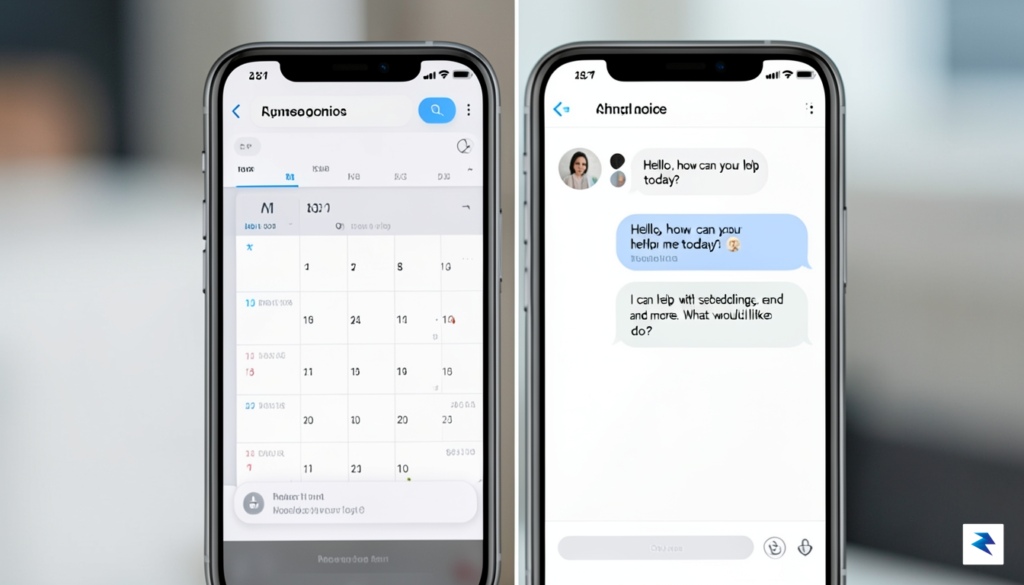
The integration of artificial intelligence directly into your external applications marks a significant shift in how we manage digital responsibilities. By bridging the gap between your conversational assistant and your core productivity tools, Google is effectively dismantling the “tab-switching” cycle that plagues the modern professional. Instead of manually navigating between your calendar, email client, and project management software, you can now issue a single command to have the AI handle the heavy lifting. This shift means that administrative overhead—such as parsing an email thread to find a meeting time, cross-referencing your availability, and sending out calendar invites—is reduced from a ten-minute manual chore to a few seconds of natural language interaction.
For power users, the efficiency gains are profound, particularly when it comes to managing high-volume data streams and complex schedules. Imagine needing to extract specific details from a client’s email, cross-reference those dates with your existing commitments in your calendar app, and then draft a summary note in your project tracking software. Previously, this would require fragmented attention and constant navigation across windows. Now, the AI acts as a connective tissue, synthesizing these disparate tasks into a single, fluid motion. This integration drastically reduces “context switching” fatigue, a well-documented phenomenon where the brain loses momentum every time it is forced to refocus on a new software interface or environment.
The utility of this feature extends across a variety of daily logistical tasks that often clutter our schedules. Whether you are booking travel, coordinating complex group meetings, or organizing scattered information into coherent lists, the AI handles the granular details while you maintain high-level oversight. Some of the most immediate benefits include:
The ultimate goal of this technology is to transform the AI from a passive research assistant into an active agent that moves through your ecosystem of tools to execute tasks on your behalf.
To begin utilizing these capabilities, users simply need to navigate to the settings menu within their AI interface and locate the “Linked Apps” or “Extensions” section. From there, you can authorize specific connections to your primary workspace tools, ensuring you maintain granular control over which data the AI is permitted to access. Once connected, the AI will prompt you to confirm actions before they are finalized, balancing the desire for automation with the necessity of user security and oversight. By taking a few minutes to configure these permissions, you can create a personalized command center that evolves alongside your workflow, ultimately returning precious time to your day that would otherwise be lost to the mundane mechanics of digital navigation.

Integrating AI directly into your personal digital ecosystem inevitably raises valid questions about data privacy and the boundaries of machine access. Google has approached this integration by building a robust framework centered on the principle of user-controlled permissions, ensuring that the AI acts as a transparent intermediary rather than an unchecked observer. When you choose to link an application—such as your email, calendar, or cloud storage—the system utilizes secure API protocols that act as a bridge between the AI model and your private data. This connection is not a blanket authorization; instead, it is scoped specifically to the tasks you request, meaning the AI only accesses the information necessary to fulfill your specific prompts rather than gaining unrestricted entry to your entire digital life.

To maintain this security, Google employs a granular permission management system that puts the power of oversight firmly in your hands. Before any data is exchanged, you are prompted to explicitly approve the connection, and you retain the ability to revoke these permissions at any time through your Google Account settings. This “least privilege” approach ensures that even if you use the AI to summarize a specific document or find a flight confirmation, it does not gain permanent access to your private credentials or unrelated account history. Furthermore, Google’s architecture ensures that the data processed during these interactions is subject to the company’s broader privacy commitments, meaning your personal content is not utilized to train the core public-facing AI models without your explicit consent or compliance with existing data usage policies.
The cornerstone of this update is the ability for users to audit their digital footprint. By navigating to the ‘Connected Apps’ section of your account settings, you can see a real-time list of every application that has been granted permission to interact with your AI assistant.
For users concerned about the long-term implications of these connections, routine auditing is encouraged as a best practice. The dashboard provides a clear, centralized view of your active integrations, allowing you to quickly disconnect any service that you no longer use or trust. By periodically reviewing your connected app history, you can ensure that your digital workspace remains tidy and secure. This transparency is designed to demystify the background processes of AI, transforming what could be a black-box experience into a transparent, manageable partnership between you and your technology. Ultimately, Google’s strategy relies on the balance between seamless AI-driven convenience and the rigorous, user-centric security standards required to keep your sensitive information strictly protected.

The integration of direct app connectivity into Google’s AI suite marks a profound pivot in the competitive landscape of digital assistants. While rivals like Apple’s Siri and OpenAI’s ChatGPT have long promised a seamless bridge between user intent and digital execution, Google is uniquely positioned to leverage its deep integration across Android and Workspace to turn these promises into a tangible reality. By allowing AI to reach beyond a chatbot interface and manipulate the data within your favorite applications, Google is effectively forcing every other tech giant to accelerate their “agentic” roadmaps. We should expect a rapid expansion of supported apps in the coming months, moving from basic administrative tasks like calendar management or email summaries to complex, multi-step workflows that span disparate platforms, such as automatically syncing project updates from a spreadsheet into a collaborative task manager.

This evolution represents a fundamental philosophical shift in how we perceive software: we are transitioning from a model of using tools to a model of partnering with them. For decades, the “user interface” has been a rigid set of buttons, menus, and text fields that required constant manual input to achieve a result. As AI agents gain the agency to interpret context and execute commands across your digital ecosystem, the software itself becomes a collaborative partner that anticipates needs rather than merely waiting for instructions. This shift suggests a future where the friction of “app-switching” is eliminated entirely, replaced by a fluid interaction layer that sits above your applications, handling the busywork while you focus on high-level decision-making.
The true power of this update lies not in the current list of compatible apps, but in the precedent it sets for a future where digital barriers between software platforms are permanently dissolved.
Ultimately, this push toward agentic AI will likely redefine the software industry’s value proposition. Developers will no longer be judged solely on the aesthetic or functional utility of their interfaces, but on how “agent-ready” their software is for external orchestration. As these AI agents become more sophisticated, they will begin to act as a universal layer of connectivity, effectively turning a fragmented collection of individual applications into a unified personal operating system. We are witnessing the early days of a digital revolution where the interface is no longer a destination, but a background process that exists only to facilitate the autonomous goals of the user.
You must be logged in to post a comment.