The New iPad Mini: Why the Upcoming OLED Upgrade is a Game Changer
The Evolution of the iPad Mini: Why OLED Matters The iPad Mini has consistently carved out a distinct identity within Apple's formidable…
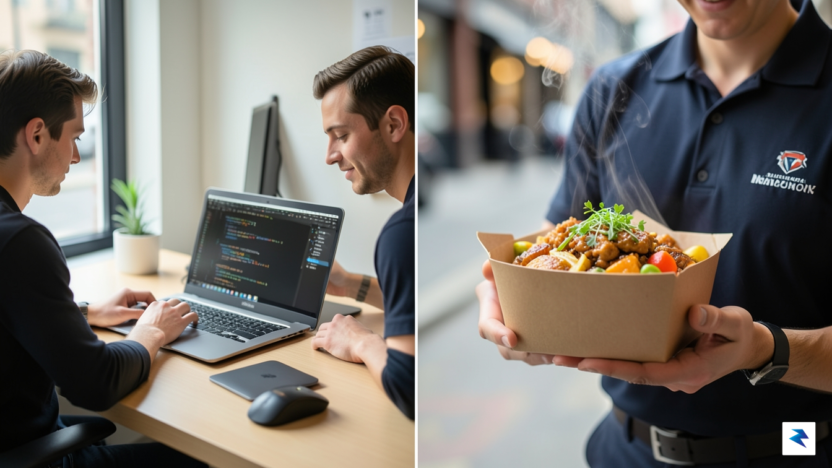
For decades, the evolution of personal computing was defined by a steady migration away from the stark, text-based terminals of the early computing era toward the vibrant, intuitive landscapes of Graphical User Interfaces (GUIs). While the average user embraced the mouse, the window, and the icon as the standard for interaction, a dedicated subset of developers and system administrators remained anchored to the command line. This terminal-based environment offers a level of precision and speed that visual interfaces often struggle to match, allowing users to execute complex tasks with a single, well-crafted string of characters. Now, we are witnessing a fascinating reversal of this trend, where consumer-facing services are migrating back into the terminal, effectively bridging the gap between high-level utility and low-level efficiency.
The core appeal of the command-line interface lies in its uncompromising efficiency. By eliminating the overhead of loading heavy graphics, rendering animations, and navigating through nested menus, developers can interact with digital ecosystems at the speed of thought. When you are already deep in a coding session, context switching—the act of minimizing your workspace, opening a web browser, and navigating to a food delivery site—breaks your flow and incurs a significant cognitive cost. The emergence of tools like dd-cli represents a shift toward a “headless” commerce model, where the underlying services we rely on are decoupled from their traditional visual platforms. By exposing these services via command-line hooks, companies are acknowledging that for a significant portion of their user base, the terminal is not just a tool for work; it is their primary digital home.
The transition toward terminal-based consumer services signifies a maturation of our digital tools, where the interface adapts to the user’s workflow rather than forcing the user to adapt to the interface.
This movement toward terminal-based commerce is more than just a novelty for power users; it reflects a broader change in how we conceive of software accessibility. As APIs become more robust and open, the barrier to creating lightweight, text-based wrappers for complex services has lowered, allowing developers to craft bespoke interactions that feel native to their specific environments. This “headless” approach allows for programmatic automation—such as ordering your favorite lunch automatically when a specific task is completed—that would be impossible to achieve through a standard point-and-click website. Ultimately, this resurgence of the command line signals that as we become more integrated with our technology, we are increasingly seeking ways to interact with it that are as fluid, rapid, and unencumbered as the code we write.
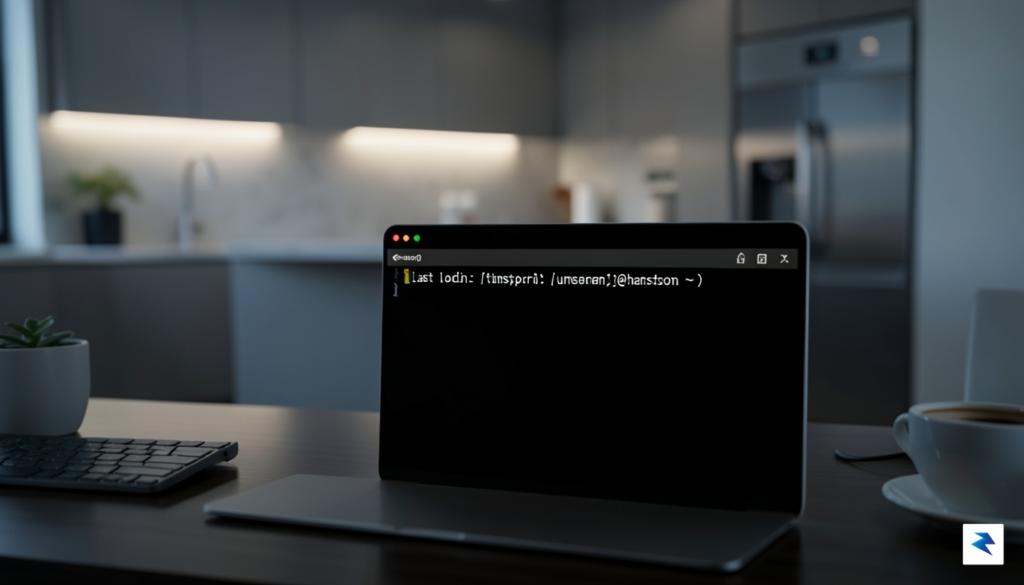
At its core, dd-cli functions by treating the sprawling DoorDash ecosystem as a streamlined, API-first service. By stripping away the heavy JavaScript, high-resolution imagery, and complex UI animations that define the standard mobile app or browser experience, this tool provides a direct pipeline to the data you actually need. Authentication is handled securely through an initial configuration step where users input their session tokens, allowing the CLI to maintain a persistent, authenticated connection. Once authorized, the terminal becomes a powerful dashboard that prioritizes speed and precision over aesthetic flair.
The command structure is designed with developer ergonomics in mind, mimicking common Unix-style syntax to ensure that navigating food options feels intuitive. For example, a simple dd-cli search "Thai food" command instantly queries local availability, returning a structured list of restaurants complete with their current status and ratings. From there, users can drill down into specific menu items and add them to their shopping cart with a single line of code, such as dd-cli add --item "Pad Thai" --restaurant "SpiceHouse". This eliminates the latency inherent in loading multiple web pages, effectively transforming a process that usually takes several minutes into a task that occupies only a few seconds of keyboard input.
Finalizing an order is where the efficiency of the command line truly shines. Instead of navigating through multiple checkout screens, confirming addresses, and clicking through upsell prompts, users simply execute the dd-cli checkout command. The tool pulls your default payment and delivery information directly from your saved profile, displaying a concise summary before prompting for final confirmation. This text-based interaction model removes the friction of image-heavy layouts that often distract or slow down the user journey. By focusing purely on the transactional logic, dd-cli turns the act of ordering dinner into a rapid, keystroke-driven operation that respects the user’s time and workflow.
The true power of a CLI-based commerce tool lies in its ability to strip away the noise. By focusing strictly on data retrieval and transactional input, users can reclaim their time from the bloated interfaces that dominate modern food delivery platforms.
Beyond simple convenience, the tool offers a unique advantage for power users who prefer keyboard-centric workflows. Because the interface is entirely text-based, it is inherently lightweight and responsive, regardless of the user’s internet bandwidth. There are no heavy assets to fetch and render, meaning the tool remains functional even in environments where graphical browsers might struggle. Whether you are managing multiple tasks in a tiled window manager or simply looking to minimize context switching during a busy workday, dd-cli provides a seamless bridge between your terminal and your next meal.
The emergence of command-line interfaces for consumer services represents a fundamental pivot in how we conceive of software architecture. For decades, developers have prioritized the human-computer interaction model, focusing on sleek graphical user interfaces (GUIs) that rely on visual cues and intuitive navigation. However, the release of tools that allow for ordering food via a terminal suggests a quiet transition toward “Software for AI”—an architecture designed primarily for autonomous execution rather than human interaction. By exposing service endpoints through a CLI, DoorDash has essentially provided a set of “digital muscles” that AI agents can flex, allowing machines to perform complex, real-world tasks without requiring a human to click through a series of menus.
When software is built with an API-first or CLI-first philosophy, it becomes natively compatible with the burgeoning ecosystem of autonomous agents. Instead of an AI relying on brittle screen-scraping techniques or simulating mouse clicks to navigate a webpage, it can now interact with the service through a structured, predictable programmatic interface. A personal assistant agent, for instance, could monitor your calendar, recognize that your back-to-back meetings are depleting your energy, and trigger a command-line script to order your favorite lunch at exactly the right time. This transition eliminates the friction of the traditional app experience, turning once-manual chores into background processes handled by an intelligent, persistent script.
“The ultimate goal of AI-agent-first design is to move beyond mere task automation and toward the creation of seamless, invisible commerce where software interfaces directly with other software to fulfill human needs.”
The long-term implications for the gig economy are profound and potentially transformative. As these CLI tools become more robust, we will likely see a surge in specialized automation scripts that optimize for price, delivery time, and dietary preferences across multiple platforms simultaneously. This shift could fundamentally change the nature of service-oriented architecture, moving the value proposition away from the “consumer app” and toward the “autonomous executor.” Consequently, platforms that prioritize machine-readable interfaces will gain a competitive edge, as they become the preferred infrastructure for the next generation of AI-driven personal assistants. We are witnessing the birth of a commerce layer that runs in the background of our digital lives, proving that the most efficient interface for the future may not be a beautiful design, but a clean, command-line prompt.
Transitioning from the graphical interfaces of modern food delivery apps to a command-line interface (CLI) is a move that prioritizes raw speed over visual convenience. While the ability to execute a quick terminal command to reorder your favorite meal is undeniably efficient, it necessitates a shift in how we approach both security and user accuracy. When you strip away the high-fidelity images and intuitive drag-and-drop menus of a smartphone app, you remove the immediate visual confirmation that humans rely on to catch errors before they are finalized. Consequently, the burden of precision shifts entirely to the user, who must now navigate text-based arguments and flags to ensure that the order sent to the restaurant matches their actual intent.
One of the most significant trade-offs in this transition is the management of digital credentials. In a standard web browser or mobile application, session tokens are handled securely within encrypted storage containers. When moving these operations to a terminal, users are often required to store API tokens or session cookies in plain-text configuration files within their home directories. If not properly secured with restricted file permissions—such as chmod 600—these credentials could potentially be exposed to other processes or users on the same machine. Furthermore, because these tools often operate via scripts, there is a risk that sensitive authentication data might inadvertently leak into command history files or logs if the tool is not designed with security-first principles, such as utilizing environment variables or secure credential managers.
From a usability perspective, the cognitive load required to operate a CLI tool is markedly higher than that of a graphical interface. Where a traditional app uses visual cues—such as a picture of a burger or a red “add to cart” button—to guide the user, a CLI requires the operator to memorize or look up specific syntax. This creates a feedback loop that is far more fragile; a simple typo in a command string could lead to an incorrect order or a failed API request. To mitigate these risks, robust CLI tools must implement comprehensive error handling and clear terminal feedback. Without meaningful prompts that confirm order details like “Restaurant: Joe’s Pizza, Item: Pepperoni Slice, Total: $5.50,” the risk of a “blind” transaction becomes an operational hazard that few users are prepared to manage.
True efficiency in a text-based environment is not just about speed; it is about the reliability of the feedback loop between the user’s intent and the terminal’s execution.
Ultimately, the appeal of terminal-based commerce lies in the ability to integrate food ordering into a workflow that is already anchored in the command line. However, users should approach this shift with a healthy degree of caution. By adhering to best practices—such as regularly auditing configuration files, utilizing secure environment variables for API keys, and double-checking command syntax before hitting enter—the technical power user can enjoy a seamless ordering experience that is as secure as it is fast. The transition is not merely about changing the interface; it is about embracing a more disciplined approach to the way we interact with digital services.

The emergence of command-line tools for consumer services represents a significant departure from the graphical, friction-heavy interfaces that have defined the digital economy for the last decade. By bypassing complex web layouts and repetitive mouse clicks, developers and power users can now execute tasks with the precision and speed of a terminal environment. This shift is not merely about convenience; it is about reclaiming control over our digital workflows. When we can trigger a food order or a logistics update through a simple terminal command, we treat our services as modular components of a larger, personalized operating system rather than siloed applications that demand our undivided attention.
If we look toward the horizon, it is clear that DoorDash is likely just the vanguard of a broader movement toward headless consumer services. Industries characterized by routine, transactional interactions—such as grocery delivery, ride-sharing, and parcel logistics—are prime candidates for this transition. Imagine a world where a quick script or a cron job manages your household inventory, automatically reordering staples from the grocery store the moment your digital pantry reflects a low stock, all without ever touching a web browser. As businesses realize that exposing their APIs to command-line interactions can drastically reduce the overhead of managing front-end interfaces, we will likely see a surge in specialized CLI tools designed to make high-efficiency living a standard expectation.
The democratization of automation is moving out of the server room and into the hands of the individual user, transforming how we interact with the global supply chain.
Ultimately, this trend signals a fundamental change in the tech landscape: the rise of the autonomous, agent-driven user experience. By making services accessible through command-line inputs, companies are effectively opening the door for AI agents to act on our behalf with unprecedented reliability. Instead of struggling to navigate inconsistent web elements or pop-up menus, an AI assistant can now communicate directly with the service’s logic, ensuring that tasks are completed with minimal error. This evolution fosters a more modular digital ecosystem where services are no longer static destinations but dynamic tools that integrate seamlessly into our existing workflows. As we move forward, the ability to automate these mundane, repetitive aspects of daily life will become a hallmark of digital literacy, empowering individuals to focus on more meaningful work while the terminal handles the logistics of modern existence.
You must be logged in to post a comment.