
From Falcon 1 to Mars: The Milestones That Built SpaceX’s $2T Empire
The Genesis: From Near Bankruptcy to Falcon 1 Success When Elon Musk founded SpaceX in 2002, the aerospace industry was dominated by…


The malicious campaign identified by Microsoft cybersecurity researchers serves as a stark reminder that even the most trusted tools in our digital arsenal can be weaponized against us. By masquerading as an official extension for the popular AI-powered search engine Perplexity, attackers successfully exploited the trust users place in branding and familiar interfaces. The fraudulent extension relied heavily on visual deception, employing techniques akin to “typosquatting” or pixel-perfect logo replication to appear indistinguishable from the legitimate tool. By mirroring the official color schemes, icons, and even the descriptive metadata of the real product, the attackers created a false sense of security that led unsuspecting users to install the extension directly from the Chrome Web Store.
Once installed, the extension functioned as a silent interceptor, hiding its true purpose behind the veneer of AI-assisted productivity. Instead of merely enhancing search results, the code was engineered to monitor and manipulate user behavior in real-time. Whenever a user entered a search query, the extension would invisibly redirect the traffic through an attacker-controlled infrastructure before displaying any results. This redirection allowed the malicious actors to harvest sensitive data, track user habits, and inject unauthorized content into the browser’s session. This technical sleight of hand is particularly dangerous because it happens entirely in the background, leaving the victim unaware that their search traffic has been compromised or redirected to a third-party server.

The success of this attack underscores a critical vulnerability in browser ecosystems: once a malicious extension gains access to a user’s browsing environment, it can effectively “man-in-the-middle” the entire web experience without triggering standard security alerts.
The target demographic for this campaign was broad, focusing on individuals seeking to integrate AI tools into their daily workflows—a segment that inherently values efficiency and often overlooks the granular permission requests required during installation. By exploiting the desire for seamless AI integration, the attackers leveraged a “social engineering” approach where users were eager to adopt a perceived productivity boost. Technically, the extension requested extensive permissions to read and change data on all websites visited, a common requirement for legitimate AI tools that the attackers exploited to gain full control over the user’s search traffic. This serves as a vital lesson for all internet users: the permissions you grant an extension are the keys to your digital kingdom, and they should be scrutinized with the same rigor as you would apply to a banking password.
Ultimately, the technical mechanics of this breach highlight the necessity of extreme caution when expanding browser functionality. Even if an extension appears to be from a reputable developer or mimics a well-known service, users must verify the authenticity of the publisher and carefully review the requested permissions. When an extension asks to “read and change all your data on the websites you visit,” it is essentially asking for a blank check to view every transaction, search, and private interaction you conduct online. Protecting yourself requires a shift in mindset: treat every new piece of software as a potential security risk until it has been thoroughly vetted, and always prioritize official sources over convenient, third-party add-ons.

When you click “Add to Chrome,” you are often presented with a deceptively simple permissions prompt. While many users instinctively click through these requests without a second thought, granting an extension the ability to “Read and change all your data on the websites you visit” is essentially handing a master key to your browsing session. This specific permission allows an extension to inject its own code into every page you load, effectively acting as an invisible intermediary between your computer and the internet. Because the extension resides within your browser, it can monitor, intercept, and alter the data flowing to and from the sites you trust, turning your personal search habits into a playground for malicious actors.
The danger becomes particularly acute when these extensions manipulate your search workflow through a process similar to a man-in-the-middle (MITM) attack. By intercepting your search queries before they even reach a legitimate search engine like Google or Bing, a malicious extension can silently redirect your traffic to unauthorized domains. Instead of receiving the objective results you expect, you might be funneled toward “search” pages designed to serve malicious advertisements, harvest your private search history, or trick you into visiting phishing sites. Because the redirection happens at the browser level, the URL bar might still look legitimate, making it nearly impossible for the average user to realize their search experience has been compromised.

Granting broad permissions to browser extensions is equivalent to installing a permanent, third-party observer in your private web sessions. Once an extension has access to your data, it can quietly record everything you type, click, or view.
Beyond simple redirection, these extensions can pose a severe threat to your digital security through credential harvesting and clandestine ad-injection. Because the malicious code can “see” the data on every page you visit, it can scrape sensitive information—such as session cookies, banking login prompts, or personal metadata—and transmit that data back to a command-and-control server. Furthermore, by injecting unauthorized advertisements into your search results, these tools can generate fraudulent revenue for attackers while exposing you to malicious downloads. Over time, this constant surveillance creates a comprehensive profile of your interests, habits, and vulnerabilities, turning your own browser into a tool for your exploitation.
Maintaining the integrity of your search experience requires a proactive approach to browser hygiene. It is critical to audit your extensions regularly, removing any tools that are no longer strictly necessary or that request permissions disproportionate to their stated function. If a simple AI-powered search tool asks for full access to every website you visit, it is likely doing far more than helping you summarize articles. By limiting these permissions and staying vigilant about the tools we invite into our browsers, we can better protect our data from being surreptitiously manipulated by those lurking behind the install button.
If you suspect that your browser has been compromised by a malicious add-on, immediate action is the most effective way to prevent data exfiltration or unauthorized search redirection. The first step in reclaiming control of your browsing environment is a thorough audit of your currently installed software. To begin, navigate to chrome://extensions in your address bar or select the “Extensions” icon in your toolbar and choose “Manage Extensions.” This interface provides a centralized view of everything currently running within your browser, allowing you to scrutinize each item for irregularities.
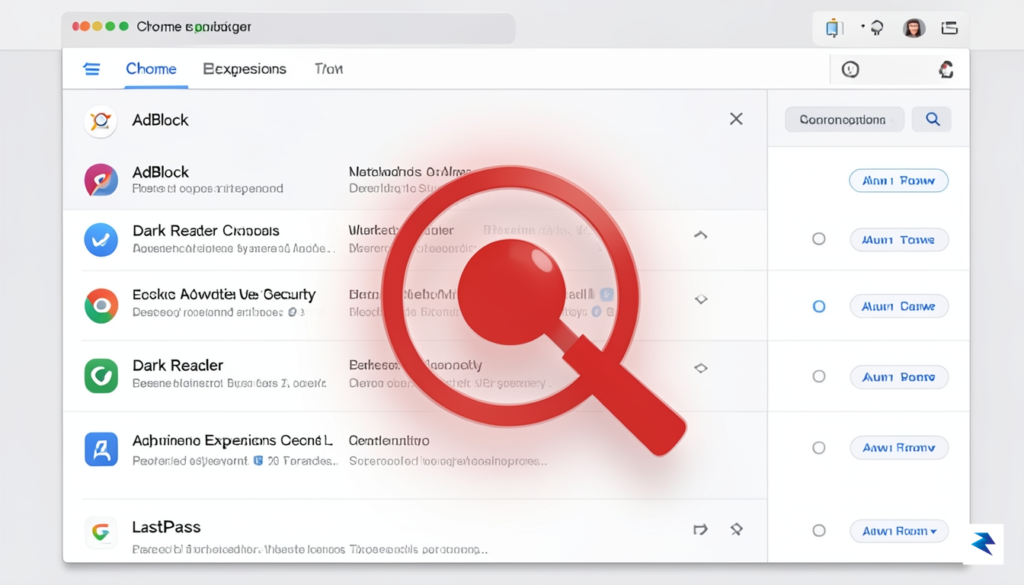
When reviewing your list of extensions, look for names that mimic popular productivity tools or AI services but feature slight misspellings or unconventional branding. Attackers often rely on “typosquatting” or generic names to trick users into installing malicious packages that masquerade as legitimate software. If you encounter an extension that you do not recognize, or one that you do not recall installing, do not hesitate to disable it immediately. Furthermore, check the developer details provided in the extension card; if the developer name seems suspicious, generic, or mismatched with the official company behind the tool, it is a significant red flag that warrants complete removal.
Once you have identified a suspicious extension, the process of removal should be definitive and thorough. Simply toggling an extension “off” is often insufficient, as malicious code may still persist in your browser’s local storage or cached data. Click the “Remove” button associated with the suspicious extension to delete it entirely from your profile. After removal, it is critical to clear your browser’s cache and cookies to ensure that any persistent session tokens or tracking scripts left behind by the malicious software are purged from your system.
Pro-Tip: If an extension requires permissions like “Read and change all your data on all websites” and you aren’t absolutely certain of its necessity, it is safer to uninstall it immediately. High-privilege extensions are the primary targets for attackers looking to harvest sensitive information.
Beyond removing specific threats, use this opportunity to perform a broader hygiene check on your browser. Over time, we accumulate dozens of extensions that we no longer use, each of which represents an unnecessary entry point for potential exploits. Uninstall any tools that you have not actively used in the last month to minimize your attack surface. By maintaining a minimalist extension library and staying vigilant about the permissions you grant, you significantly reduce the likelihood of falling victim to sophisticated browser-based social engineering attacks.

The rapid proliferation of AI-powered browser extensions has fundamentally changed how we interact with the web, but this convenience comes with significant security baggage. When you install an extension, you are essentially granting that piece of software a digital skeleton key to your browser, allowing it to read your search queries, intercept data, and modify the pages you visit. To protect yourself, you must adopt a “security-first” mindset that prioritizes verification over convenience. Rather than relying solely on the Chrome Web Store’s search results, which can be manipulated by malicious actors through keyword stuffing and fake reviews, always navigate to the official website of the AI service provider first. Look for direct links to their browser extensions on their primary domain, as this is the only way to ensure you are downloading the legitimate tool rather than a sophisticated “wrapper” designed to harvest your data.

Beyond verifying the source, you should rigorously audit the extensions you already have installed. A high download count is not always a guarantee of safety, as attackers often use botnets to inflate these numbers to build false credibility. Instead, pay close attention to the permissions requested during installation; if a simple AI chatbot extension asks for permission to “read and change all your data on the websites you visit,” treat that as a massive red flag. Furthermore, maintain a lean browser environment by periodically auditing your extensions list and removing anything you haven’t used in the past month. The fewer active extensions you have, the smaller your attack surface becomes, significantly reducing the chances of a malicious actor gaining unauthorized access to your private information.
Pro-Tip: If a third-party extension requires excessive permissions that seem unrelated to its core function—such as an AI summary tool asking for access to your banking or email tabs—uninstall it immediately. When in doubt, stick to the web-based interface of the official service rather than relying on a third-party wrapper.
Finally, your browser’s defensive posture is only as strong as its latest update. Browser vendors like Google and Microsoft frequently issue patches specifically designed to close vulnerabilities that malicious extensions use to hijack search settings or exfiltrate sensitive data. Enable automatic updates for your browser and, whenever possible, keep your operating system current as well. By combining these proactive habits—verifying sources through official channels, limiting browser permissions, and maintaining an updated environment—you create a resilient security framework that allows you to leverage the power of AI without becoming the next victim of a phishing or malware campaign.
You must be logged in to post a comment.