
Jack Mallers Steps Down as XXI Capital CEO Following Failed Merger
The Collapse of the XXI Capital Merger The vision behind the proposed three-way merger was nothing short of transformative: to construct a…


For years, the promise of artificial intelligence felt inextricably tethered to the cloud. We were taught that the sheer computational weight of large language models (LLMs) necessitated massive, centralized data centers, forcing users to trade their privacy and data autonomy for the convenience of modern intelligence. However, the landscape of personal computing is undergoing a seismic shift. We are moving away from the era of “rented intelligence” toward a model of local-first computing, where the most sophisticated frontier-level models reside directly on your own hardware, running entirely offline and under your complete control.
This paradigm shift is largely fueled by the remarkable evolution of Apple Silicon. With the integration of high-performance Unified Memory Architecture and the dedicated Neural Engine found in M1, M2, and M3 chips, modern Macs have transformed from simple productivity machines into formidable AI workstations. These chips are uniquely optimized to handle the intensive matrix multiplications and memory bandwidth requirements that once required enterprise-grade GPUs. By leveraging this onboard efficiency, developers and power users can now execute complex, frontier-class models that were previously impossible to run outside of a cloud environment.
At the center of this movement stands Nativ, a tool designed to bridge the gap between complex research models and the everyday Mac user. Nativ acts as a catalyst, stripping away the friction of command-line complexity and environment configuration that previously acted as a gatekeeper to local AI. Instead of navigating arcane dependencies, users can now deploy powerful open-source models with a few clicks, turning their local machine into a private, high-speed research lab. This is not merely about convenience; it is about reclaiming the sovereignty of your data.
By bringing frontier models to the local machine, Nativ ensures that your prompts, documents, and creative workflows remain entirely on your device, never touching a third-party server.
The implications of this transition are profound for both privacy-conscious individuals and professional creators. When you run a model like Llama 3 or Mistral locally via Nativ, you are no longer subject to the latency of internet connections or the unpredictable content filters and privacy policies of cloud providers. Furthermore, the ability to run these models locally fosters a deeper level of experimentation and customization. As we move deeper into this new era, the power to innovate is being returned to the individual, proving that you do not need a multi-million dollar data center to harness the cutting edge of artificial intelligence—you simply need the right tools on the machine you already own.

For years, the promise of true local artificial intelligence has been gated by a formidable barrier: the chasm between enterprise-grade hardware requirements and the accessible architecture of consumer devices. Nativ fundamentally redefines this landscape by acting as a high-performance bridge that translates the complexities of frontier open-source models into a language your Mac’s silicon speaks fluently. By stripping away the bloated abstractions and heavy middleware common in traditional inference frameworks, Nativ allows the software to communicate directly with the Apple Neural Engine and unified memory architecture. This optimization is not merely about convenience; it is about unlocking the raw, dormant potential of your hardware to handle sophisticated neural networks that were previously relegated to server farms.
The technical architecture of Nativ is designed to minimize the overhead that typically cripples performance on macOS. While traditional inference engines often rely on generalized wrappers that prioritize compatibility over speed, Nativ focuses on aggressive resource allocation and memory mapping specific to the M-series chips. This streamlined approach ensures that when you run a model like Llama 3 or Mistral, the system avoids the bottlenecks associated with context switching and inefficient data movement. Consequently, the user experiences a significant reduction in latency and a massive boost in tokens-per-second, transforming what was once a stuttering, experimental endeavor into a fluid, production-grade workflow.
By eliminating the need for external API calls, Nativ restores local sovereignty over your data and creative processes, ensuring that your most sensitive prompts never leave the physical silicon of your device.
Beyond the technical specifications, the true value of Nativ lies in its empowerment of the open-source community. Relying on external APIs for frontier models introduces significant risks, including unpredictable costs, privacy concerns, and the potential for service outages that can halt your projects in their tracks. By enabling these models to run locally, Nativ grants users the freedom to experiment without constraints, fostering an environment where innovation is limited only by imagination rather than subscription tiers. This shift toward local-first AI is pivotal; it turns your Mac into a private research laboratory capable of executing world-class intelligence, thereby democratizing access to the most powerful tools in modern computer science.
Before diving into the world of local artificial intelligence, ensure your machine is up to the task. Nativ is optimized for modern Apple Silicon hardware, so you will need a Mac running macOS 13.0 (Ventura) or later, ideally equipped with an M1, M2, or M3 chip. While the software is remarkably efficient, memory remains the most critical bottleneck for performance; for a smooth experience with frontier-class models, we recommend at least 16GB of unified memory. If you are running a machine with 8GB, you may be limited to smaller, quantized model variants, so verify your system specifications in the About This Mac menu before proceeding.
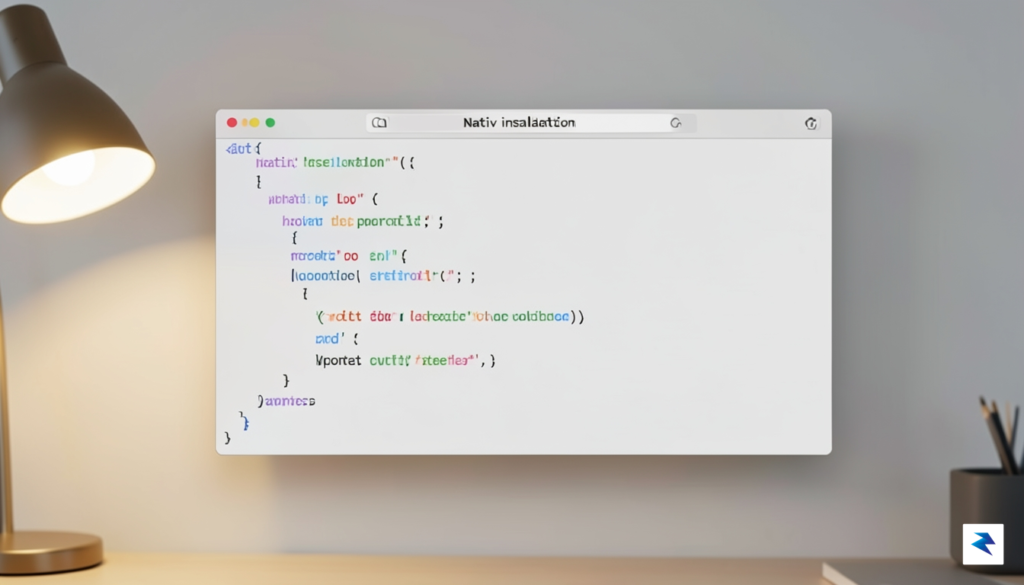
The installation process is designed to be as frictionless as possible, relying on the standard command-line interface familiar to most developers and power users. Open your Terminal application and execute the installation script provided on the Nativ project page. This script automatically handles dependency resolution and configures your local environment, ensuring that the backend engines are correctly mapped to your Mac’s GPU accelerators. Once the installation finishes, you can verify your setup by typing nativ --version. If the command returns a version number, your environment is correctly configured and ready to interface with the model registry.
Key Tip: Always ensure your Terminal has full disk access in your System Settings, as Nativ requires permission to cache model weights in your local directory for faster subsequent loading.
Once the environment is active, pulling your first model is a simple command-line operation. By browsing the curated list of available open-source models, you can select an architecture that fits your specific needs, such as a 7B parameter model for quick chat responses or a larger 70B parameter model for complex reasoning tasks. Use the command nativ pull [model-name] to download the necessary files. Because these files can be quite large—often spanning several gigabytes—it is wise to monitor your available storage space during the download process.
Managing memory allocation is the final, crucial step to ensuring your local LLM runs without stuttering. Nativ allows you to specify a memory limit when launching a model, which prevents the process from exhausting your Mac’s RAM and causing the operating system to swap to the disk. You can initiate a model with specific constraints by using the --memory flag, such as nativ run [model-name] --memory 8GB. By balancing the model size against your available unified memory, you can achieve a perfect equilibrium between high-fidelity AI performance and system stability, allowing you to run frontier models entirely offline with total privacy.
The true power of running frontier models on Apple Silicon lies in the unified memory architecture, which allows the CPU and GPU to share the same pool of high-bandwidth memory. Unlike traditional discrete graphics cards that require moving data across a relatively slow PCIe bus, Apple’s M-series chips allow the GPU to access the model weights directly from RAM with minimal latency. To fully exploit this, users should focus on the strategic application of quantization. By utilizing formats such as GGUF or EXL2, you can compress massive model parameters into smaller footprints without sacrificing significant intelligence. This reduction in size is critical, as it allows larger, more sophisticated models to fit comfortably within the available unified memory rather than spilling over into slower swap space, which would otherwise cripple your tokens-per-second performance.
Beyond merely selecting the right quantization, managing your system’s active resources is essential for maintaining a smooth inference experience. When running heavy local models, it is highly recommended to close memory-intensive applications—such as browser tabs with heavy JavaScript or video editing suites—to ensure the maximum amount of unified memory is dedicated to the model’s context window. You can monitor the efficiency of your setup in real-time by utilizing the Activity Monitor on macOS, specifically the “Memory” and “GPU” tabs. By keeping an eye on these metrics, you can identify if your current model configuration is pushing the hardware to its thermal limits or if you have enough overhead to increase the context length for more complex reasoning tasks.
To achieve the best balance of speed and accuracy, aim for a 4-bit or 6-bit quantization; this usually provides the “sweet spot” where the model retains near-native intelligence while running significantly faster on consumer-grade Apple silicon.
Thermal management is the final, often overlooked piece of the puzzle, particularly during long-context tasks or continuous generation. Even the most efficient Apple Silicon chips will eventually throttle if the internal temperatures climb too high, causing a noticeable drop in generation speed. To prevent this, ensure your Mac is placed on a hard, flat surface to allow for adequate airflow, and consider using third-party fan control utilities if you are pushing the machine for extended periods. By balancing these hardware-level optimizations with intelligent model selection, you can transform your Mac from a general-purpose laptop into a high-performance engine for local artificial intelligence, capable of matching the responsiveness of cloud-based APIs while maintaining complete data privacy.

In an era where artificial intelligence is rapidly becoming a cornerstone of daily productivity, the question of where your data actually lives has never been more critical. When you rely on cloud-based AI services, every prompt, document analysis, and creative draft is transmitted to remote servers, effectively stripping you of total data sovereignty. By contrast, running frontier models locally on your Mac using tools like Nativ transforms your hardware into a private fortress. Because the computational heavy lifting occurs entirely on your machine’s silicon, your sensitive information remains within the physical confines of your device, completely shielded from the prying eyes of third-party cloud providers, model trainers, and potential data breaches.

The implications of this shift are profound for professionals handling proprietary information, legal documents, or highly sensitive research. Cloud-based platforms often process user inputs to refine their future models, creating a landscape where “private” inputs can inadvertently become part of a public training set. Operating locally acts as a definitive safeguard against this “leakage by design.” When your AI ecosystem is air-gapped from the internet during execution, you eliminate the risk of sensitive data being intercepted or stored in external databases. This is not merely a technical preference; it is a fundamental shift toward maintaining intellectual property control in a world that increasingly demands transparency and security.
The true power of local AI lies in the ability to compute without compromise, ensuring that your most valuable insights remain your own, never leaving the security of your hardware.
Furthermore, moving to a private-by-default AI workflow empowers users to experiment with sensitive workflows that would otherwise be off-limits in a corporate cloud environment. Whether you are drafting confidential contracts, analyzing private financial records, or iterating on unreleased creative projects, a local model provides a blank slate that doesn’t “remember” you or your data once the task is complete. This autonomy fosters a higher level of creative confidence, as the barrier between your thoughts and the machine is no longer mediated by an external gatekeeper. By adopting a local-first approach with your Mac, you are building an ecosystem where innovation does not come at the cost of your digital privacy, ensuring that your AI remains a tool for your benefit rather than a conduit for your information.
As we look toward the horizon, the marriage of high-performance open models and personal computing is poised to undergo a profound metamorphosis. We are rapidly approaching an era where the hardware within your Mac—specifically the specialized Neural Engine and high-bandwidth unified memory—will no longer be viewed as a luxury for niche workflows, but as the foundational bedrock for all daily digital tasks. As model optimization techniques like quantization, pruning, and speculative decoding become increasingly sophisticated, we will see frontier-level capabilities condensed into footprints that can run entirely in the background without draining battery life or impacting system responsiveness. This shift will effectively render the latency-heavy paradigm of cloud-based API calls obsolete for the vast majority of personal intelligence tasks.

The next frontier lies in the integration of these models directly into the operating system’s kernel and application layers, transforming static software into dynamic, intent-aware agents. Rather than interacting with disjointed apps, users will likely find themselves orchestrating an ecosystem of local AI agents that understand the context of their entire digital workspace, from local file systems to private communication threads. This shift toward “local-first” AI is not merely a technical preference; it is a fundamental pillar for the democratization of intelligence. By decoupling personal AI from centralized cloud infrastructure, we reclaim the autonomy to process sensitive data without the risk of external surveillance or server-side service interruptions. This empowers the individual to own their digital “brain” completely, ensuring that the most valuable insights generated by our machines remain tethered to the user, not a remote corporation.
The true potential of local AI is not just in its speed or privacy, but in its ability to act as a permanent, context-aware extension of human thought that functions regardless of network connectivity or external constraints.
Ultimately, the rise of tools like Nativ serves as a harbinger for a fundamental shift in how we perceive personal computing. We are moving away from the era of “dumb” software—tools that require explicit manual input for every action—and entering an age of collaborative intelligence. As these models become more efficient and our hardware becomes more adept at running them, the boundary between the user and the computer will blur, leading to a symbiotic relationship where the machine anticipates needs before they are fully articulated. By prioritizing local inference today, we are laying the groundwork for a future where high-performance intelligence is an inherent right of every Mac user, rather than a privilege gated by connectivity or subscription costs.
You must be logged in to post a comment.