The Foundations of Prompt Engineering: Beyond Simple Queries

Many users approach ChatGPT as if it were a glorified search engine, typing in brief, fragmented queries and hoping for a miracle of insight. However, this mindset fundamentally limits the tool’s potential; treating the model as a mere database is a missed opportunity for true cognitive partnership. To move beyond superficial results, you must shift your perspective to view the AI as a highly capable, albeit literal-minded, collaborator. This requires an adherence to the principle of “garbage in, garbage out,” where the quality of your output is inexorably tied to the precision of your input. By investing just a few extra moments in crafting a structured prompt, you transition from asking for facts to orchestrating complex analytical processes.
One of the most effective ways to elevate your interaction is through intentional role assignment. By explicitly telling ChatGPT who it should be—whether that is a senior software engineer, a creative writing coach, or a financial analyst—you prime the model to adopt a specific vocabulary, tone, and logical framework. This framing acts as a filter for the vast ocean of data the model has been trained on, narrowing its focus to the expertise most relevant to your objective. Without this persona, the model defaults to a generic, neutral voice that often lacks the nuance or practical depth required for professional-grade tasks.
Success in prompt engineering is not found in the brevity of your question, but in the richness of the context you provide.
A high-quality prompt is ultimately composed of four essential pillars: persona, task, context, and constraints. First, define the persona to set the stage. Second, clearly articulate the task you need to be completed, using active verbs that leave little room for ambiguity. Third, provide necessary context, such as the intended audience for the output or the specific background information that informs your request. Finally, apply constraints to define the boundaries of the response, such as word count limits, preferred formatting, or specific elements that must be avoided. When these components work in harmony, the model stops guessing at your intent and begins to execute your vision with remarkable precision.

Ultimately, prompt engineering is an exercise in clarity and intentionality. When you provide the model with a well-defined structure, you are not just asking for an answer; you are guiding the AI through a logical sequence of reasoning. This collaborative approach allows you to iterate on ideas, test hypotheses, and refine complex projects in real-time. By moving away from simple, one-sentence queries, you unlock a sophisticated analytical engine capable of handling tasks that range from high-level strategic planning to intricate technical problem-solving, turning a simple interface into a powerful asset for your creative and professional workflow.
Structuring Context for Higher Accuracy

When you input a vague, one-sentence prompt into ChatGPT, the model is forced to make a series of assumptions to fill in the blanks. Because it lacks specific guardrails, it defaults to a generic, middle-of-the-road response that often feels sterile or uninspired. However, the quality of a generative AI’s output is directly proportional to the richness of the background information you provide. By deliberately structuring your context, you transform the AI from a generalist assistant into a highly specialized subject matter expert tailored to your exact project needs.
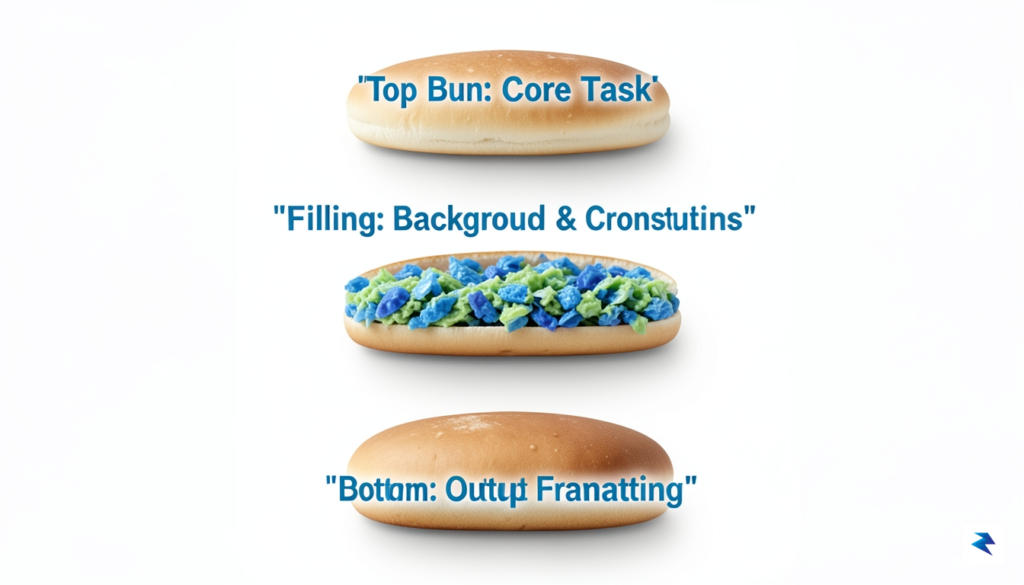
To organize this background information effectively without overwhelming the model’s attention span, you can utilize a structural framework known as the “Context Sandwich.” This technique involves placing your core instruction at the very beginning, layering the rich background data and constraints in the middle, and reiterating the specific output format or call-to-action at the very end. By sandwiching the dry, factual data between your primary directive and your final formatting rules, you leverage the model’s natural tendency to pay closer attention to the start and end of a prompt. This prevents the AI from getting lost in the middle of a dense block of text and ensures it executes your primary goal with high fidelity.
Guiding Output with Few-Shot Prompting
Even with a solid structural framework, describing an abstract tone or a complex formatting style in pure prose can sometimes lead to misinterpretation. This is where “few-shot prompting”—the practice of providing concrete examples within your prompt—becomes invaluable. By showing the AI two or three ideal examples of the style, tone, or structural layout you expect, you eliminate ambiguity entirely. For instance, if you want the AI to write product descriptions, pasting two previous high-performing descriptions directly into the context block teaches the model the exact rhythm, length, and vocabulary you favor far better than simply asking it to “be engaging and professional.”
Tailoring the Output to Your Audience
Another critical layer of effective context is explicitly defining the target audience and the expected knowledge level of the final output. If you do not specify who the content is for, the AI will write for a generic, broad audience, which often misses the mark. You can easily correct this by instructing the model to adopt a specific persona or to write for a reader with a defined level of expertise. For example, telling ChatGPT to explain quantum computing to a high school physics student will yield a vastly different vocabulary, tone, and set of analogies than asking it to explain quantum computing to a venture capitalist looking to invest in tech startups.
Ultimately, taking control of the context you feed into ChatGPT is the single most effective way to elevate your prompt engineering skills from basic experimentation to professional-grade execution. When you treat the prompt window as a canvas for structured data rather than a simple search bar, the AI responds with unprecedented accuracy and nuance.
Key Takeaway: Never expect ChatGPT to read your mind. By wrapping your instructions in a structured Context Sandwich, providing clear examples, and explicitly defining your target audience, you eliminate the guesswork and unlock highly precise, ready-to-use results.
Refining Style and Persona Constraints
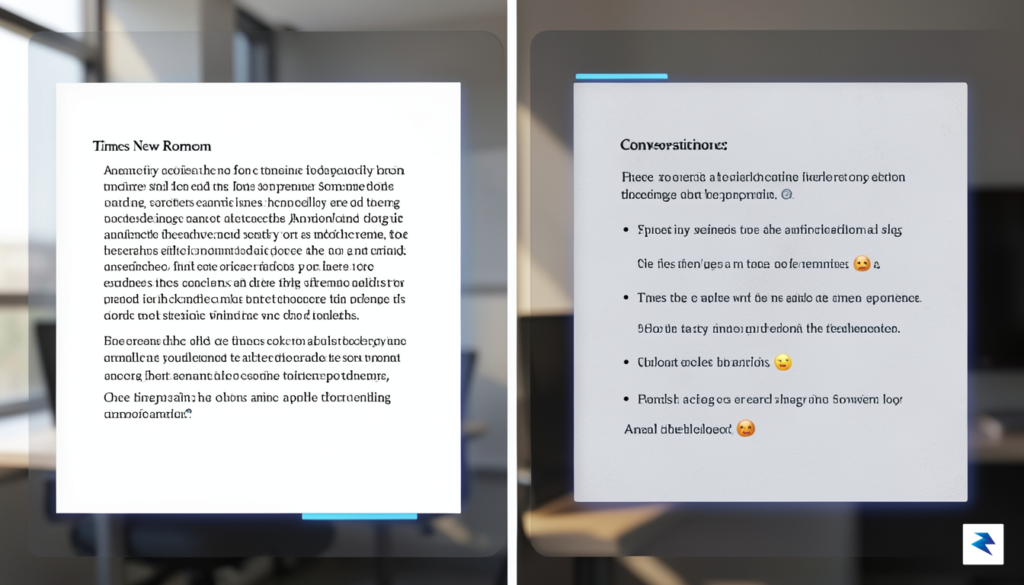
Generic responses are rarely the gold standard for high-level professional work, yet they are the default setting for most AI models. To bypass that unmistakable “robotic” feel, you must move beyond simple queries and start layering in sophisticated stylistic constraints. By explicitly defining a persona, you force the model to adopt a specific vantage point, whether that is a seasoned software architect, an empathetic human resources director, or a punchy, high-energy marketing strategist. This isn’t just about adjectives; it is about establishing a consistent voice that adheres to the vocabulary and cadence you require for your specific audience.
To achieve this, start by using highly descriptive, industry-specific terminology in your prompts. Instead of asking for a “professional tone,” request that the AI write with “the brevity of an executive summary, utilizing active voice, and avoiding corporate jargon.” You can further refine this by setting structural rules that dictate the rhythm of the text. For instance, you might instruct the model to “vary sentence length for pacing” or “use bullet points to break up dense technical explanations.” By controlling the architecture of the output, you ensure that the content is not only accurate but also readable and tailored to the intended medium.

One of the most underutilized strategies for elevating your results is the application of negative prompting. It is often just as important to tell the AI what not to do as it is to tell it what to include. By clearly outlining boundaries, you can effectively prune the fluff that typically characterizes AI writing. Consider adding constraints such as:
- “Do not use superlatives” to keep the tone objective and grounded.
- “Avoid transition phrases like ‘In conclusion’ or ‘Furthermore'” to force a more natural, conversational flow.
- “Do not repeat the prompt’s instructions in your response” to save time and character counts.
- “Avoid passive voice entirely” to ensure your writing remains punchy and authoritative.
The key to a perfect prompt is not just asking for information, but defining the exact constraints that prevent the AI from defaulting to its most predictable, generic patterns.
Ultimately, the goal is to treat your prompts as a set of editorial guidelines rather than a simple search engine query. When you provide clear constraints regarding the persona, vocabulary, and structural layout, you shift the AI from a simple content generator to a specialized tool that aligns with your professional brand. This deliberate approach creates a consistent, reliable output that feels less like a machine-generated script and more like a thoughtful, human-authored piece of writing that is ready for immediate publication or circulation.
Iterative Refinement and Multi-Step Logic
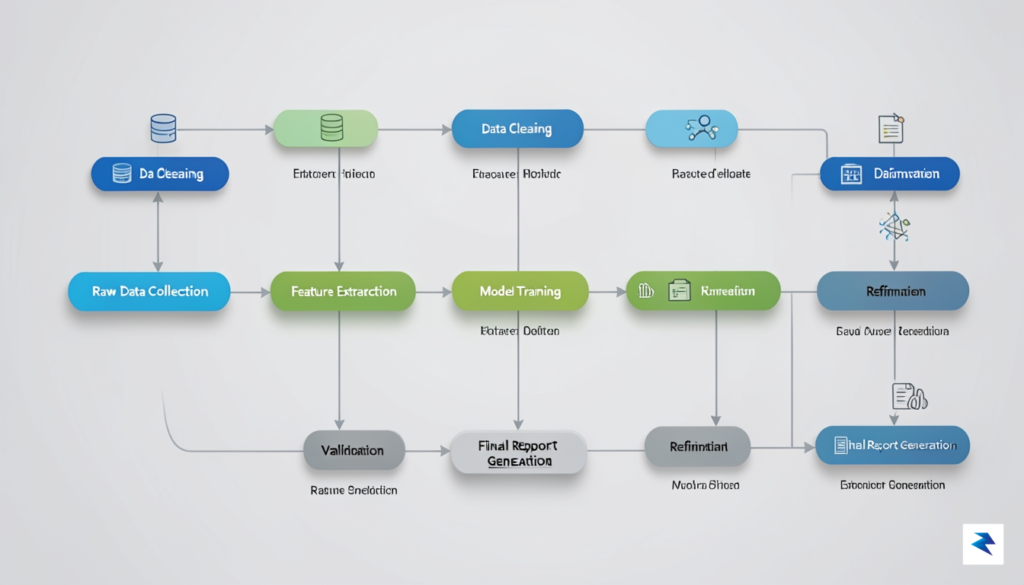
The journey to truly leveraging advanced AI models like ChatGPT rarely begins and ends with a single, perfectly crafted prompt. Instead, the most sophisticated users understand that achieving precise, high-quality output is often an iterative process, much like a dialogue with a human expert. They approach ChatGPT not as a magic black box, but as a dynamic engine that can be guided, refined, and critiqued through a series of follow-up interactions. This paradigm shift, from single-shot queries to a multi-step conversation, is fundamental to unlocking the AI’s full potential and handling complex tasks that demand more than an immediate, generic answer.
At the heart of this iterative approach lies the “Chain of Thought” (CoT) prompting strategy, a powerful technique that encourages the AI to articulate its reasoning process step-by-step. Rather than simply asking for a final answer, you explicitly guide ChatGPT to break down the problem, consider various aspects, and construct its response logically. This might involve prompts like, “First, analyze the user’s intent; then, identify key themes; finally, synthesize these into a concise summary.” By externalizing its internal thought process, the AI can often produce more accurate, coherent, and defensible outputs, mimicking the structured thinking that humans employ when tackling challenging intellectual tasks. It helps prevent the AI from making assumptions or taking shortcuts, leading to a much more robust outcome.
A crucial part of this multi-step workflow involves prompting the AI to “show its work” or even “critique its own output” before you accept its final response. After receiving an initial draft or conclusion, you can follow up with questions such as, “Can you explain the rationale behind this recommendation?” or “What alternative perspectives did you consider, and why did you discard them?” This not only provides transparency into the AI’s decision-making but also allows you to identify potential weaknesses or areas for improvement. Furthermore, asking ChatGPT to self-critique with prompts like, “Review your previous response for any logical inconsistencies or missing information,” or “How could this explanation be made clearer for a non-technical audience?” empowers the AI to act as its own editor, dramatically enhancing the quality and relevance of the final product.
As you delve into these deeper, more complex conversations, managing long conversation threads becomes paramount for maintaining consistency and avoiding tangential drifts. ChatGPT’s context window, though substantial, isn’t infinite, and the AI can sometimes “forget” earlier instructions or nuances if the thread becomes too extensive or unfocused. To counteract this, periodically summarize the key constraints, objectives, or personas you’ve established: “To reiterate, we are drafting a marketing email for a B2B audience about product X.” Additionally, clearly reference previous turns in your follow-up prompts, for example, “Building on your point in paragraph three, could you elaborate on…” This proactive management ensures the AI remains aligned with your overarching goals and builds upon previous interactions coherently, rather than starting fresh with each new prompt.
Advanced Formatting and Data Handling

While many users primarily interact with ChatGPT as a conversational chatbot, it is far more effective to treat the model as a sophisticated data processor capable of organizing chaos into clarity. Instead of accepting long, sprawling paragraphs of text, you can instruct the AI to restructure information into formats that are immediately useful for your workflow. By requesting outputs in specific structures like Markdown tables, JSON, or CSV formats, you transform abstract brainstorming sessions into structured datasets that can be imported directly into spreadsheets, project management tools, or software codebases.
When dealing with dense research or multifaceted reports, ask the AI to condense the information into a comparative matrix. This formatting technique allows you to weigh pros and cons, feature sets, or historical trends side-by-side, making decision-making significantly faster. For instance, rather than asking for a summary of two different software platforms, prompt the model to create a comparison table with columns for price, ease of use, scalability, and integration capabilities. This visual organization immediately highlights the gaps and strengths you need to identify without forcing you to parse through pages of narrative text.

Furthermore, you should lean into the model’s ability to output raw data structures, which is particularly beneficial for technical tasks. If you are developing a project or organizing a database, request that your output be provided in a JSON or CSV code block. This ensures that the generated content is clean, free from conversational filler, and ready for copy-pasting into your preferred technical environment. You can even combine these requests with specific constraints, such as asking the AI to "Format the following list of client requirements into a JSON array, ensuring each entry includes keys for priority, estimated hours, and status."
To maximize your productivity, always specify the output format before the AI begins drafting. By setting the structure early, you prevent the need for time-consuming revisions and ensure the resulting data is formatted precisely for your downstream tools.
Finally, do not underestimate the power of utilizing bulleted lists and hierarchical nesting to manage complex ideas. When you need to explain a nuanced concept, ask for a structured outline using multi-level bullet points, which helps in breaking down high-level objectives into granular, actionable tasks. This approach not only makes the content easier to digest but also forces the model to maintain a logical flow, effectively acting as a framework for your project planning. By mastering these formatting commands, you shift from being a passive reader to an active curator of structured information.