Understanding Microsoft’s Strategy: The 8GB Shift
Microsoft’s recent decision to integrate 8GB memory configurations into its premium hardware lineup marks a definitive pivot in the company’s market strategy. By moving away from the 16GB-as-standard baseline, the tech giant is intentionally lowering the barrier to entry for its signature Surface line. This recalibration is not merely a technical downgrade; it is a calculated effort to capture a broader demographic that has previously found themselves priced out of the ecosystem. By introducing these entry-level tiers, Microsoft is positioning its hardware as a viable alternative for budget-conscious students, administrative staff, and casual users who prioritize the premium build quality of the Surface brand over the raw computational overhead required for intensive multitasking or creative workflows.
The economic drivers behind this shift are rooted in intense competitive pressure, particularly from Apple’s MacBook Air lineup, which has long utilized tiered memory configurations to keep base model prices attractive. Microsoft is clearly attempting to mirror this success by offering specific price points of $849 and $949. These figures are strategically chosen to fall beneath the psychological threshold of a thousand dollars, a move that often serves as the deciding factor for educational institutions and corporate procurement departments. In a market where every dollar counts, bridging the gap between high-end professional tools and accessible consumer hardware is essential for maintaining market share against leaner, more aggressive competitors.
The transition to 8GB models signals a prioritization of accessibility, allowing a wider range of users to experience the premium design language of the Surface brand without the premium price tag.
However, this shift invites a significant debate regarding the longevity and future-proofing of these devices. While 8GB of RAM is perfectly adequate for web browsing, document creation, and video conferencing in the present moment, it may struggle to keep pace with the evolving demands of Windows 11 and the increasing memory footprint of modern productivity software. As applications become more bloated and operating system updates require more background resources, users may find their hardware hitting a performance ceiling sooner than expected. Consequently, while these devices represent excellent value on day one, potential buyers must weigh the immediate cost savings against the reality of a shorter useful lifecycle compared to their higher-RAM counterparts.
Ultimately, Microsoft is betting that the allure of a lower price point will outweigh the performance concerns for a significant portion of its target audience. By creating a tiered structure, the company is successfully segmenting its market: power users will continue to gravitate toward the high-end configurations, while the new 8GB models serve as the ideal entry point for the masses. Whether this strategy will lead to widespread adoption or frustrations over performance bottlenecks remains to be seen, but it is a clear acknowledgment that in today’s hardware landscape, price flexibility is just as critical as raw technical capability.
Surface Pro and Laptop: Who Are These Models For?

Not every user requires the raw, unbridled power of a high-end workstation, and Microsoft’s decision to introduce more accessible configurations reflects a pragmatic understanding of the modern digital landscape. These base models, equipped with 8GB of memory, are specifically tailored to users whose daily workflows are centered around web-based applications, browser-heavy productivity suites, and lightweight multitasking. For students managing multiple research tabs, office workers drafting reports in Microsoft 365, or general consumers streaming media and navigating social platforms, the overhead of 16GB or 32GB of RAM is often an unnecessary expense. By focusing on the essential performance needs of the average user, these devices strip away the premium cost associated with professional-grade components that would otherwise sit idle during routine tasks.
When considering whether these configurations are right for you, it is helpful to draw a clear line between the general consumer and the power user. Creative professionals—such as 4K video editors, heavy graphic designers, or software engineers running complex virtual machines—will certainly find the 8GB threshold to be a bottleneck that hinders their productivity. For these individuals, the extra memory is a vital investment to prevent system slowdowns and application crashes. Conversely, if your primary digital footprint consists of Google Docs, email clients, cloud-based project management tools, and video conferencing, these base models provide a snappy and responsive experience without the performance “tax” of more expensive hardware. They are designed to be efficient, focused machines that excel at the tasks most people perform 90% of the time.
The true value of these entry-level configurations lies in their ability to provide a premium build quality and high-resolution display at a lower price point, making the Surface ecosystem more accessible to a broader range of students and mobile professionals.
Beyond the technical specifications, the physical form factor of the 12-inch Surface Pro and 13-inch Surface Laptop plays a significant role in their appeal. These devices are purpose-built for extreme portability, making them ideal companions for commuters, frequent travelers, and students who move between lecture halls. Because these models are optimized for lighter workloads, they often maintain better thermals and battery efficiency throughout the day. By choosing a configuration that matches your actual usage patterns, you are not just saving money; you are opting for a streamlined, lightweight device that is perfectly balanced for the demands of a modern, on-the-go lifestyle.
The Performance Trade-off: Is 8GB Enough in 2024?
In the ever-evolving landscape of personal computing, the question of how much RAM is ‘enough’ remains a perennial debate, especially with operating systems like Windows 11 boasting impressive efficiency improvements. While it’s true that contemporary software is better optimized to manage system resources, the reality of everyday usage often tells a different story. For many, an 8GB configuration might seem perfectly adequate on paper, yet a deeper dive into how modern applications and our own habits consume memory reveals a more nuanced picture, often exposing the limitations of seemingly sufficient memory.
Windows 11, for instance, is designed to be smart about its memory allocation. It actively compresses unused pages, prioritizes foreground applications, and utilizes techniques like ‘SysMain’ (formerly SuperFetch) to preload frequently used applications into RAM, aiming for a snappier user experience. However, the operating system itself requires a baseline amount of RAM to function smoothly, typically consuming a few gigabytes right after booting up, even before you open a single application. This leaves a surprisingly smaller pool of available memory for your actual tasks than many users might initially assume, setting the stage for potential bottlenecks when multiple demanding applications are in play.
The true challenge for 8GB devices emerges when we consider typical modern workflows. Web browsers, particularly Google Chrome and Microsoft Edge, are notorious memory hogs due to their multi-process architecture where each tab, extension, and even parts of the browser itself run as separate processes for stability and security. Juggling a dozen browser tabs for research, a streaming service playing in the background, a video conferencing call with colleagues, and perhaps a document open in Microsoft Word can quickly push an 8GB system to its absolute limits. Each of these applications, while seemingly innocuous on its own, cumulatively demands significant chunks of RAM, often exceeding the physical capacity available.
When physical RAM runs out, your operating system doesn’t simply crash; instead, it resorts to a mechanism known as ‘page filing’ or using ‘virtual memory.’ This involves designating a portion of your faster solid-state drive (SSD) to act as an extension of your RAM. Data that isn’t immediately needed in physical memory is temporarily ‘paged out’ to the SSD, and then ‘paged in’ when required. While this prevents system crashes and allows you to continue working, it comes at a significant performance cost. An SSD, despite its speed, is orders of magnitude slower than actual RAM, leading to noticeable slowdowns, stuttering, and a general lack of responsiveness as the system constantly shuffles data back and forth. Furthermore, frequent page filing means constant read/write operations to your SSD, which contributes to its wear and tear over time. Although modern SSDs are remarkably durable, excessive virtual memory usage can incrementally reduce their lifespan, especially in devices intended for long-term use, turning what seems like a budget-friendly option into a potentially frustrating experience down the line.
Value vs. Longevity: Weighing the Cost-Benefit

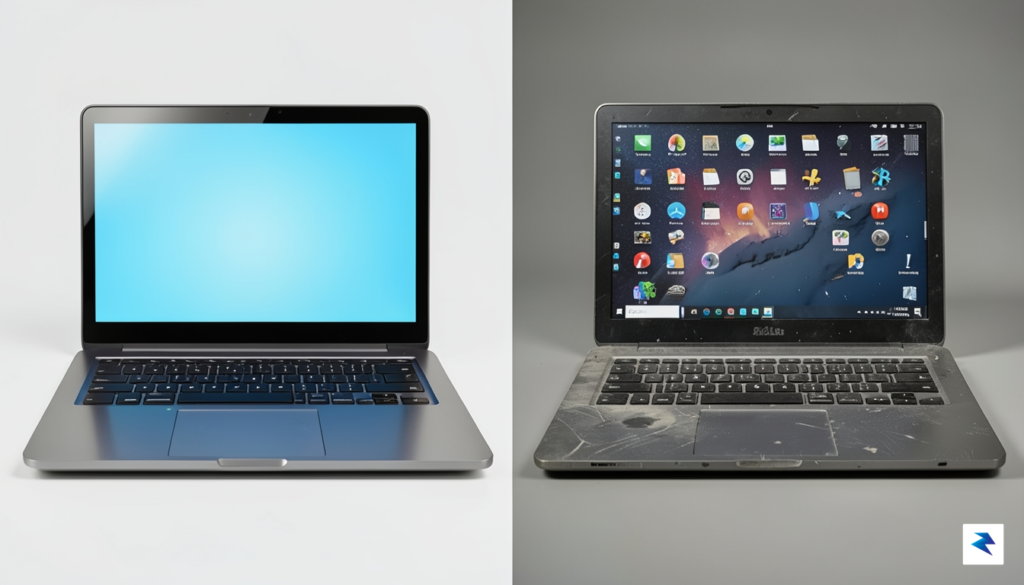
At first glance, shaving $100 to $200 off the purchase price of a new Surface device feels like a significant win for your wallet, especially when you are balancing a tight budget. However, it is vital to look past the initial transaction and consider the total cost of ownership over the device’s entire lifespan. While an 8GB model might seem perfectly adequate for basic tasks today, the landscape of software requirements is constantly shifting. Modern operating systems, web browsers, and productivity suites are becoming increasingly memory-intensive, meaning that the headroom you have today will likely evaporate much faster than you anticipate.
When you opt for lower RAM, you are essentially borrowing performance from the future to save cash in the present. If your device reaches a state of sluggishness in two years rather than four, you are effectively cutting your investment’s useful life in half. Consequently, you may find yourself forced into an earlier upgrade cycle, which ultimately negates those initial savings. When you amortize the cost of the device over its actual years of peak performance, the “cheaper” model often ends up being the more expensive choice in the long run.
The Resale Factor and Lifecycle Expectations
Beyond personal utility, there is the matter of resale value to consider. Hardware with 16GB of RAM is significantly more desirable on the secondary market compared to entry-level configurations. As users become more tech-savvy, the demand for higher memory capacities continues to climb, meaning that 8GB models will likely suffer from steeper depreciation as they struggle to keep pace with newer software updates. Selling a 16GB device down the line could return a substantial portion of the extra money you spent upfront, whereas an 8GB unit may struggle to find a buyer at all in a few years’ time.
The true cost of a computer isn’t just the price on the receipt; it is the price of the device divided by the number of years it remains a capable, frustration-free tool for your daily workflow.
For most users, a Surface device is a long-term commitment, often intended to last between three to five years. If your workload involves heavy multitasking, such as running multiple browser tabs, video conferencing software, and creative applications simultaneously, an 8GB ceiling will almost certainly feel restrictive within the first eighteen months. By investing in 16GB now, you are not just buying extra memory; you are purchasing insurance against obsolescence. This extra overhead ensures that your device remains responsive as Windows updates bring new features and background processes, keeping your hardware relevant and functional for the full duration of your ownership.
Final Verdict: Should You Buy the Base Models?

Deciding whether to invest in these downsized configurations ultimately boils down to a realistic assessment of your daily digital habits. For the casual user who primarily engages with web-based applications, streams media, or manages light office tasks, these entry-level devices offer a compelling proposition. You are essentially paying for the premium, industry-leading hardware design—the exceptional trackpad, the vibrant display, and the sleek chassis—without the “power user” tax that previously inflated the cost of admission. By trimming the internal memory, Microsoft has lowered the barrier to entry, making the Surface ecosystem accessible to students and home users who previously found the price tags prohibitive.
However, it is crucial to remain clear-eyed about the limitations of 8GB of RAM in a modern operating environment. If your workflow involves heavy multitasking, such as running dozens of browser tabs alongside memory-intensive creative suites or virtualization software, these base models will inevitably feel like a performance trap. Even with highly efficient operating systems, modern software trends toward higher resource consumption, and the lack of upgradable components means you are locked into your initial decision for the life of the machine. For the professional or the power user, the performance ceiling of these base configurations is simply too low to justify the long-term utility of the device.
Making the Right Choice for Your Workflow
To help you navigate this purchase decision, consider the following checklist to determine if these hardware compromises align with your lifestyle:
- Buy this if: You are a student, a light office worker, or a casual home user who spends most of your time in a browser or writing documents. These devices are perfect for those who value form factor and build quality above raw processing power and want to save money on features they simply won’t utilize.
- Avoid this if: You are a creative professional, a software developer, or someone who frequently keeps multiple demanding applications open simultaneously. If you find yourself hitting “out of memory” warnings or experiencing lag during heavy multitasking sessions, you will find these base models frustratingly restrictive within a short timeframe.
Ultimately, the value of these devices is entirely subjective; they represent a smart purchase for the average consumer seeking a premium experience on a budget, but a poor investment for anyone relying on their computer to drive complex, resource-heavy workflows.
In conclusion, Microsoft has successfully widened the aperture of its target audience by offering these lower-cost alternatives. While they are not suitable for every professional application, they bridge the gap between “cheap plastic” laptops and high-end workstations. If you can honestly categorize your usage as lightweight and intermittent, you will likely be delighted by the premium feel of the hardware. Conversely, if you have any doubt about your future performance needs, opting for the higher memory tier remains the safest and most prudent path forward to ensure your device remains relevant for years to come.