Anthropic’s $1.5B AI Copyright Settlement: What Authors Need to Know
The Legal Precedent: Anthropic’s Settlement Explained The recent ruling by U.S. District Judge Araceli Martínez-Olguín marks a definitive…

For years, Twitch operated under a philosophy that prioritized creator autonomy above all else, fostering an environment where the broadcast was largely considered a private, self-managed space. This “hands-off” approach allowed the platform to scale rapidly, but it often left younger users—specifically those in the 13-17 age bracket—navigating the complexities of live streaming with little to no adult oversight. As the cultural impact of streaming grew, so too did the scrutiny regarding the unique risks faced by teen content creators, ranging from potential exposure to toxic audience behavior to the challenges of maintaining personal privacy in a hyper-connected digital landscape. The platform is now moving away from this laissez-faire model, signaling a profound shift toward a proactive, managed safety ecosystem that treats the digital well-being of its youngest users as a shared responsibility rather than an individual burden.
This transition represents a significant evolution in how platforms reconcile the desire for creative expression with the practical necessities of child and teen protection. By introducing a dedicated parental control suite, Twitch is essentially acknowledging that the streaming experience for a minor is fundamentally different from that of an adult. The new tools are designed to bridge the visibility gap that has historically existed between teenagers and their guardians, providing parents with the transparency needed to engage in meaningful conversations about online safety. Rather than simply imposing restrictive barriers, the platform is aiming to create a collaborative framework where parents can stay informed about their teen’s streaming activity, helping them navigate the platform’s social dynamics without completely stifling their creative ambitions.
The core objective of this pivot is to normalize the role of parental guidance within the streaming environment, transforming the platform from an isolated digital stage into a supervised space where safety is a foundational element.
Ultimately, this move serves as a recognition that transparency is the most effective deterrent against the risks inherent in live content creation. By empowering parents to better understand the nuances of their teen’s streaming habits—such as who they are interacting with and how much time they are spending live—Twitch is moving toward a more mature, responsible architecture. This shift is not merely about implementing technological filters; it is about fostering a culture where safety is baked into the user experience from the outset. As the streaming industry continues to mature, this movement toward integrated oversight will likely become the standard, ensuring that younger creators can pursue their passions within a structured environment that prioritizes their long-term security and mental health.

Setting up parental oversight on Twitch is designed to be a collaborative and transparent experience that balances a teen’s creative independence with necessary digital boundaries. To begin the linking process, parents must first ensure they have their own active Twitch account, which serves as the primary hub for monitoring. From your personal settings menu, navigate to the newly introduced Family Safety Center. Within this dedicated portal, you will be prompted to enter your teen’s specific Twitch username. Once requested, a notification will be sent directly to your teen’s account, requiring their explicit consent to finalize the link. This mutual verification process is essential, as it establishes a foundation of trust and open communication regarding why these safety measures are being put into place.
Once the accounts are successfully paired, you will gain access to a specialized parental dashboard that acts as your central command for safety management. This dashboard allows you to toggle specific streaming permissions, effectively putting the power in your hands to restrict or pause your teen’s ability to go live at any time. Whether you choose to set strict schedules during school hours or require pre-approval for certain interactive features, the interface is designed to be intuitive and responsive. Furthermore, the dashboard provides a clear view of your teen’s account settings, allowing you to monitor their privacy configurations and ensure they are not inadvertently exposing personal information to the public during their broadcasts.
In addition to active management tools, the platform provides proactive updates via automated weekly summary emails. These communications are sent directly to the verified email address associated with your parent account, ensuring you stay informed about your teen’s digital footprint without needing to check the dashboard every single day. The summaries typically include:
Establishing these digital boundaries is not about surveillance; it is about creating a safe environment where your teen can explore their creative passions while you remain a supportive, informed guide.
By leveraging these summary reports, you can facilitate meaningful discussions with your teen about their online experiences. If you notice a particular trend in their streaming habits or a change in their interaction style, use these reports as a springboard for a calm, constructive conversation. This collaborative approach ensures that as your teen grows and develops their streaming skills, they do so within a framework that prioritizes their safety, mental well-being, and long-term digital responsibility.
One of the most significant shifts in Twitch’s recent safety updates is the introduction of a granular “Block Broadcasting” feature, a tool that shifts the power dynamic between parental oversight and teenage digital autonomy. While many parents are accustomed to monitoring what their children consume, the act of creating content introduces an entirely different set of risks and psychological stressors. When a teen hits the “Go Live” button, they are no longer just a passive observer of digital media; they are a performer, subject to the immediate, unfiltered, and often harsh feedback of a global audience. By providing parents with the ability to restrict this specific function, Twitch acknowledges that the transition from viewer to broadcaster is a major developmental leap that requires a high level of emotional maturity.
The pressure inherent in live broadcasting cannot be overstated, as it demands a constant state of engagement and performance that can be mentally exhausting for a developing mind. Unlike pre-recorded videos that can be edited or deleted before reaching the public, a live stream is permanent in the eyes of the internet, with every slip of the tongue or emotional outburst potentially immortalized in clips. This environment can foster a compulsive need for validation through viewer counts and chat engagement, creating a feedback loop that may negatively impact a teen’s self-esteem. For many parents, restricting broadcasting is not an act of censorship, but rather a protective measure to ensure that their teen is not being exposed to the undue stress of managing a public persona before they are developmentally ready to handle the consequences of online scrutiny.
Managing a live stream requires a level of resilience that most adolescents have yet to fully cultivate; by controlling the broadcasting feature, parents are effectively creating a sandbox environment where teens can learn to navigate digital spaces without the immediate weight of public performance.
Furthermore, it is essential to distinguish between the act of watching content and the act of creating it, as the two activities involve vastly different cognitive loads. Watching a stream is an entertainment activity, whereas broadcasting involves active moderation, audience management, and the potential for direct interaction with strangers in real-time. This distinction is vital for parents to understand when deciding whether or not to allow their teen to stream. The “Block Broadcasting” feature provides a necessary pause button, allowing families to have honest conversations about digital safety, personal boundaries, and the reality of life in the public eye. By thoughtfully managing these permissions, parents can help their teens build a healthier, more sustainable relationship with the internet, ensuring that their online experiences remain positive and constructive rather than overwhelming.

While the act of broadcasting live content is the primary focus of Twitch, the social architecture surrounding the platform—specifically the Direct Messaging (DM) system—often presents a more significant security risk for younger users. Because Twitch is built on real-time community engagement, it is incredibly easy for strangers to initiate private conversations that bypass the public scrutiny of a chat room. New granular controls now empower parents to act as a digital gatekeeper, allowing you to restrict who can reach out to your teen. By navigating to the security settings, you can toggle options to ensure that only friends, or users your teen follows, have the privilege of sending private messages. This simple adjustment acts as a vital barrier against unsolicited contact from bad actors who often use the guise of “fan support” to build inappropriate rapport with minors.
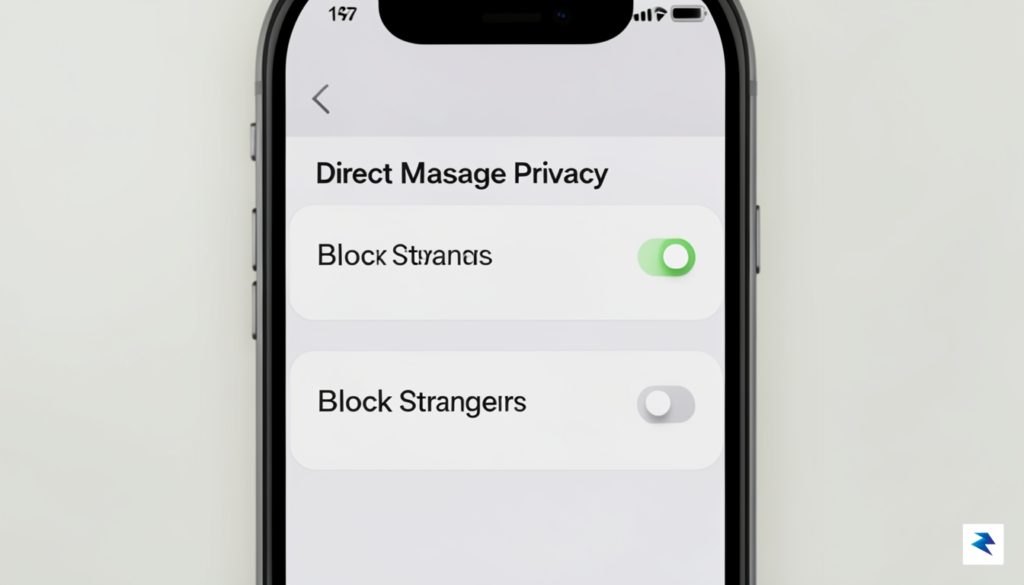
Beyond the technical filters, it is essential to discuss the risks associated with parasocial relationships, which are a defining feature of the streaming ecosystem. In these one-sided dynamics, viewers often feel a false sense of intimacy with a streamer, or vice-versa, which can lead to boundary-blurring behavior that is particularly dangerous for impressionable teens. When a stranger messages a young streamer, they may use flattery or simulated friendship to solicit personal information or move the conversation to less moderated platforms like Discord. Parents should proactively sit down with their teens to explain that just because someone watches their stream, it does not mean that person is a trusted friend. Establishing these clear boundaries—such as never sharing a location, school name, or social media handles—is the most effective way to maintain a safe digital footprint.
Key Takeaway: The most effective safety strategy is a combination of technical restrictions and open communication; ensure your teen understands that private messages are not a requirement for building a successful streaming community.
To further protect your teen, consider implementing a policy of “public-only” engagement. Encourage your teen to keep all interactions within the moderated environment of their live channel, where your teen has the power to ban disruptive users or use automated tools to filter out toxic language. If a viewer insists on moving a conversation to DMs, this should be treated as a major red flag. Periodically reviewing the account’s privacy dashboard together can serve as both a safety check and a constructive teaching moment. By treating these settings as a living, breathing component of their online experience, you help your teen develop the critical thinking skills necessary to distinguish between genuine community building and predatory attempts at manipulation.

Introducing new digital boundaries can often feel like a point of friction, but it is vital to approach these Twitch controls as a collaborative effort rather than a unilateral crackdown. Instead of framing restrictions as a way to punish or restrict your teen’s creative outlet, position the conversation around long-term digital health and personal safety. By explaining the why behind these settings—such as protecting their privacy, managing screen time, or mitigating exposure to toxic chat environments—you move the dialogue from a position of control to one of shared responsibility. This transparency fosters a sense of mutual respect, signaling to your teen that you trust them enough to explain your reasoning, which in turn makes them more likely to accept the guidance without feeling alienated.

When you begin utilizing the reporting features that Twitch provides, resist the urge to treat the data as a “gotcha” moment or a tool for catching them in a mistake. If you approach these weekly reports with a punitive mindset, your teen will likely become defensive, causing them to hide their activities or view your supervision as an adversarial intrusion. Instead, transform these check-ins into productive conversation starters. Ask open-ended questions about their stream, such as how they handle difficult chatters or what they enjoy most about their community. By showing genuine interest in their digital life, you create a space where they feel comfortable coming to you when they encounter genuine trouble or harassment online.
The goal of parental oversight isn’t to eliminate risk entirely, but to provide a safety net that empowers teens to navigate the digital world with resilience and wisdom.
Ultimately, these tools serve as a bridge to building long-term digital literacy. Use the period of supervised exploration to teach your teen how to curate their own environment, set their own boundaries with followers, and recognize the signs of unhealthy online interactions. When parents and teens work together to set these parameters, it transforms the streaming experience from a source of anxiety into a constructive hobby. By modeling these safety-conscious behaviors now, you are equipping them with the critical thinking skills necessary to handle more complex digital challenges on their own as they mature into adulthood. Remember, the objective is to nurture their autonomy gradually, allowing them to eventually graduate from these controls with a solid foundation of online ethics and personal security.
You must be logged in to post a comment.