
U.S. Signals Sanctions on Chinese AI Models Over IP Theft Concerns
The Escalation: U.S. Targets Chinese AI Models The U.S. government is fundamentally recalibrating its approach to the global technology race,…


As Threads rapidly solidifies its position as a prominent social media destination, particularly appealing to younger demographics with its dynamic, text-based interactions, the imperative for robust safety measures has never been clearer. Recognizing this evolving digital landscape, Meta has proactively rolled out a comprehensive suite of parental supervision tools designed to empower guardians and foster a safer online environment for their teens. This significant update reflects a deep commitment to user well-being, acknowledging the unique challenges and opportunities presented by fast-paced social platforms and aiming to provide parents with the necessary means to navigate them effectively.
These newly introduced features are not merely superficial additions; instead, they represent a thoughtful evolution in digital parenting, seamlessly integrating with Meta’s existing Family Center. This centralized hub allows parents to manage various aspects of their teen’s online experience across different Meta platforms from a single, intuitive dashboard. The goal is to provide guardians with actionable insights and controls, enabling them to guide their children’s digital journeys responsibly without constant micromanagement, thus fostering trust and open communication within families while ensuring appropriate boundaries are maintained.
Among the most impactful additions are the granular controls over daily time limits and the innovative “sleep mode” functionality. Guardians can now set specific daily usage caps, helping to prevent excessive scrolling and encourage a healthier balance between online engagement and real-world activities. Furthermore, the sleep mode feature allows parents to schedule designated periods when their teen’s Threads notifications and access are paused, promoting undisturbed rest and reducing the temptation for late-night scrolling. These tools are crucial for establishing healthy digital habits from an early age, mitigating potential negative impacts on sleep patterns, academic performance, and overall mental sharpness.
Beyond managing screen time, the new suite also offers enhanced visibility into privacy settings, a critical aspect of online safety. Parents can now access and review their teen’s privacy settings, understand who can follow them, and see who can reply to their posts and mentions. This transparency empowers guardians to ensure their children’s profiles are adequately protected, preventing unwanted interactions and fostering a more secure social space. It’s about providing peace of mind by offering insight into the digital boundaries their teens have established, or need help establishing, allowing for timely adjustments and guidance.
The introduction of these tools is a necessary and timely response to the growing discourse around youth mental health and the profound impact of social media exposure. In a fast-paced, text-based environment like Threads, where interactions can be constant and intense, controlled exposure is paramount for healthy development. These features equip parents with the means to proactively manage their children’s digital footprint, promoting mindful usage and helping to prevent issues like digital fatigue, comparison culture, and cyberbullying. Ultimately, these controls serve as essential guardrails, allowing teens to enjoy the benefits of social connection and self-expression while minimizing potential risks, thereby supporting their overall mental and emotional well-being in the complex digital age.

Initiating the supervision process begins within Meta’s centralized hub, known as the Family Center. To link your account with your teen’s Threads profile, you must first navigate to the settings menu within your own Meta account and select the “Family Center” option. From there, you will generate a unique invitation link that must be sent directly to your teen’s device. Once your teen accepts this invitation, the connection is established, granting you access to a dedicated dashboard where you can monitor their interactions and adjust safety parameters in real time. It is important to approach this setup as a collaborative conversation rather than a covert monitoring tactic, as transparent communication helps build mutual trust.
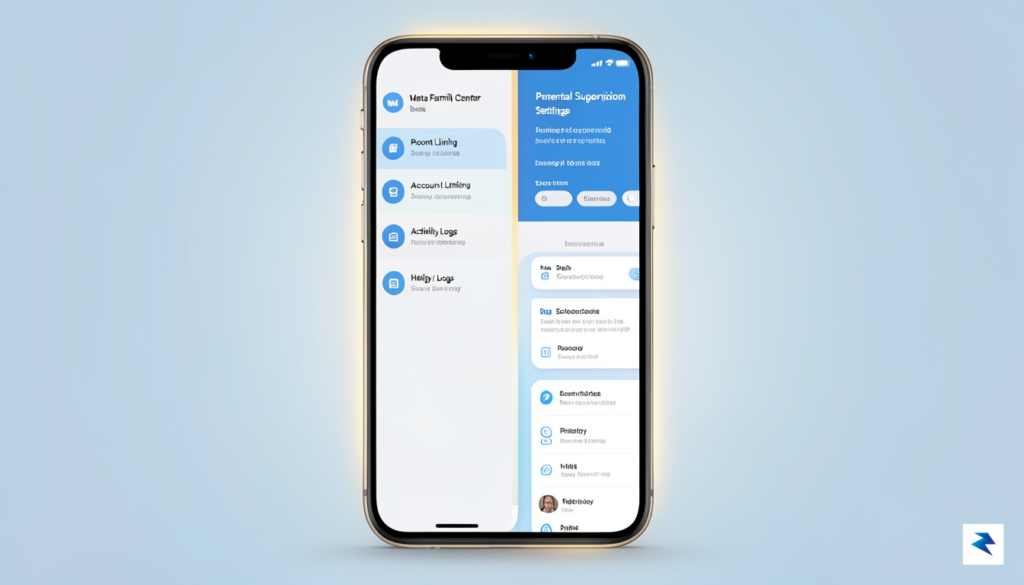
Once the accounts are successfully linked, the Family Center provides a suite of tools designed to help you calibrate your teen’s digital experience according to their age and specific academic needs. One of the most effective features is the ability to set daily time limits, which encourages healthier usage patterns. By navigating to the “Time Spent” section within the dashboard, you can establish a specific cap on how many minutes or hours your teen can spend on the app each day. During peak academic seasons, such as finals week, you might consider tightening these restrictions to prioritize study time, while allowing for more flexibility during breaks or weekends.
In addition to daily limits, managing “sleep mode” is a vital component of fostering good digital hygiene. This feature allows you to schedule specific windows where app notifications are silenced and access is restricted, ensuring that late-night scrolling does not interfere with your teen’s sleep quality. To configure this, simply toggle the “Quiet Mode” settings within the supervision dashboard and select the start and end times that align with your family’s established bedtime routine. Consistent application of these boundaries helps teens develop a healthier relationship with technology, reducing the pressure to stay constantly connected.
Key Takeaway: Supervision tools are most effective when used as a foundation for ongoing discussions about digital well-being, rather than as a permanent substitute for parental guidance.
Beyond time management, you should regularly review the privacy and content settings available in the dashboard. Meta allows parents to see which accounts their teens follow and who is following them, providing a birds-eye view of their social environment. If you notice any concerning interactions or if your teen expresses discomfort with specific users, you can use these tools to restrict interactions or block accounts entirely. By periodically checking in on these settings, you ensure that the digital environment remains a positive, safe space that evolves alongside your teen’s maturity and social needs.

Integrating parental supervision tools into a teen’s digital life is fundamentally a relational exercise rather than a technical one. While features like time limits and content management provide a necessary safety net, they should never serve as a clandestine mechanism for surveillance. Transparency acts as the cornerstone of digital trust; by informing your teen about the specific features being activated and explaining the “why” behind these safety measures, you transform a potential point of conflict into a collaborative effort. When young users understand that these tools are designed to foster healthier habits rather than to monitor their private thoughts or social interactions, the sense of digital autonomy remains intact, reducing the likelihood of resentment.
Establishing boundaries that evolve alongside your child is essential for long-term digital maturity. As teenagers grow and demonstrate increased responsibility, the level of oversight should naturally shift, moving from restrictive gatekeeping toward a more consultative partnership. This developmental approach acknowledges their growing need for independence while providing a structured framework for safety. By regularly revisiting and renegotiating these digital agreements, parents can move away from the binary of “over-monitoring” and toward a model of guided exploration. This process keeps the lines of communication open, ensuring that your child feels supported rather than policed.

The goal of digital parenting is to provide a safety net that eventually becomes unnecessary, teaching children to navigate the complexities of the online world with their own internal set of values.
Striking the right balance between protecting your child and overstepping their digital boundaries requires a conscious effort to avoid the traps of digital helicopter parenting. Constant, low-level monitoring often leads to a breakdown in communication, as teens may begin to obscure their online activities or seek out platforms that are entirely hidden from parental view. Instead, use these tools as a conversational launchpad. For example, when a time limit notification appears, frame it as a shared reminder to take a break and recharge, rather than a punitive restriction. By centering these interactions on well-being and balance, you reinforce the idea that your primary concern is their health, not their secrecy, ultimately strengthening the relationship as they navigate the evolving social landscape of Threads.
Meta’s decision to integrate Threads into its existing Family Center framework represents a calculated move toward a unified safety ecosystem. By standardizing these supervision tools, Meta ensures that parents do not need to navigate an entirely new interface or learn different protocols when their children migrate between platforms. This consistency means that if a parent has already established boundaries on Instagram, those same pedagogical habits—such as setting daily time limits or monitoring follower lists—can be applied seamlessly to their child’s text-based interactions on Threads. The goal is to provide a comprehensive safety net that treats the user experience as a fluid journey across Meta’s various digital touchpoints rather than a series of fragmented, isolated environments.
However, the nature of Threads presents distinct challenges compared to the highly visual, media-centric landscape of Instagram. While Instagram focuses on curated imagery and short-form video, Threads is inherently conversational and reliant on rapid-fire text exchanges. Because the primary mode of engagement on Threads is public discourse, the potential for rapid escalation in arguments or the sudden exposure to controversial opinions is significantly higher than on platforms where content is strictly visual. Consequently, the parental supervision tools on Threads place a heavier emphasis on privacy settings and interaction filters, allowing guardians to exert more granular control over who can reply to their child’s posts and how their child interacts with public threads.
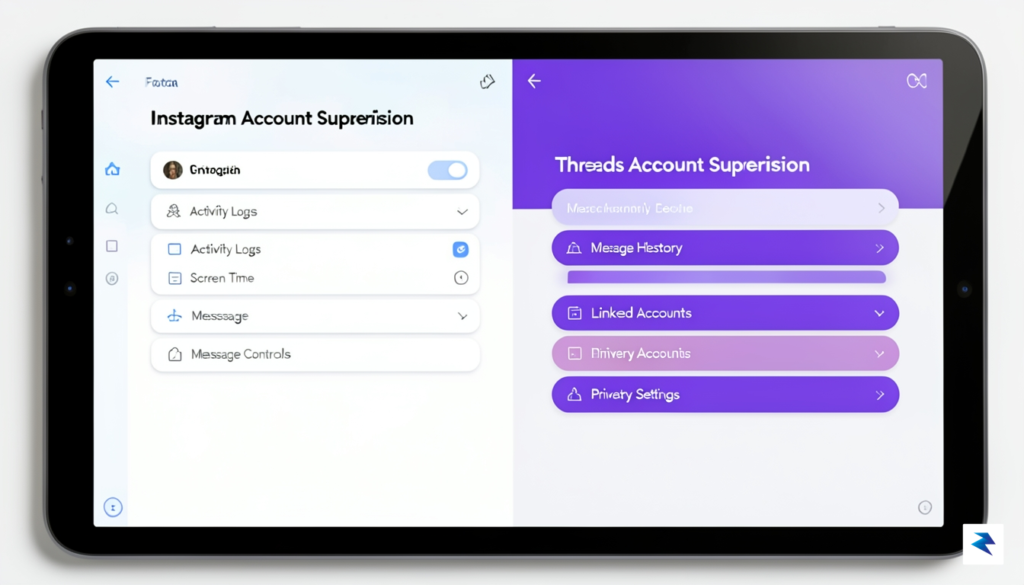
The true advantage of this centralized approach lies in the ability for guardians to maintain a holistic view of their child’s digital footprint. Managing multiple accounts through a single portal saves time and reduces the cognitive load on parents who are already struggling to keep up with the fast-paced evolution of social media. Instead of juggling disparate apps with varying levels of security, parents can log into the Family Center to review account activity, manage blocked contacts, and adjust privacy permissions across the entire Meta family of apps from one dashboard.
The integration of Threads into the Family Center underscores a shift in Meta’s strategy: safety is no longer an app-specific feature, but a foundational requirement for the entire social ecosystem.
Ultimately, while the technical mechanisms of supervision remain consistent with those found on Facebook and Instagram, the application of these tools must be more vigilant on Threads. The speed of text-based communication requires parents to be more proactive in setting boundaries regarding who their child interacts with. By leveraging these shared tools, Meta is empowering families to create a safer digital environment, ensuring that the transition from image-based social sharing to text-based community participation does not come at the expense of a young user’s well-being.

While parental supervision tools on platforms like Threads provide a vital safety net, they are merely the first step in fostering a secure digital environment. True digital wellness is not achieved through restrictions alone, but through the consistent cultivation of open, non-judgmental communication. Parents should view these technical safeguards as a temporary training wheels system that gradually gives way to internal self-regulation. To begin this process, start by asking open-ended questions that encourage your teen to reflect on their own experiences, such as, “What is one thing you saw online today that made you feel uncomfortable, and how did you handle it?” or “How do you think your online interactions might influence how your future self is perceived by others?” These conversations help move the focus from policing behavior to understanding the emotional and social complexities of the digital landscape.

Teaching digital literacy requires a proactive approach to the most common pitfalls of modern social media: cyberbullying, privacy management, and the permanence of digital footprints. It is essential to explain that the internet is a public archive; every comment, photo, and interaction leaves an indelible mark that can resurface years later. Discuss the importance of empathy in digital spaces by asking your teen to consider how a message might be interpreted by someone on the other side of the screen, regardless of the sender’s original intent. By framing these discussions around real-world ethics rather than just platform rules, you empower your teen to make principled decisions even when you are not looking over their shoulder.
The goal of digital parenting is to transition from being a supervisor to becoming a mentor, shifting the dynamic from oversight to guidance as your child matures toward adulthood.
As your teen approaches independence, your role must naturally evolve from an active manager of their settings to a trusted advisor. This transition involves gradually loosening the reins on technical restrictions while increasing the frequency of high-level conversations about their digital identity. Encourage them to curate their own feeds intentionally, following accounts that inspire them or teach them new skills, rather than passively consuming whatever the algorithm suggests. By fostering a sense of agency and digital responsibility, you ensure that the habits they develop today—such as verifying information, respecting privacy, and managing their time effectively—will serve them long after they have outgrown parental controls and stepped fully into the digital world on their own terms.
You must be logged in to post a comment.