The Educational Value of 3D Printing: More Than Just Toys
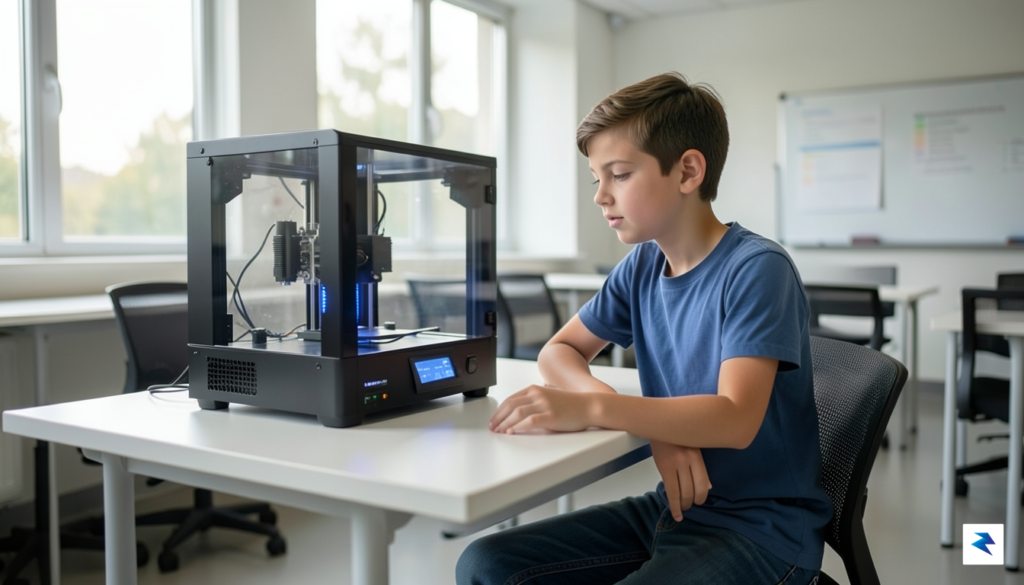
Instead of simply being another gadget that children consume passively, a 3D printer transforms their interaction with technology from observer to innovator. This powerful tool encourages a fundamental shift in mindset, moving beyond the ready-made and into the realm of custom creation. Imagine a child designing their own unique action figure accessory, a functional spare part for a broken toy, or even a miniature architectural model for a school project. This direct involvement in the manufacturing process cultivates a profound understanding of how things are made and empowers them to bring their imaginative ideas into tangible reality, laying a crucial foundation for future problem-solving.
At its core, 3D printing bridges the often-abstract gap between digital design and physical reality. Through the process of 3D modeling, children learn to translate complex spatial concepts from their minds or a screen into a three-dimensional object they can hold and examine. This hands-on experience significantly enhances spatial reasoning, a critical cognitive skill vital for subjects ranging from geometry and physics to architecture and industrial design. They must consider dimensions, tolerances, and structural integrity, essentially engaging in practical engineering challenges even before they realize it, thereby developing a robust foundation in design thinking.
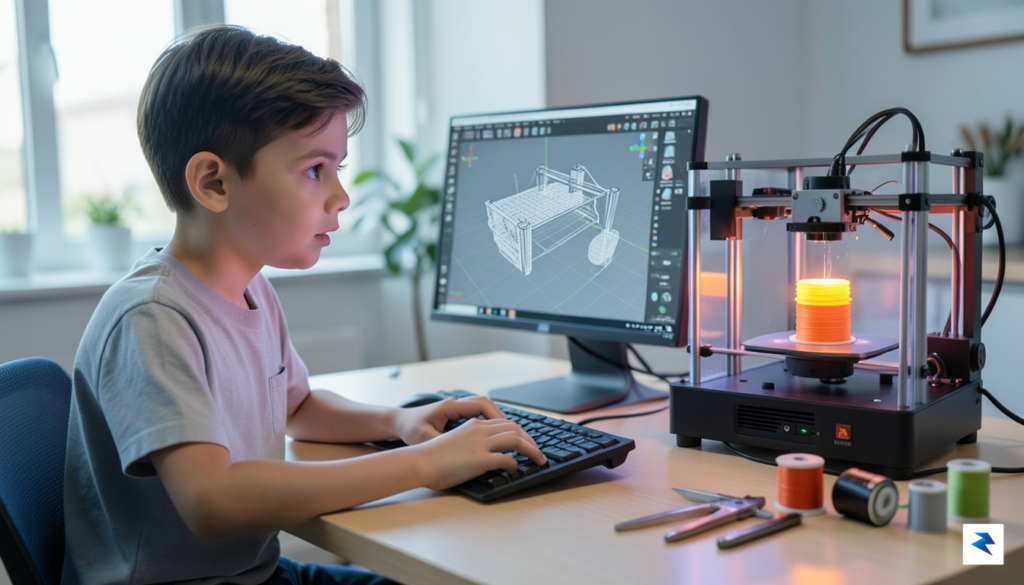
Perhaps one of the most invaluable lessons learned from 3D printing is the art of ‘failing forward.’ Unlike many activities where mistakes are simply endpoints, a failed print becomes a rich learning opportunity. When a design doesn’t print correctly – maybe it’s too thin, unstable, or doesn’t fit – the child is compelled to analyze the problem, identify its root cause, and then iterate on their design. This iterative process of refining a concept after a setback teaches resilience, critical thinking, and the fundamental engineering principle that design is rarely perfect on the first attempt. It fosters a growth mindset, demonstrating that challenges are merely steps toward improvement and eventual success.
Ultimately, integrating a 3D printer into a child’s learning environment offers far more than just a means to produce novelties; it serves as a robust training ground for essential 21st-century skills. From mastering rapid prototyping, which is indispensable in fields like product development and engineering, to understanding material properties and design constraints, children gain practical experience that classroom lectures often can’t provide. This exposure to genuine design challenges, coupled with the immediate gratification of seeing their ideas materialize, instills a passion for STEM subjects and equips them with a powerful toolkit for innovation and creative problem-solving in a world increasingly shaped by technology.
Selecting the Right Hardware for Your Child
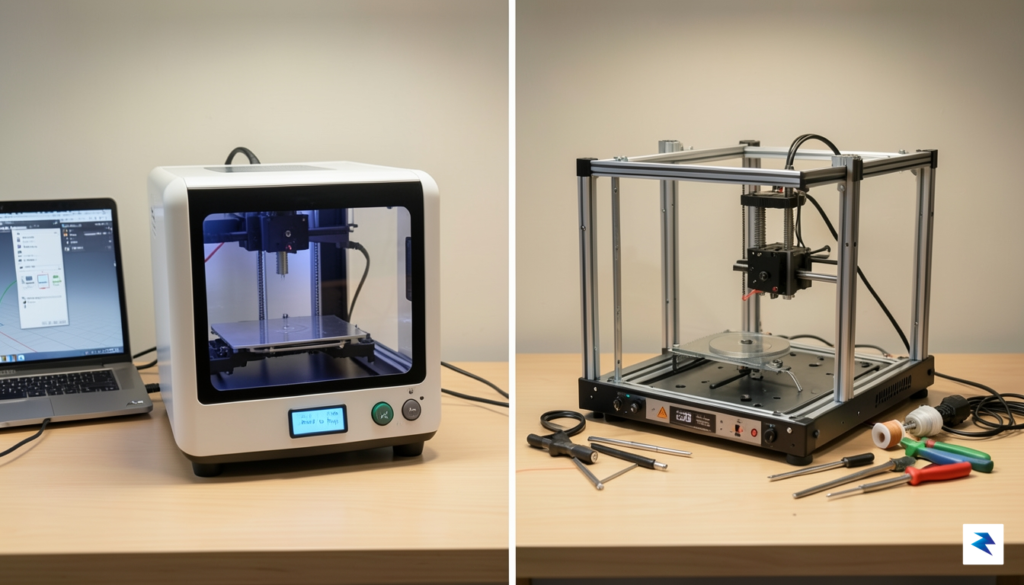
Navigating the diverse landscape of 3D printers to find the ideal match for your child can feel overwhelming, especially when weighing immediate ease of use against future potential. The first printer isn’t just a gadget; it’s an investment in a budding interest, and the right choice can foster creativity and problem-solving skills for years to come. The core challenge lies in striking a delicate balance: you want a machine that offers a smooth, frustration-free entry into 3D printing without quickly becoming obsolete as your child’s skills and ambitions grow.
At one end of the spectrum, you’ll find closed-chassis ‘toy’ printers, often marketed with vibrant colors and simplified interfaces. These machines prioritize ‘plug-and-play’ convenience and inherent safety, typically featuring fully enclosed print areas and proprietary filament cartridges. While their ease of setup and operation can be appealing for very young children or those seeking a purely passive consumption experience, they often come with significant limitations. Their closed ecosystems frequently restrict material choices, prevent upgrades, and make repairs difficult or impossible, leading to a much shorter lifespan in terms of utility as a child’s curiosity expands beyond basic pre-loaded models. Furthermore, the lack of transparency in their inner workings can hinder a deeper understanding of how 3D printing actually functions, turning a potential learning tool into just another one-off toy.
Conversely, the semi-pro hobbyist machines, often open-frame and designed for a more hands-on approach, offer a richer learning experience and significantly greater longevity. While they might require a bit more initial setup or troubleshooting, they provide invaluable opportunities for children to understand mechanics, electronics, and software. When selecting such a printer, prioritize features that enhance usability without sacrificing learning potential. Automatic bed leveling, for instance, is a non-negotiable feature for beginners; it eliminates a common source of early frustration, ensuring successful first layers with minimal manual intervention. A heated build plate is equally crucial, expanding the range of compatible filaments beyond basic PLA to more advanced materials like PETG, which offers greater durability and opens up new project possibilities. Additionally, consider printers equipped with quiet stepper motors; these significantly reduce operational noise, making the printer a less intrusive presence in a home environment and encouraging longer, more focused creative sessions.
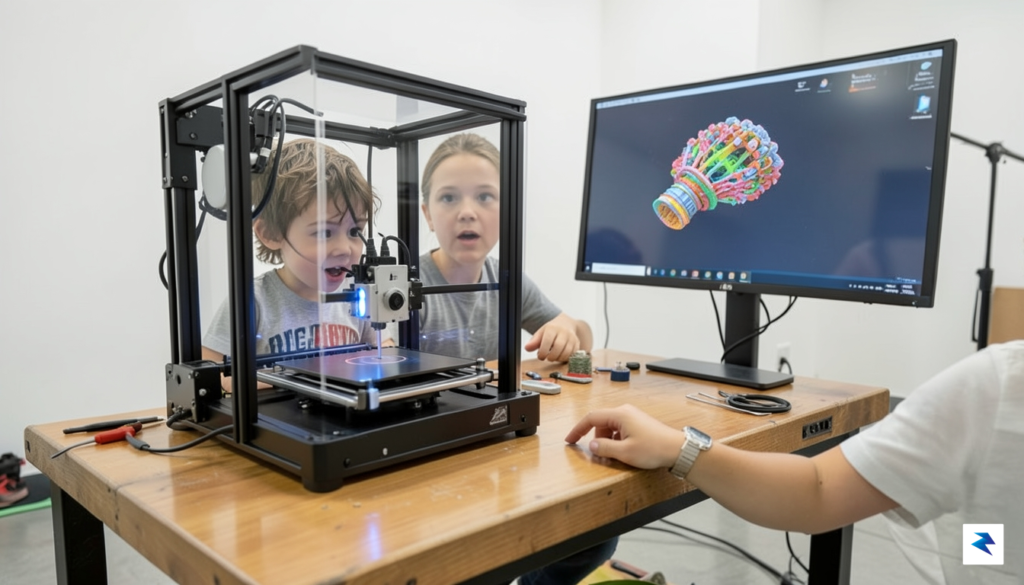
Perhaps even more critical than any specific hardware specification is the strength of the printer’s support network. Raw technical specs, while important, pale in comparison to a vibrant, active online community. Look for brands with extensive community forums, dedicated Discord servers, and thriving social media groups. These platforms serve as invaluable resources for troubleshooting common issues, discovering creative solutions, finding modifications and upgrades, and sharing project ideas. A strong community means that when a problem inevitably arises—be it a clogged nozzle or a software glitch—your child (or you) won’t be left alone to figure it out. It transforms potential roadblocks into collaborative learning opportunities, fostering a sense of belonging and encouraging continued engagement with the technology. Ultimately, the best 3D printer for your child isn’t just a machine; it’s a gateway to a supportive ecosystem that nurtures their growing interest and skill set.
Safety First: Understanding Materials and Mechanics

When considering a 3D printer for your child, it’s entirely natural for safety to be at the forefront of your mind. Parents often worry about potential hazards like extreme heat, airborne fumes, and the moving mechanical parts inherent in these machines. However, with a clear understanding of material properties, modern printer safety features, and the implementation of a few simple precautions, almost all risks can be effectively managed, allowing for a creative and secure learning experience.
The most critical factor in mitigating fume concerns lies in the type of filament used. For young makers, Polylactic Acid (PLA) is overwhelmingly the recommended choice. PLA is a biodegradable thermoplastic derived from renewable resources like corn starch, and it prints at significantly lower temperatures compared to other materials. During printing, PLA produces very minimal odors and is not known to off-gas harmful fumes or significant amounts of ultrafine particles (UFPs) in a typical home environment. This makes it an excellent, low-risk starting point, allowing children to experiment safely without extensive ventilation requirements, though good airflow is always a smart practice.
Conversely, materials like Acrylonitrile Butadiene Styrene (ABS) or Polyethylene Terephthalate Glycol (PETG) present a different safety profile. These filaments require higher extrusion temperatures, which can lead to the release of volatile organic compounds (VOCs) and a greater concentration of UFPs into the air. While these materials offer different mechanical properties for more advanced projects, they are generally not recommended for unsupervised use by children or for use in poorly ventilated spaces. If your family does venture into these materials, stringent ventilation, and dedicated adult supervision become absolutely non-negotiable to ensure air quality and safety.
Regardless of the filament type, proper ventilation remains a cornerstone of a safe 3D printing setup. Even with PLA, ensuring good air circulation helps dissipate any faint odors and maintains overall air quality in the printing area. For printers using ABS or PETG, or if you plan on frequent, long prints, dedicated ventilation solutions become crucial. This could range from simply opening a window and using a fan to more advanced setups involving air purifiers equipped with HEPA and activated carbon filters, or even custom enclosures with exhaust systems that vent outdoors. The goal is always to keep the air around the printer clean and fresh.
Modern 3D printers come equipped with an array of sophisticated safety features designed to prevent accidents. Many models now boast fully enclosed print chambers, which not only help maintain a stable printing temperature but also act as a physical barrier, keeping curious fingers away from hot nozzles and rapidly moving parts. Crucially, look for printers with “thermal runaway protection” – a vital safety mechanism that automatically shuts down the printer if temperature sensors fail or detect an uncontrolled increase in heat, preventing potential overheating or fire. Additional safeguards often include automatic shutdown sensors that pause or stop a print if an issue is detected, and protective covers for the hot end nozzle and heated bed, further reducing the risk of accidental burns.
Creating a Safe ‘Maker Station’
Establishing a dedicated and thoughtfully organized “maker station” is perhaps the most effective way to foster a safe and productive 3D printing environment for your child. This designated space helps instill good habits, ensures consistent safety practices, and keeps potential hazards contained. Think of it as their mini-workshop, optimized for creativity and security.
Consider the following checklist when setting up your child’s 3D printer area:
- Stable Surface: Ensure the printer rests on a robust, level, and non-flammable surface that can withstand vibrations and potential heat.
- Ample Space: Provide enough clear space around the printer for proper air circulation and easy access for supervision and maintenance.
- Ventilation: Position the printer in a well-ventilated room, ideally near a window, or equip the area with an appropriate air purifier.
- Fire Safety: Keep a small, appropriate fire extinguisher (suitable for electrical fires) easily accessible nearby, and ensure adults know how to use it.
- Supervision Plan: Establish clear rules for when and how the printer can be used, always emphasizing adult supervision, especially during active printing.
- Filament Storage: Store filament spools in a cool, dry place, away from direct sunlight and out of reach of very young children or pets.
- Emergency Protocol: Teach your child the immediate steps to take in case of an emergency, including how to safely power off the printer.
- Tool Organization: Keep all printer tools (scrapers, snips, etc.) organized and stored safely when not in use.
By proactively addressing these considerations and leveraging the advanced safety features built into modern printers, you can confidently introduce your child to the exciting world of 3D printing, turning potential worries into an opportunity for safe, creative exploration.
Software and the Creative Workflow
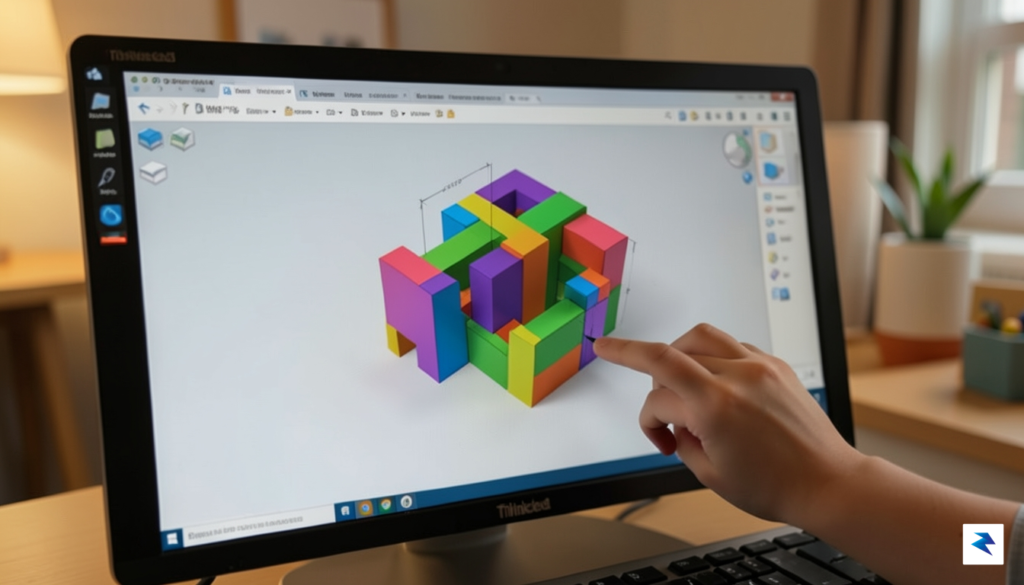
The physical 3D printer sitting on the desk is merely half of the equation; the true powerhouse of creativity and learning resides within the software ecosystem that drives it. This digital realm is where ideas take shape, where children learn principles of design, engineering, and artistic expression, progressing from rudimentary block-based modeling to sophisticated professional CAD environments. Understanding this journey is paramount for parents, as it dictates the depth of engagement and the breadth of skills your child will acquire.
For beginners, especially younger children, the journey typically begins with intuitive platforms like TinkerCAD. This free, web-based tool from Autodesk offers a wonderfully accessible entry point into 3D design, utilizing a “digital building block” approach. Kids can drag and drop pre-made shapes, combine them, subtract them, and manipulate them with ease, quickly seeing their concepts come to life without getting bogged down by complex interfaces. It fosters spatial reasoning and foundational design principles in a fun, gamified manner, making it an ideal starting block for any aspiring young maker.
As their skills and understanding mature, and they begin to grasp more complex geometric concepts, transitioning to a parametric CAD (Computer-Aided Design) software becomes the next logical step. Onshape stands out as an excellent intermediate option, offering a cloud-based, professional-grade CAD experience that mirrors what engineers and product designers use in the real world. Unlike TinkerCAD’s direct manipulation, Onshape introduces concepts like sketching, extruding, revolving, and constraints, teaching precision and iterative design. Its collaborative features also allow multiple users to work on a single project simultaneously, opening doors for teamwork and shared learning experiences.
Moving beyond purely technical or engineering-focused design, Blender opens up a world of artistic sculpting and organic modeling. While it has a steeper learning curve, this powerful open-source software is widely used by professionals for animation, visual effects, and game design, making it an incredible resource for children interested in character creation, abstract art, or intricate, non-geometric forms. It allows for the free-form manipulation of meshes, digital sculpting with brushes, and complex texturing, providing an unparalleled canvas for boundless creative expression once mastered.
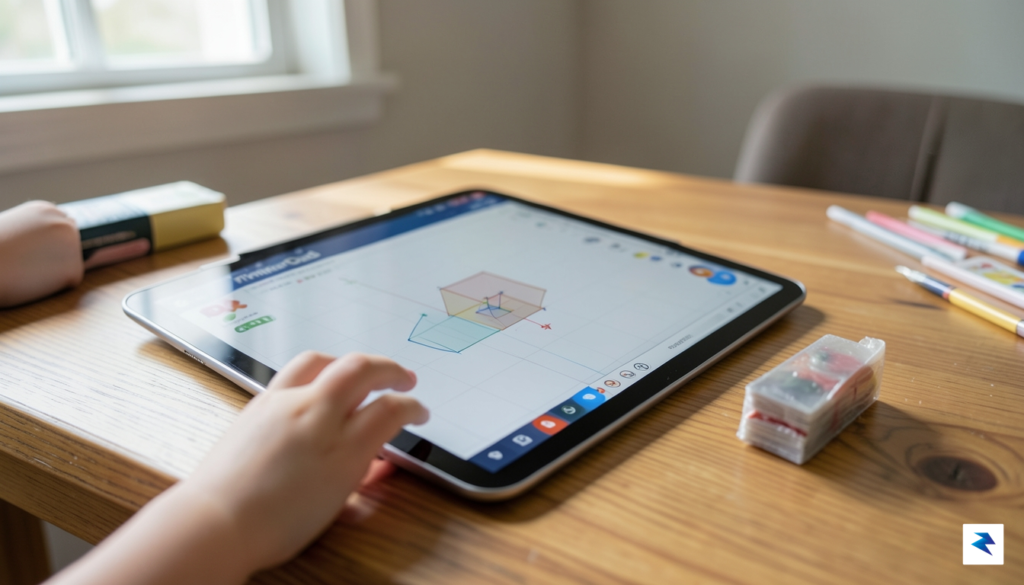
Once a 3D model is complete in any of these design programs, it needs to be prepared for the physical printer through a crucial step known as “slicing.” This is where dedicated slicing software comes into play, acting as the indispensable bridge between your digital creation and its tangible manifestation. Programs like Ultimaker Cura, PrusaSlicer, or Simplify3D take the 3D model (typically in an STL or OBJ format) and literally “slice” it into hundreds or thousands of thin horizontal layers. They then generate a set of instructions, known as G-code, which tells the 3D printer precisely how to move its print head, extrude plastic, and build the object layer by layer. This software also allows you to control vital print parameters such as layer height, infill density, print speed, and whether support structures are needed, all of which critically impact the quality, strength, and success of the final print.
Ultimately, this entire software journey—from conceptual design to precise slicing—equips your child with a comprehensive understanding of digital fabrication. It’s an iterative process of imagining, designing, refining, and preparing, where each software tool serves a distinct purpose in transforming an abstract idea into a physical reality. Mastering this workflow isn’t just about making cool objects; it’s about developing problem-solving skills, fostering patience, and gaining a deep appreciation for the synergy between digital creativity and physical engineering.
Fostering a Culture of Iteration and Problem Solving
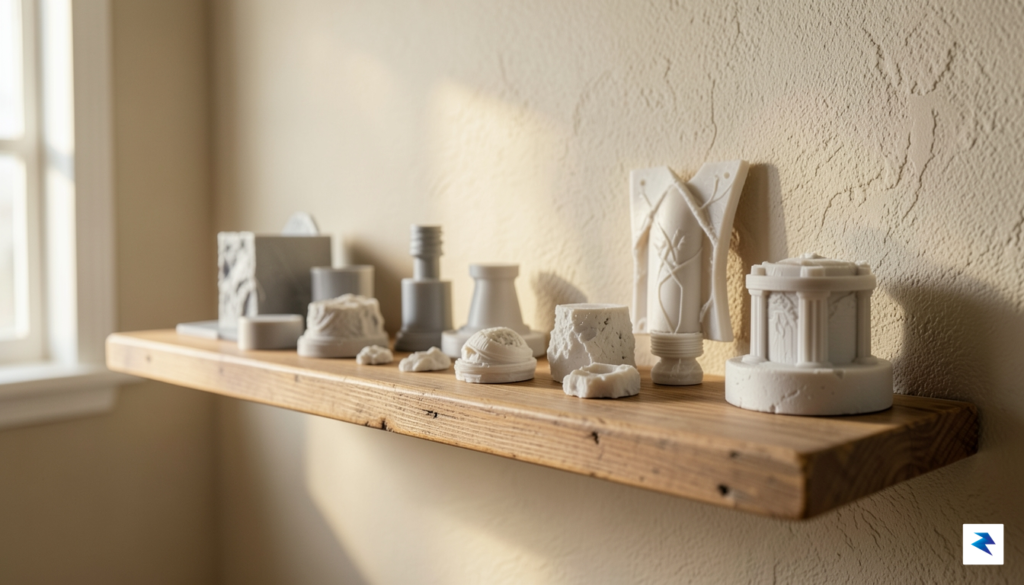
The true magic of introducing a 3D printer into your child’s life extends far beyond the tangible trinkets and prototypes it produces. While the excitement of seeing a digital design materialize is undeniable, the deeper, more enduring value lies in the cultivation of patience, logical reasoning, and an iterative mindset. A 3D printer, at its core, is a powerful tool for learning through trial and error, encouraging young minds to embrace challenges, troubleshoot problems, and refine their ideas repeatedly until a solution is found. This process, often messy and imperfect, is precisely what builds resilience and a profound understanding that mistakes are not failures, but stepping stones to success.
To truly unlock this potential and ensure sustained engagement, consider shifting the focus from simply printing existing models to tackling real-world problems around the house. Instead of downloading another pre-made fidget toy, challenge your child to design a custom organizer for their desk drawer, a replacement cap for a lost bottle, or even a specialized holder for their gaming controller that perfectly fits their setup. These practical projects provide immediate utility and a tangible sense of accomplishment, reinforcing the idea that their creativity can directly improve their environment. Such tasks not only hone their design skills but also encourage critical observation of their surroundings and an innovative approach to everyday inconveniences.
A crucial component in fostering this iterative culture is the practice of documentation. Encourage your child to maintain a “design journal” or an engineering notebook, whether it’s a physical notepad or a digital document. In this journal, they can sketch initial ideas, record design parameters, note down failed print settings, describe the problems encountered, and outline the solutions attempted. This isn’t just about archiving; it’s a powerful psychological tool that helps children articulate their thought processes, learn from past mistakes, and build a personal knowledge base for future projects. Over time, this journal becomes a testament to their growth, showcasing their journey from novice designer to a more experienced problem-solver, reinforcing the value of every attempt, successful or not.
Furthermore, integrating the printer’s maintenance into a shared family project can deepen the learning experience significantly. Far from being a chore, cleaning the print bed, understanding when to change a nozzle, or learning how to load new filament offers invaluable hands-on mechanical understanding. These collaborative moments demystify the technology, transforming the 3D printer from a black box into a comprehensible machine that requires care and attention to perform optimally. It teaches responsibility for tools, instills an appreciation for how things work, and provides a natural opportunity for parents to bond with their children over a shared technical endeavor, emphasizing that every part of the process, even upkeep, contributes to successful creation.
Ultimately, the long-term engagement with a 3D