
Are Your LG Monitor Drivers Hiding Adware? What You Need to Know
The Silent Install: Understanding the LG Monitor Software Issue The recent discovery regarding LG’s UltraGear line has sparked a significant…
A major security alarm has sounded across the digital landscape, as researchers have identified two severe vulnerabilities embedded within the WordPress core that are already being weaponized by malicious actors. Unlike minor glitches or cosmetic bugs, these flaws represent a significant “code red” scenario for site administrators. Because WordPress powers such a staggering portion of the internet, the scale of this threat is immense, potentially exposing millions of websites to unauthorized access. When vulnerabilities of this magnitude emerge, they effectively act as a digital skeleton key, allowing attackers to bypass standard security protocols that are meant to keep your site’s data and infrastructure safe from prying eyes.

At the heart of this emergency is the risk of Remote Code Execution, or RCE. To understand why this is so dangerous, think of it as an intruder gaining the ability to walk into your home, sit at your desk, and start typing commands directly into your computer. In practical terms, an RCE vulnerability allows an attacker to execute their own malicious instructions on your server from anywhere in the world. They do not need a password or physical access to your hardware; they simply need to exploit these specific gaps in the WordPress software. Once they have gained this level of control, the possibilities for mischief are nearly endless, ranging from stealing sensitive user information and customer databases to redirecting your traffic to fraudulent sites or turning your server into a tool for launching broader cyberattacks.
The danger here is not theoretical; it is an active, ongoing campaign. Security researchers have already observed these vulnerabilities being exploited in the wild, meaning that sites failing to update are being scanned and compromised by automated scripts at this very moment.
The urgency of this situation cannot be overstated because the attackers are not waiting for site owners to catch up. By the time a vulnerability becomes public knowledge, cybercriminals have often already developed automated tools that scour the internet for unpatched sites. If your website is running an outdated version of WordPress, it is effectively broadcasting an open invitation to these bad actors. Because these exploits are targeting the very foundation of the platform, even the most robust security plugins or complex passwords cannot shield a site that has not been patched. Consequently, the only effective defense is to ensure that your site is running the latest, secure version of the WordPress core immediately, closing the door before these intruders have a chance to step through.

At the heart of these recent security threats lies a dangerous combination of authentication bypass and injection vulnerabilities. In essence, these flaws function as a skeleton key for your website; they allow an unauthorized individual to circumvent the standard login protocols that act as the first line of defense. By sending specially crafted requests to the server, an attacker can trick the WordPress core or a vulnerable plugin into believing they are already authenticated as an administrator. Instead of needing a valid username and password, the attacker exploits a logic error in the code that fails to verify the requestor’s identity before executing high-level administrative functions.
The progression from initial contact to a full site takeover typically happens in three distinct phases. First, the attacker identifies a specific endpoint—a specific URL or function—that does not properly sanitize user input. Once they have found this entry point, they utilize an injection technique to pass malicious commands directly into the site’s database or server environment. Because the system treats these injected commands as legitimate administrative instructions, it executes them without question. This leads to the final, most devastating stage: the attacker gains the ability to create new administrator accounts, inject backdoors for persistent access, or exfiltrate sensitive customer data, effectively seizing total control of the digital kingdom.
Authentication bypass is particularly dangerous because it leaves no traditional footprint in your login logs; the system believes the malicious actions were performed by a legitimate administrator, making the breach significantly harder to detect through standard monitoring.
It is important to recognize that these types of vulnerabilities are not necessarily signs of poor programming, but rather a byproduct of the inherent complexity found in modern content management systems. WordPress relies on a massive ecosystem of themes and plugins, each interacting with the core in unique ways, which creates a massive “attack surface.” When code is not written with a “zero-trust” mindset—where every piece of incoming data is assumed to be malicious until proven otherwise—these tiny gaps in logic can be chained together. Consequently, a single vulnerable plugin can grant a hacker the same level of access as if they had physically stolen your password, highlighting why keeping every component of your site updated is a non-negotiable security requirement.
Understanding these mechanics underscores the necessity of proactive defense strategies. By realizing that attackers are not always “hacking” in the traditional sense of guessing passwords, but rather “manipulating” the logic of the software itself, site owners can better appreciate why patches are so time-sensitive. Each update provided by developers is designed to close these logic gaps, ensuring that the software correctly validates every request. Without these updates, your site remains a locked door with a broken deadbolt, waiting for an attacker to simply turn the handle.
Not every WordPress installation faces the same level of danger when a new exploit emerges. To determine your specific risk profile, you must first establish a clear baseline of your current environment. Start by navigating to your WordPress dashboard and checking the “At a Glance” widget or the “Updates” screen to confirm your core version. If you are running an outdated version of WordPress, your site is likely missing the critical security patches that prevent attackers from executing remote code. Beyond the core files, you must also conduct a rigorous audit of your plugin library, as abandoned or unmaintained plugins often serve as the primary entry points for these exploits. Even a plugin that hasn’t been updated in years can contain hidden vulnerabilities that interact poorly with modern core updates, effectively leaving a backdoor open for malicious actors.
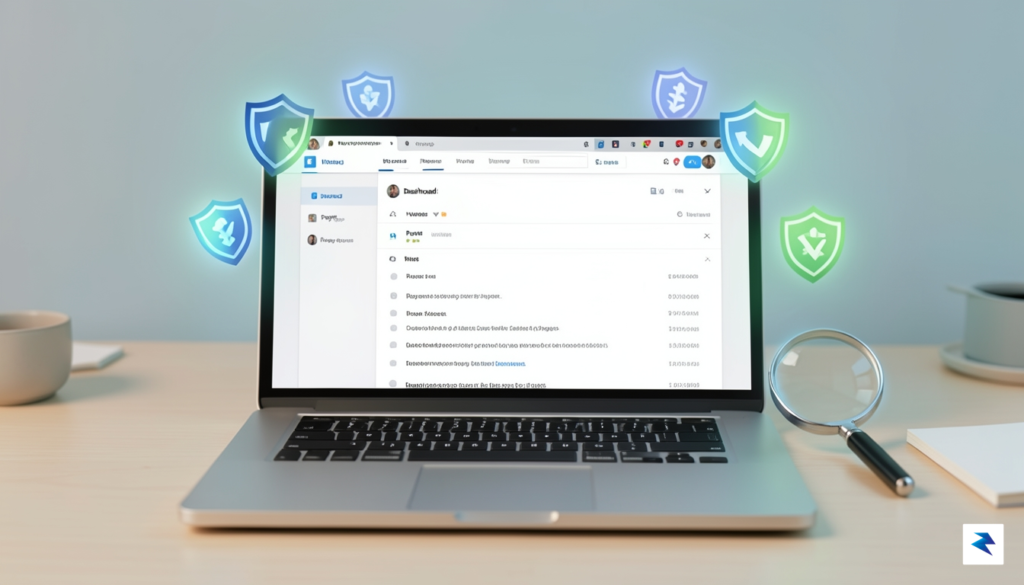
One of the most significant risks to your website is the presence of “zombie” plugins—extensions that are no longer supported by their original developers but remain active on your server. Because these plugins do not receive security updates, they act as permanent liabilities that can be weaponized during mass-exploitation campaigns. It is essential to deactivate and delete any plugins that are not absolutely critical to your site’s functionality. Furthermore, check the “last updated” date for every plugin in your active list; if a tool has not been updated in over a year, it is highly recommended that you replace it with a modern, actively maintained alternative to ensure maximum compatibility with the latest security protocols.
To differentiate between a vulnerable installation and a hardened one, consider the following checklist as you evaluate your current setup:
A hardened WordPress site is one where the attack surface is minimized; by stripping away unused plugins, maintaining strict user access control, and keeping every component up to date, you force hackers to look for an easier target elsewhere.
Ultimately, security is not a one-time task but a continuous process of maintenance and vigilance. If your assessment reveals that you are running outdated software or hoarding unused plugins, your immediate priority should be a comprehensive update cycle. By methodically closing these gaps, you transform your website from a high-risk target into a resilient environment capable of weathering the latest wave of remote takeover exploits.
Time is of the essence when dealing with active exploits targeting WordPress core vulnerabilities. Before you initiate any updates, you must create a comprehensive, off-site backup of your entire database and file system. Many administrators mistakenly assume their hosting provider’s automated snapshots are sufficient, but in a compromise scenario, you need an independent, verified recovery point that you control. Use a reliable plugin or manual FTP/SFTP methods to store a fresh copy of your environment on a secure, local drive or a separate cloud storage bucket; this step ensures that if the update process triggers a conflict or if an existing backdoor causes a site crash, you have a safe path to restoration.
Once your backups are verified, proceed immediately to the WordPress dashboard to execute the core update. Navigate to the Dashboard > Updates section and click the button to install the latest version offered by the WordPress security team. If your site is running a heavily customized configuration that prevents one-click updates, you must manually overwrite your core files via SFTP, ensuring you replace all existing files except for your wp-content folder and wp-config.php file. Do not delay this process; every hour your site remains on an unpatched version, it serves as an open invitation to automated botnets currently scanning the internet for unpatched installations.

After the update is complete, you must verify the integrity of your installation to ensure no malicious code was injected prior to the patch. Since hackers often leave behind “web shells”—small scripts that provide persistent access—you should utilize a security plugin with file integrity monitoring capabilities to scan for modified core files. If you find any unrecognized files in your root directory or unexpected code snippets within your theme files, treat your site as compromised. In such instances, simply updating is not enough; you must compare your current file hashes against a clean WordPress installation to identify and remove any unauthorized modifications that may have bypassed standard security measures.
To ensure your site remains secure, you must treat administrative access as a high-privilege liability. Even if you suspect your credentials have not been stolen, the safest course of action is to force a global reset.
Finally, address the human element of your site’s security by resetting passwords and clearing all active sessions for every administrative user. Hackers frequently harvest session cookies to hijack active logins, meaning they can continue to control your site even after you update your password unless you actively kill those sessions. Simultaneously, conduct a thorough audit of your Users list to identify any accounts you do not recognize. Attackers often create “hidden” administrative accounts during a breach; if you see any user accounts that were not created by you or your team, delete them immediately and investigate the activity logs to see what changes those accounts may have initiated while they had access to your dashboard.

While installing the latest security updates is a critical first step, relying solely on patches is akin to locking your front door while leaving your windows wide open. A truly resilient security posture requires a multi-layered defense strategy—often called “defense in depth”—that protects your digital assets even when a vulnerability is discovered. By moving beyond reactive patching, you create a hardened environment that can withstand sophisticated threats and minimize the potential impact of an unforeseen exploit.
One of the most overlooked aspects of WordPress security is user management. The Principle of Least Privilege dictates that every user, process, and program should operate using only the minimum set of privileges necessary to complete its specific task. Too often, administrators grant “Administrator” access to guest authors, freelancers, or redundant accounts, which significantly widens your attack surface. If an attacker compromises a high-level account, they gain total control over your database, themes, and plugins. By restricting user roles—using the “Editor,” “Author,” or “Contributor” roles appropriately—you ensure that even a compromised account cannot perform site-wide administrative actions, effectively containing the potential damage.
Security is not a product, but a continuous process of risk management and environmental hardening.
To stop attacks before they reach your server, you should implement a Web Application Firewall (WAF). A WAF acts as a sophisticated filter between your website and the internet, inspecting incoming traffic for malicious patterns and blocking known exploit attempts before they trigger a vulnerability in your WordPress core or plugins. Furthermore, you must prioritize automated monitoring and logging. Using tools that provide real-time alerts for unauthorized file changes or suspicious login attempts allows you to respond to anomalies before they escalate into full-scale breaches.
Finally, your recovery strategy is just as important as your prevention strategy. You must maintain off-site, immutable backups—meaning copies of your site that are stored on a separate server and cannot be altered or deleted by the same credentials used to manage your WordPress site. Should an attacker manage to bypass your defenses and corrupt your database, these immutable backups represent your ultimate fail-safe. By combining strict user access controls, a robust WAF, and a rigorous backup schedule, you transform your website from a vulnerable target into a hardened, resilient infrastructure capable of weathering the storm of evolving cyber threats.
You must be logged in to post a comment.