Understanding the Latest LastPass Security Incident
The security landscape for digital vault services has become increasingly complex, a reality underscored by the recent confirmation from LastPass regarding a data exposure linked to their third-party partner, Klue. According to the company, unauthorized actors gained access to specific customer support case data that was housed within the partner’s environment. This incident occurred when attackers compromised a Klue employee’s account, eventually leading to the unauthorized viewing of files that included support-related communications. While the breach does not appear to involve the master passwords or encrypted vault data that remain the core of LastPass’s security infrastructure, it serves as a critical reminder of the risks associated with third-party data ecosystems.
To understand the scope of this event, it is important to differentiate between the internal systems of a password manager and the peripheral platforms used for customer operations. LastPass utilizes various vendors to handle support tickets and administrative workflows, and in this instance, the vulnerability originated within the partner’s infrastructure rather than LastPass’s own production environment. The compromised data primarily consisted of information shared by customers during support interactions, which can include details such as email addresses, company names, and technical logs provided to troubleshoot issues. By leveraging the partner’s access, the threat actors were able to view these support cases, highlighting how a single point of failure within a supply chain can have ripple effects for larger organizations.

Security transparency is paramount; understanding that even peripheral support systems are targets allows users to practice better digital hygiene when submitting technical documentation or private account details to support teams.
This development is particularly notable given the history of security challenges that LastPass has navigated in recent years. Users who have followed the company’s trajectory may recall previous high-profile incidents involving unauthorized access to development environments and encrypted backups. Because of these prior events, the company has been under significant scrutiny to tighten its security posture and vendor management protocols. Consequently, this latest disclosure is being met with a heightened level of caution from the cybersecurity community. While the current exposure of support data is narrower in scope than past incidents, it reinforces the broader industry challenge: protecting user privacy requires not only securing internal code but also ensuring that every external partner maintains equally rigorous security standards.
For the average user, the takeaway from this incident is not necessarily to abandon password managers, which remain far safer than the alternative of reusing simple passwords across multiple sites. Instead, this situation emphasizes the necessity of “data minimization” when communicating with any service provider. Whenever possible, users should avoid including sensitive information, such as full vault names or overly specific technical identifiers, in support tickets. By remaining vigilant about what information is shared with third-party support platforms, users can add an extra layer of personal protection, effectively mitigating the potential fallout should one of these peripheral systems be compromised in the future.
The Ripple Effect of Third-Party Vendor Vulnerabilities

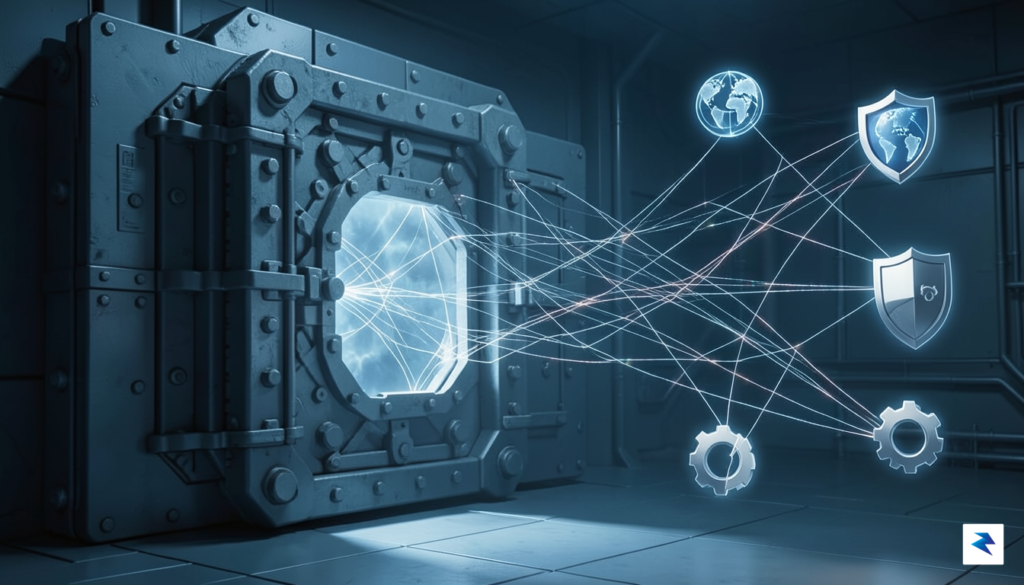
In the modern digital landscape, the concept of a perimeter-based security model has effectively vanished. Organizations no longer operate in isolated silos; instead, they exist within an expansive, interconnected ecosystem where data flows seamlessly between internal systems and a multitude of external SaaS (Software as a Service) providers. This reliance on third-party vendors is the backbone of modern business efficiency, allowing companies to integrate specialized tools for everything from customer support to data analytics. However, this convenience introduces a significant “supply chain attack” vector, where a vulnerability in a single peripheral partner can act as a gateway into the primary organization’s internal environment. When a company like Klue experiences a breach, the consequences are not contained; they ripple outward, exposing the sensitive customer data that was entrusted to them, even if the primary service provider itself maintained robust internal defenses.
The core of the issue lies in the complexity of modern SaaS architecture, where disparate platforms must constantly communicate to remain functional. Each integration requires specific permissions and API access, creating a sprawling network of digital handshakes that are notoriously difficult to audit. Security teams often struggle to maintain visibility into how their partners handle data, as vendor security protocols are frequently opaque or subject to change without immediate notification. Consequently, an organization might invest millions in its own cybersecurity infrastructure, only to find that its weakest link is actually a third-party service provider with less stringent oversight. This reality forces a shift in how we define “security,” moving away from individual company strength toward a holistic view of the entire supply chain.
True security in the cloud era is no longer just about protecting the front door; it is about managing the trust we extend to every partner in our digital ecosystem.
To mitigate these inherent risks, companies must move toward a model of “zero-trust” regarding their own vendors. This means implementing rigorous data sharing policies that require constant scrutiny, rather than treating vendor security audits as a one-time onboarding formality. Organizations must demand transparency, insist on regular third-party security assessments, and limit data exposure to the bare minimum required for a service to function. As the recent events involving third-party breaches demonstrate, even the most prominent tech companies are vulnerable to the cascading effects of an external partner’s failure. Ultimately, the burden of data protection now requires a proactive stance, acknowledging that while your own systems may be locked down, the path to your data might be compromised miles away through a vendor you barely think about on a daily basis.
What Data Was Compromised and Who Is at Risk?
When news of a security breach involving a password manager breaks, it is natural for users to feel immediate alarm regarding the safety of their encrypted vaults. However, it is vital to distinguish between the various layers of information handled by a service provider. In this specific incident involving LastPass, the compromised information was limited to customer support case data. This means the breach involved the communications and metadata associated with support tickets, rather than the core infrastructure that houses your sensitive, encrypted credentials. Your master passwords, along with the encrypted vaults containing your digital keys, remain untouched by this specific intrusion, as they are protected by a zero-knowledge architecture that prevents the company itself—and by extension, any unauthorized party accessing support systems—from reading your stored data.
The scope of this exposure is primarily centered on the information you may have shared while troubleshooting an issue with a representative. If you have contacted LastPass support in the recent past, you might have provided details such as your email address, ticket identifiers, or descriptions of the technical problems you were experiencing. While this data is far less sensitive than a password vault, it does create a specific risk profile regarding social engineering. Because bad actors now possess information about your history with the company, they could potentially craft sophisticated, personalized phishing attempts designed to trick you into revealing login credentials or other sensitive information by posing as legitimate support agents.
Key Takeaway: While your encrypted vault remains secure, your recent support history could be used by attackers to make phishing attempts appear more credible. Always verify the source of any communication you receive, even if it appears to be from a company you trust.
To protect yourself against these targeted threats, it is essential to remain vigilant regarding any unexpected emails, messages, or phone calls that claim to be from LastPass. Be wary of any communication that creates a false sense of urgency, asks for your master password, or directs you to a link that does not point to the official LastPass domain. Remember that legitimate support staff will never ask you for your master password or the contents of your vault under any circumstances. If you ever receive a message that feels even slightly off, the safest course of action is to ignore the link or attachment and navigate directly to your account dashboard through your own browser bookmark to verify if there are any genuine notifications waiting for you.
Steps to Take if You Are a LastPass User
When a security incident involving a service provider is made public, it serves as a critical prompt to audit your digital hygiene and fortify your defenses. Data breaches involving support logs are particularly sensitive because they often contain details that social engineers use to build trust and bypass security protocols. To minimize your risk profile, you should immediately adopt a posture of heightened vigilance and implement the following security measures.
Strengthen Your Authentication Layers
The most effective way to protect your account is to move beyond simple passwords. If you currently rely on SMS-based multi-factor authentication (MFA), it is time to upgrade to more robust alternatives. SMS codes are susceptible to SIM-swapping attacks, where a malicious actor intercepts your verification codes. Instead, migrate your account settings to use an authenticator app like Authy, Microsoft Authenticator, or, ideally, a hardware security key such as a YubiKey. Hardware keys provide the highest level of protection because they require a physical device to be present, making remote account compromise exponentially more difficult for hackers.

Exercise Extreme Caution with Communications
Because the recent breach involved support-related data, you must be hyper-aware of unsolicited outreach. Hackers often use the information stolen from support tickets—such as ticket numbers, dates of past issues, or specific technical jargon—to craft highly convincing phishing emails or phone calls. These communications may appear to come from the service provider’s legitimate support team, urging you to “verify” your account or download a “security patch.” Always remember that reputable companies will never ask you to provide your master password or reveal your multi-factor authentication codes over email or chat. If you receive an unexpected request for sensitive information, ignore the prompt and navigate directly to the company’s official website through your browser rather than clicking any links provided in the message.
Pro-tip: Treat every email regarding your account security with skepticism. If you are unsure if a request is legitimate, log in to the service independently via your saved bookmark to check your account status or support history.
Audit and Refresh Your Security Settings
Finally, take this opportunity to conduct a comprehensive audit of your account settings. Review the list of authorized devices and web sessions currently tied to your profile, and terminate any entries that look unfamiliar or represent hardware you no longer use. Furthermore, verify that your account recovery options are up to date and that you have securely backed up your recovery codes in a physical safe or a secondary, offline location. By proactively closing these potential entry points, you effectively neutralize the utility of the stolen data and ensure that your digital identity remains resilient against future exploitation.
Strengthening Your Personal Cybersecurity Posture

True digital security is a continuous process rather than a singular product you can simply install and forget. While relying on a password manager is an essential step in modern digital hygiene, the recent security hurdles faced by major providers remind us that no centralized system is entirely immune to risk. To build a truly resilient defense, you must adopt a strategy of defense-in-depth, where you assume that any single service could potentially be compromised. By layering your security measures, you ensure that if one pillar of your digital life faces a challenge, your entire identity does not immediately fall with it.
The foundation of this strategy begins with the passwords themselves. Every account you own—no matter how insignificant it may seem—should be protected by a unique, long, and complex passphrase. Relying on the same password across multiple sites is a dangerous habit that creates a domino effect; once a single site is breached, attackers have the keys to every other account you possess. By using a password manager to generate and store high-entropy, randomized strings, you eliminate the cognitive burden of memorization while significantly raising the bar for potential intruders.
However, diversifying your security tools is equally important. While centralized vaults are convenient, consider the benefit of using secondary authentication methods that exist outside of your primary ecosystem. For instance, pairing your password manager with hardware security keys or authenticator applications that require physical presence or local device access adds a crucial layer of friction for an attacker. Diversifying where you store your digital identity means that a single breach at one company does not automatically grant a hacker access to your most sensitive credentials, effectively isolating the impact of any potential compromise.
True security is found in skepticism and habit, not just in the software you choose to run.
Finally, cultivating a mindset of healthy skepticism is your most effective tool against social engineering and phishing campaigns. When you receive urgent emails, unexpected support requests, or alarming notifications, pause to verify the source before clicking any links or providing personal information. Hackers often leverage the panic caused by data breach news to send fraudulent follow-up messages, hoping you will blindly trust a prompt that claims to be from a “security team.” By maintaining a habit of verifying support interactions through official, independently sourced channels, you protect yourself against the very real danger of human error, which remains the weakest link in any security chain.