Microsoft’s $2.5B AI Leap: What the New Deployment Subsidiary Means for Tech
The Strategic Shift Behind Microsoft's New AI Deployment Entity Microsoft is embarking on a profound transformation of its artificial…
Apple’s “Hide My Email” feature, a cornerstone of its iCloud+ subscription, has been widely lauded as an innovative and essential tool for enhancing user privacy online. Designed to empower individuals with greater control over their digital footprint, it allows users to generate unique, random email addresses whenever they sign up for a new service, newsletter, or make an online purchase. This capability ensures that a user’s primary, real email address remains private, shielded from potential spam, data breaches, and unwanted marketing communications. For many, it represented a significant step forward in reclaiming anonymity in an increasingly interconnected world, embodying Apple’s commitment to user data protection.
The core mechanism behind Hide My Email involves sophisticated email routing. When you use one of these generated addresses, any email sent to it is automatically forwarded to your actual personal inbox. Crucially, the sender of the email never sees your real address; they only interact with the unique, anonymized proxy email. This sophisticated layer of indirection was specifically engineered to act as a robust barrier, preventing third-party services from collecting, sharing, or compromising your genuine identity through your email address. It created a perception of an impenetrable shield, giving users the confidence to sign up for various online services without the persistent worry of their inbox being deluged or their identity being compromised.
However, the seemingly unyielding strength of this privacy feature has recently been called into question following the discovery of a significant vulnerability. Despite its robust design and Apple’s assertions of its security, recent findings indicate that this protective layer might be more permeable than users were led to believe. This newly identified flaw suggests a potential pathway through which a user’s real email address could, under specific circumstances, be exposed, thereby undermining the very purpose of Hide My Email. The revelation casts a shadow over a feature that many have come to rely upon implicitly for their online anonymity.
Consequently, this vulnerability represents a critical concern for the average user, particularly those who have placed immense trust in Apple’s ecosystem for their data protection. Users opted into Hide My Email precisely to avoid the very scenario this flaw now presents: the potential exposure of their core identity. If real email addresses can be unmasked, even indirectly, it negates the primary benefit of the feature, opening the door to targeted spam campaigns, sophisticated phishing attempts, and the unwanted linking of disparate online accounts back to a single, identifiable individual. For individuals who prioritize privacy and diligently use Apple’s tools to safeguard it, this discovery is not merely a technical glitch but a profound breach of trust, challenging the long-held belief that their personal data is truly secure within the Apple walled garden.

At its core, Apple’s Hide My Email service is designed to function as a sophisticated digital mask. When you generate a unique, random address, Apple’s servers sit between the sender and your actual inbox, stripping away identifying information before forwarding legitimate messages to you. However, the recent discovery of this privacy flaw reveals that the mechanism is not as impenetrable as once believed. The vulnerability occurs when a receiving mail server processes the technical headers attached to an incoming email. Specifically, if a sender crafts an email with certain non-standard headers, or if the receiving server is configured to prioritize internal metadata over the anonymized alias, the protective layer can be inadvertently peeled back.
The leak typically manifests during the handshake process between servers. When an email is routed, it carries a “hidden” trail of data known as metadata, which includes routing information, server paths, and sometimes the original recipient’s identity. Ideally, Apple’s service should sanitize these headers to ensure only the alias remains visible. In the case of this vulnerability, the flaw arises because certain mail server configurations attempt to “correct” or “reconcile” these headers when they encounter a mismatch. By trying to be helpful and ensuring the email reaches the correct final destination, the receiving server essentially performs a lookup that bypasses the alias, forcing the system to reveal the actual, private email address linked to the Apple ID.
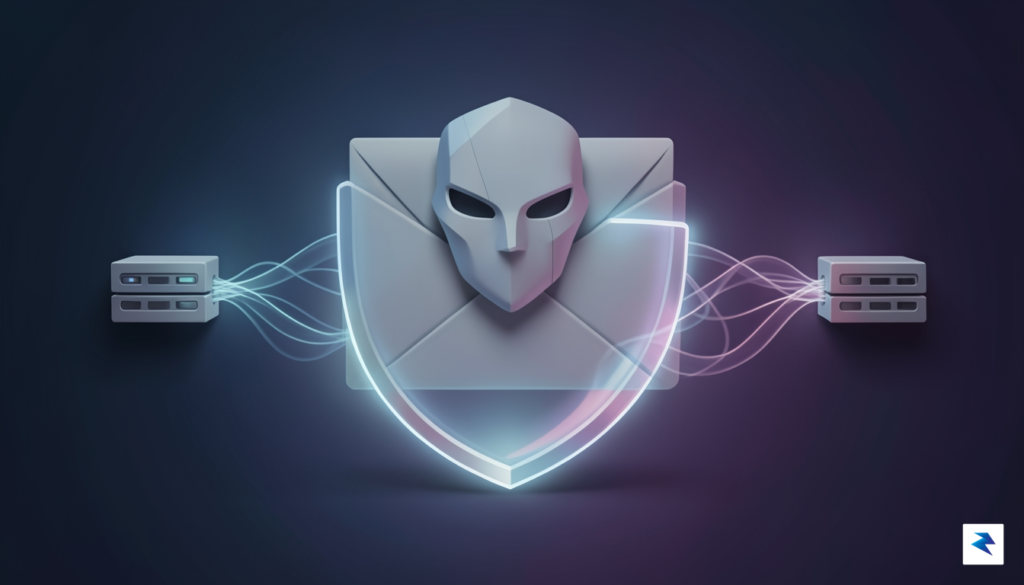
This exposure highlights a fundamental challenge in modern cybersecurity: the tension between automated convenience and strict privacy. Standard privacy expectations suggest that once an alias is created, the connection to the user’s primary identity should be permanently severed in the eyes of the recipient. Unfortunately, the internet’s underlying infrastructure—specifically the protocols governing how email servers talk to one another—often favors deliverability over complete anonymity. When systems prioritize the successful receipt of a message, they may look past the “mask” to verify the true recipient, effectively leaking the very data the user sought to protect.
The core of the issue lies not in a failure of encryption, but in an implementation oversight where server-side protocols prioritize mail routing efficiency over the complete obfuscation of user identity.
Ultimately, this vulnerability reminds us that even the most robust privacy tools are subject to the complexities of global networking standards. Because email relies on a vast, decentralized web of legacy protocols, implementing a truly “invisible” shield is significantly more difficult than it appears on the surface. Understanding this mechanism helps illustrate why privacy is not merely a feature to be toggled on, but a continuous process of managing how our data is transmitted, processed, and intercepted across every node in the digital chain.
Apple’s ‘Hide My Email’ feature was introduced with a clear and commendable goal: to empower users with greater privacy by shielding their personal email addresses from third-party services. The intention was to create a robust layer of anonymity, yet the journey to a completely impervious system has proven to be an iterative one, marked by persistent challenges and the continuous vigilance of security researchers. When the initial vulnerabilities were brought to light, Apple, true to its commitment to user security, deployed patches designed to seal the identified loopholes. However, the complex architecture underlying such a feature meant that these early remediations, while addressing specific points of failure, did not entirely eliminate the risk.
The initial fixes, despite Apple’s swift action and considerable engineering effort, ultimately fell short of providing a complete mitigation. This wasn’t necessarily due to a lack of diligence, but rather the subtle and intricate ways in which deeply integrated privacy features can interact with other system components and network protocols. The vulnerability wasn’t a simple, isolated bug; instead, it often exploited specific conditions or edge cases within the complex process of generating, forwarding, and managing these unique, randomized email addresses. Closing one pathway for potential exposure sometimes left others, less obvious ones, inadvertently open, allowing persistent researchers to uncover new angles of attack that could still reveal a user’s true email under certain, albeit often specific, scenarios.
The challenge of fully securing a feature like ‘Hide My Email’ is significantly amplified by the sheer scale and distributed nature of Apple’s ecosystem. This isn’t a standalone application; it’s a core privacy service intrinsically woven into iCloud, Apple ID, and various operating systems across a vast array of devices, including iPhones, iPads, Macs, and more. Deploying a patch uniformly across such a sprawling, interconnected network, while ensuring compatibility, stability, and preventing the inadvertent creation of new vulnerabilities, is an monumental engineering task. Each update necessitates exhaustive testing across countless configurations and user scenarios, highlighting the inherent difficulty in achieving absolute, instantaneous security in a digital environment this complex and expansive.
Apple’s iterative response process, characterized by multiple rounds of patching following subsequent reports, vividly illustrates the continuous ‘cat-and-mouse’ game that defines modern software security. Even industry leaders, with their vast resources and strong privacy ethos, face persistent scrutiny from sophisticated security researchers and an ever-evolving threat landscape. This ongoing dialogue between developers and the research community, often facilitated through bug bounty programs, is absolutely crucial. It provides invaluable external scrutiny that helps uncover blind spots and iteratively strengthen privacy features, underscoring that security is not a one-time achievement but rather a dynamic, ongoing process of improvement and adaptation.
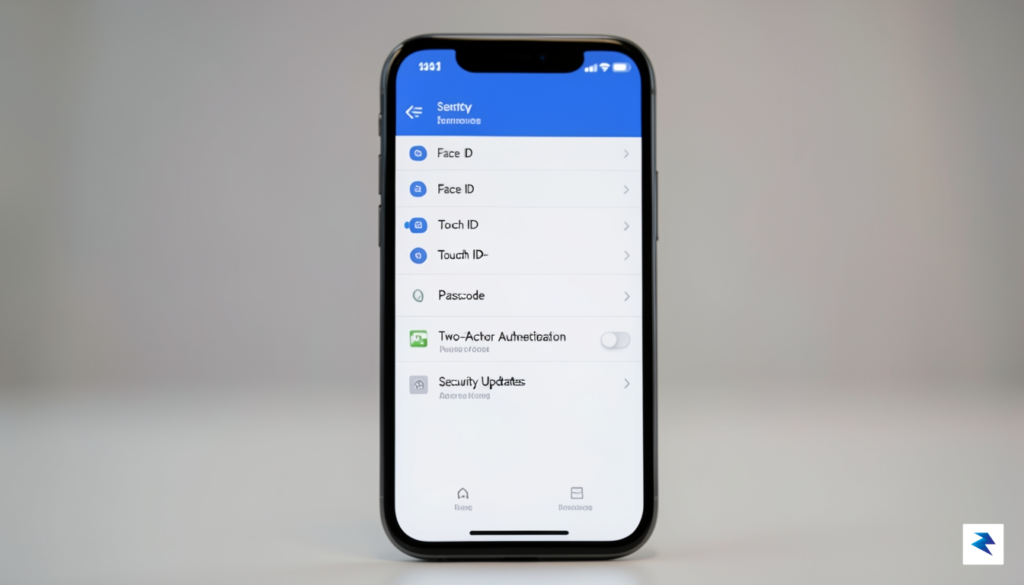
While Apple works to address the underlying vulnerability, you should not wait for a software patch to take control of your digital security. The most immediate step you can take is to conduct a thorough audit of your existing “Hide My Email” aliases. Navigate to your Apple ID settings, specifically the iCloud section, to review the list of forwarded addresses currently active. If you identify any aliases that are no longer necessary or that you suspect may have been compromised, delete them immediately to sever the connection to your primary inbox. By pruning these defunct redirects, you reduce the surface area available to malicious actors attempting to exploit this flaw.
Beyond managing current aliases, you should adopt a more rigorous strategy for future signups. Rather than relying solely on Apple’s relay service for every account, consider maintaining a “burner” email address specifically for newsletters, promotional offers, or secondary service registrations. Using a dedicated, non-primary email account for non-essential interactions ensures that even if a service experiences a data leak or a relay exploit, your main, high-value email address remains insulated. This layered approach creates a necessary buffer between your sensitive personal communications and the often-unpredictable security standards of third-party platforms.
Pro-tip: Always treat your primary email address as a high-security asset. Only provide it to trusted financial institutions, employers, and close personal contacts.
Furthermore, reinforcing your account security with hardware-based authentication is more critical now than ever. If you have not already, transition from standard SMS-based or app-based two-factor authentication to hardware security keys, such as a YubiKey or a FIDO2-compliant physical token. These devices provide a cryptographic layer of protection that is significantly harder to bypass than traditional codes, effectively rendering stolen email addresses less useful to attackers who lack physical access to your hardware. When combined with strong, unique passwords for every site, hardware keys create a formidable barrier that protects your primary accounts from being hijacked through email-based password reset exploits.
Finally, maintaining a heightened state of vigilance regarding your inbox is essential while the dust settles. Because this privacy flaw can potentially reveal your true email address to bad actors, you may see an uptick in highly targeted phishing attempts. Be exceptionally wary of unsolicited emails that use your real name or reference specific services you use, as attackers are becoming increasingly sophisticated at crafting “spear-phishing” messages designed to look legitimate. Never click on suspicious links or download attachments from unknown senders, regardless of how official the correspondence appears. By staying alert and layering your defenses, you can effectively safeguard your digital identity until a permanent resolution is fully implemented.

The recent discovery of vulnerabilities within Apple’s email masking infrastructure serves as a sobering reminder that even the most robust privacy features are not infallible. In an era where digital identity is the primary currency of the internet, we often place immense trust in the “set it and forget it” nature of consumer-grade security tools. However, this incident underscores the reality that as our online lives become increasingly interconnected, the mechanisms we employ to shield our personal information must continuously adapt. Privacy is not a static destination but a perpetual arms race, where the sophistication of data-harvesting techniques frequently outpaces the defensive capabilities of the software meant to thwart them.
Independent cybersecurity research plays a critical role in this ecosystem, acting as the necessary friction that forces tech giants to refine their promises of anonymity. By exposing the gaps in how services handle metadata and email routing, researchers provide a vital service that holds large corporations accountable for their security claims. Without this continuous scrutiny, flaws that link masked aliases to primary accounts would remain buried, potentially leaving millions of users vulnerable to sophisticated tracking or targeted phishing campaigns. It is, therefore, essential that we view privacy technology as a collaborative effort rather than a finished product sold off the shelf.
True digital privacy requires us to balance the convenience of automated tools with a proactive understanding of how our data is being routed and stored.
Looking ahead, the next generation of email masking technology must move beyond simple forwarding proxies toward more decentralized, privacy-preserving architectures. We are likely to see an evolution toward systems that leverage zero-knowledge proofs or encrypted relay networks that do not require a centralized service to hold the keys to our digital identities. As these technologies mature, the trade-off between user convenience and data protection will become less stark. However, until such innovations become the industry standard, users must maintain a healthy level of skepticism regarding the permanence of any single privacy tool.
Ultimately, the current state of email aliasing highlights the importance of digital vigilance. While tools like Hide My Email provide a significant layer of protection against spam and unwanted profiling, they should be considered one part of a multi-layered security strategy rather than a comprehensive solution. By remaining informed about potential flaws, diversifying our security habits, and supporting ongoing research, we can better navigate the digital age. Maintaining control over our personal information in an interconnected world is a challenge that demands both technological innovation and a conscious commitment to privacy-first behavior.
You must be logged in to post a comment.