Watching the World Cup: How 2026 Mega-Events Are Expanding Surveillance
The Double-Edged Sword of Mega-Events As the United States gears up for a historic convergence of global attention, the atmosphere is thick…

For over a decade, the digital landscape has been defined by a comfortable, if somewhat stagnant, duopoly. Chrome and Safari became the default infrastructure of the internet, serving as the invisible foundation upon which most users built their digital lives. However, as 2026 unfolds, that complacency has evaporated. Users are increasingly realizing that the “industry standards” are no longer keeping pace with the demands of modern computing. What was once considered the pinnacle of browser technology has begun to feel bloated, invasive, and fundamentally disconnected from the workflows of power users who require more than just a basic window into the web.

This widespread “browser fatigue” is not merely a reaction to aesthetic preferences or minor interface gripes; it is a fundamental shift in how we perceive the role of a browser. We have moved past the era where a browser was simply a tool for rendering pages. Today, the browser is our operating system, our workspace, and our primary gateway to artificial intelligence. When legacy browsers prioritize resource-heavy background processes or aggressive data tracking over the user’s need for efficiency, they create a friction that can no longer be ignored. Users are effectively voting with their downloads, migrating toward platforms that treat memory management as a core feature rather than an afterthought.
The browser of 2026 is no longer just a viewer; it is an intelligent agent that must curate, summarize, and protect our digital footprint in real-time.
The rise of AI-integrated workflows has further accelerated this exodus from legacy software. Modern users now expect their browsers to do the heavy lifting—whether that involves summarizing long-form articles, managing complex tab groups, or automating repetitive research tasks. While Chrome and Safari have made tentative steps toward incorporating these features, they are often hampered by legacy code and a conservative approach to design. In contrast, newer alternatives are being built from the ground up with native AI capabilities, offering a fluidity that makes the traditional browsing experience feel archaic. For many, the choice of a browser has become a strategic decision about productivity; choosing the right engine is now as impactful as choosing the right operating system or hardware setup.
Ultimately, the competitive landscape has shifted toward performance and privacy as the primary battlegrounds. With concerns over digital security reaching an all-time high, the “good enough” privacy settings of yesterday are failing to satisfy a more informed public. As users prioritize browsers that offer granular control over tracking and data harvesting, developers are responding by turning privacy into a premium feature rather than a hidden setting. This convergence of high-speed performance, intelligent automation, and ironclad privacy represents the new baseline, forcing users to ask themselves if their current browser is a partner in their productivity or merely a bottleneck to their digital potential.

In an era where your online activity is constantly harvested for advertising profiles, the browser you choose serves as your primary line of defense. Standard browsers often treat user data as a commodity, but privacy-centric alternatives operate on a fundamentally different philosophy: that your digital footprint should be yours alone to control. By shifting away from mainstream giants, you move from being the product to becoming an empowered user, reclaiming your right to browse without the pervasive shadow of invisible trackers.

For those ready to prioritize security, the market offers three distinct approaches to hardening your browsing experience. Brave remains the most accessible entry point, utilizing a Chromium base that feels familiar to Chrome users while integrating robust, native ad-blocking and anti-fingerprinting technology right out of the box. For the more security-conscious, the Mullvad Browser—a collaboration between the privacy-focused VPN provider and the Tor Project—takes a radical approach by standardizing your browser fingerprint to make you look identical to every other user, effectively hiding you in a crowd. Meanwhile, Librewolf serves as the gold standard for power users; it is a custom-compiled version of Firefox stripped of all telemetry, pre-configured with strict privacy settings, and designed to purge cookies and site data automatically the moment you close the application.
True privacy in 2026 is not merely about blocking ads; it is about preventing the unique identification of your browser configuration, known as fingerprinting, which trackers use to identify you even when cookies are disabled.
Implementing these strict settings does come with inevitable trade-offs regarding website compatibility. Because these browsers aggressively block scripts and cross-site requests, you may occasionally encounter “broken” websites where elements like interactive maps, login portals, or complex media players fail to load correctly. However, most modern privacy browsers offer a simple “shield” or “per-site setting” toggle, allowing you to selectively lower defenses for trusted sites without compromising your overall security profile. This granular control is the hallmark of a mature privacy workflow, teaching you to distinguish between necessary functional scripts and intrusive tracking beacons.
Transitioning from a mainstream browser like Chrome requires a brief period of adjustment, but the long-term benefits to your digital hygiene are immense. Start by exporting your bookmarks and passwords to a secure, independent password manager rather than relying on browser-synced credentials. Once you begin your migration, you will quickly notice the “snappiness” of the web once the bloat of hidden trackers and heavy advertising scripts is removed from the loading process. By adopting these tools, you are not just changing software; you are actively participating in a more secure, less surveillance-oriented digital future.

For those whose professional lives are tethered to the web, the browser is no longer just a window to the internet; it is a complex operating system that demands sophisticated management. If you find yourself drowning in dozens of scattered tabs or struggling to transition between disparate professional and personal projects, modern alternatives are fundamentally changing how we interact with the web. Browsers like Arc, Vivaldi, and Floorp have moved beyond the traditional horizontal tab strip, opting instead for vertical architectures that prioritize clarity and cognitive ease. By reclaiming vertical screen real estate, these browsers allow for deeper content exploration without the visual clutter that often leads to digital fatigue.

The concept of Workspaces serves as the cornerstone of this productivity revolution. Instead of forcing you to navigate a single, chaotic window, these browsers enable you to partition your digital environment into distinct, context-specific zones. For instance, you can maintain a “Deep Research” workspace containing heavy academic papers and reference materials, while simultaneously keeping a “Daily Operations” space open for email, Slack, and project management tools. When you switch between these spaces, the browser effectively reshapes itself to hide irrelevant information, ensuring that your focus remains sharp and your cognitive load is minimized throughout the day.
Beyond simple organization, these power-user platforms offer granular control that mainstream options simply cannot match. Vivaldi, for example, is renowned for its deep customization, allowing users to toggle split-screen views that enable side-by-side research without needing to constantly toggle between tabs. Meanwhile, Floorp offers a highly extensible, privacy-first environment that caters to those who want the power of Firefox with the modularity of a custom-built workstation. These tools are designed to adapt to your specific workflow, rather than forcing you to conform to a rigid, one-size-fits-all interface.
The true measure of a browser’s utility is how much “administrative” friction it removes from your daily workflow, allowing you to focus on the work itself rather than managing the tools used to perform it.
Integration with AI-powered research assistants has further elevated these browsers into true collaborative partners. Rather than manually summarizing long articles or searching for specific data points across multiple pages, modern browsers now embed AI agents that can parse active tabs, extract key insights, and even suggest connections between disparate sources. This transition from passive viewing to active synthesis turns the browser into a research engine, significantly reducing the time spent on information gathering. When your browser actively works to organize your data and summarize your findings, you are freed to focus on high-level strategy and creative execution.

For many users, the modern browsing experience has become synonymous with digital exhaustion. As mainstream browsers continue to integrate aggressive telemetry, intrusive advertising ecosystems, and heavy resource-draining features, the simple act of navigating a webpage often feels like battling a bloated operating system. This is where minimalist and niche browsers provide a necessary refuge. By stripping away the unnecessary layers of complexity, these tools return to the core function of the web: information retrieval. Engines like the rising open-source project Ladybird represent a radical shift in philosophy, focusing on a clean, standards-compliant foundation that rejects the industry-standard bloat that has come to define the Chrome-centric web.

The performance benefits of moving toward lightweight browsing are particularly stark for those working on older hardware or resource-constrained devices. Mainstream browsers are notoriously hungry for RAM, often turning a basic machine into a sluggish, stuttering mess due to background processes and constant data synchronization. In contrast, niche browsers are engineered for efficiency, prioritizing rapid startup times and fluid page rendering over flashy, resource-intensive animations. By minimizing the overhead, these browsers allow the hardware to breathe, effectively extending the lifespan of devices that might otherwise be considered obsolete. This isn’t just about speed; it is about reclaiming control over how your computer allocates its power.
The true luxury of the modern web is not a feature-rich interface, but the ability to navigate without being tracked, monitored, or slowed down by redundant background scripts.
Beyond raw performance, there is a compelling appeal to the “distraction-free” browsing philosophy. Many niche options, such as specialized, hardened versions of Firefox or stripped-down Chromium forks, prioritize a user-first experience that hides the clutter of the modern internet. By removing non-essential UI elements—like integrated shopping assistants, news feeds, or social media shortcuts—these browsers force a focus on the content itself. This intentional reduction of friction helps users maintain concentration during research or creative work, turning the browser into a tool for productivity rather than a platform for data harvesting.
Transparency remains the final, critical pillar of this movement. Unlike proprietary browsers that operate as black boxes, many of these minimalist alternatives are built on open-source foundations that invite community scrutiny. This radical transparency ensures that users know exactly what their software is doing, offering a level of privacy and security that is often absent in the standard “set-it-and-forget-it” browser market. By choosing a browser developed by a transparent community rather than a data-hungry corporation, users are not just upgrading their software; they are participating in a movement to keep the web open, fast, and inherently accessible to everyone, regardless of their hardware specifications.

Finding the perfect browser isn’t about chasing the highest benchmark scores; it is about aligning your digital tools with your specific cognitive habits. To simplify this decision, start by identifying your primary “browser persona.” If you are The Researcher, you likely juggle dozens of tabs and require advanced workspace management features like vertical tabs, tab grouping, or AI-powered summarization tools. If you identify as The Privacy Advocate, your priority should be non-negotiable features like built-in tracker blocking, obfuscated fingerprinting, and a business model that doesn’t rely on selling your browsing history. Alternatively, if you are The Minimalist, you probably crave a distraction-free interface that stays out of your way, focusing on speed and clean design over complex plugin ecosystems.
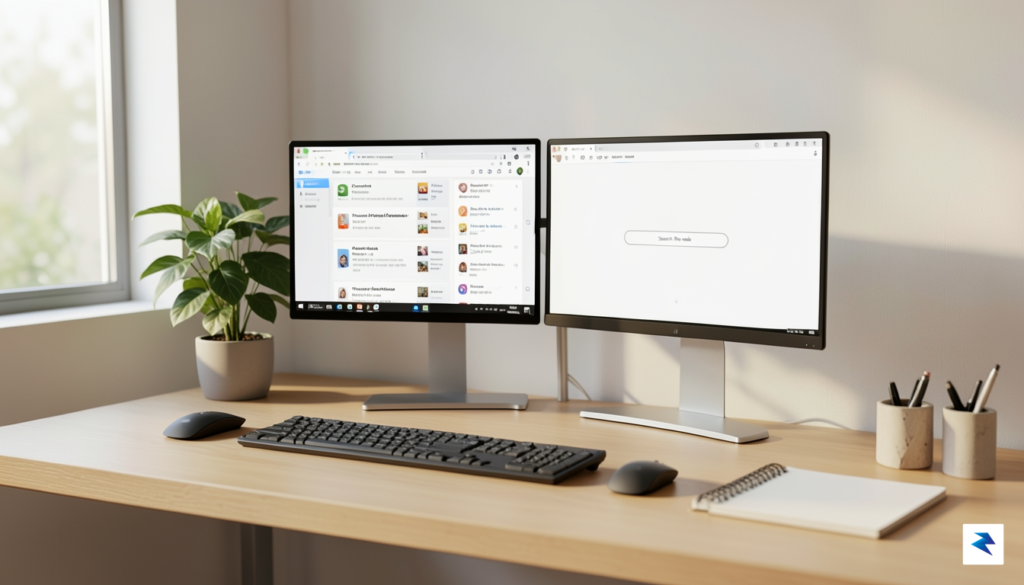
Once you have narrowed down your persona, you must evaluate the logistics of migration. The biggest barrier to switching browsers is often the perceived pain of losing your bookmarks, history, and saved credentials. Fortunately, modern browsers have largely solved this issue through import tools that allow you to pull your entire profile from Chrome or Safari in just a few clicks. Before you make a permanent move, I highly recommend using a “One-Week Trial” strategy. During this trial, do not delete your old browser; instead, keep it pinned in the background while you force yourself to use the new candidate for all your daily tasks. If you find yourself reflexively switching back to your old browser within three days, it is a sign that the new tool’s workflow doesn’t match your natural rhythm.
The best browser is the one that disappears into the background, allowing you to focus on the content rather than the container.
Finally, consider the non-negotiable requirement of cross-platform syncing. In 2026, we rarely live in a single-device ecosystem, so your browser must act as a seamless bridge between your desktop computer, tablet, and smartphone. Before committing to a new software suite, verify that it offers encrypted cloud syncing for your passwords and history across all the operating systems you utilize. If you rely heavily on mobile browsing, ensure the mobile version of your chosen browser supports your favorite extensions or ad-blockers, as some browsers strip these features down significantly on smaller screens. By prioritizing your workflow needs over brand loyalty, you transform your browser from a mere utility into a high-performance extension of your own productivity.
You must be logged in to post a comment.