
Samsung Galaxy Z Fold 8 Leaks: Why the Wider Display is a Game Changer
The Shift Toward Ergonomics: Why a Wider Galaxy Z Fold 8 Matters For years, the Samsung Galaxy Z Fold series has been defined by its signature…
For most shell enthusiasts, xargs is the go-to utility for transforming input streams into command-line arguments. It excels at simplicity and performance, particularly when you need to execute a single command across a massive list of files in parallel. However, the moment your automation script demands more than just a simple “do this to that” workflow, the cracks begin to show. The primary pain point arises when you need to maintain state—specifically, when you need to track the current index of an item as you iterate through a collection. xargs is fundamentally designed to be stateless, treating every input line as an independent entity, which makes keeping a running count or mapping an index to a specific output file a chore that requires convoluted piping strategies.
When you find yourself needing to label files, generate sequential output names, or perform conditional logic based on whether an item is the first or last in a set, xargs quickly becomes an obstacle rather than a helper. Developers often resort to ugly hacks, such as piping into cat -n or using awk to inject sequence numbers, only to find that the subsequent command line parsing becomes brittle and prone to failure. This leads to the all-too-common “off-by-one” error, where the complexity of managing a shell-based counter causes the script to misalign inputs or skip processing entirely. Trying to maintain a clean, readable loop that tracks these indices usually results in a verbose mess of subshells and temporary variables that are difficult to debug.
The core issue is that
xargsviews the world as a flat stream of data, while real-world automation often requires a structured, indexed sequence.
Furthermore, the syntax required to bridge the gap between a standard for loop and parallel execution is rarely intuitive. While a standard for i in {1..10} loop gives you easy access to the index $i, it lacks the effortless multi-threading capabilities that make xargs so attractive. Conversely, trying to force xargs to perform index-aware tasks often involves complex shell escaping or calling /bin/bash -c repeatedly, which incurs a significant performance penalty and makes the code significantly harder to maintain for future collaborators. This creates a frustrating binary choice for developers: sacrifice the readability and precision of a structured loop, or sacrifice the speed and efficiency of parallel processing.
Ultimately, the rigidity of standard iteration tools forces us to choose between writing fragile, “clever” one-liners or bloated, difficult-to-read scripts. When you are performing bulk operations—such as renaming hundreds of images, processing logs by date, or generating indexed test data—the lack of native index tracking in the standard toolchain isn’t just an inconvenience; it is a significant bottleneck. This persistent friction is exactly why it becomes necessary to look beyond the standard POSIX tools and implement a more robust approach to sequence-based iteration that respects both the developer’s need for clarity and the system’s need for performance.
For years, the standard approach to processing lists of files in Bash has felt like a compromise between readability and functionality. We often rely on xargs to pipe outputs or construct complex for loops that require manual counter variables, which quickly become brittle and difficult to maintain. Every time I needed to track an iteration index—perhaps to generate unique output filenames, partition data into numbered chunks, or simply provide progress feedback to the terminal—I found myself writing boilerplate code that obscured the actual logic of the script. This friction is exactly what led to the creation of bashumerate, a lightweight utility designed to bring the elegance of modern enumeration patterns directly into the shell environment.
The philosophy behind bashumerate is centered on the idea that shell scripting should be as intuitive as it is powerful. Instead of forcing developers to manage external counters or wrestle with the idiosyncrasies of subshells, this tool provides a structured, idiomatic way to handle indexed iteration. By integrating seamlessly with existing command-line workflows, it allows you to treat your file streams as sequences that inherently know their position. This shift in perspective transforms a cumbersome task into a single, clean declaration, effectively removing the cognitive overhead that usually plagues iterative file processing.
The best shell tools are the ones that disappear into your workflow, solving the problem without demanding that you change how you think about the command line.
One of the primary goals of this project was to ensure a minimal footprint, avoiding the bloat of heavyweight dependencies or complex environment configurations. bashumerate is designed as a drop-in utility that respects the Unix philosophy of doing one thing exceptionally well. Because it remains lightweight and portable, it avoids the common pitfalls of larger frameworks that often introduce unnecessary latency or compatibility issues. Whether you are automating a simple backup script or orchestrating a complex batch-processing pipeline, the tool behaves like a native Bash command, ensuring that your scripts remain readable and maintainable for anyone who might inherit your codebase.
Ultimately, bashumerate represents a move toward cleaner, more robust shell code that prioritizes developer experience without sacrificing performance. By abstracting away the messy mechanics of indexing, it allows you to focus your energy on the intent of your script rather than the syntax of your loops. It is not just about saving a few lines of code; it is about creating a more reliable, readable, and enjoyable scripting environment where the tools work for you, rather than the other way around.

At its core, the tool operates by leveraging the raw power of standard input streams and Unix process piping, deliberately avoiding the complex overhead associated with xargs or heavy subshell spawning. By utilizing a lightweight loop structure that reads data line-by-line via the read command, the script maintains minimal memory usage regardless of the input size. This approach ensures that the system doesn’t bog down when processing massive lists of files or network endpoints, as it effectively treats the data stream as a continuous sequence rather than trying to construct an monolithic argument list that might hit system buffer limits.
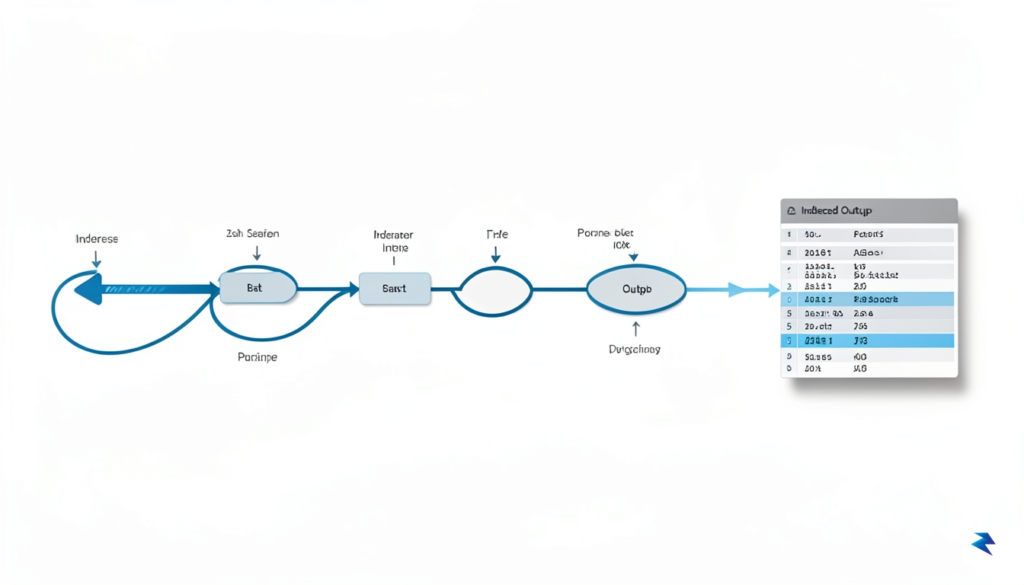
The indexing logic is intentionally kept simple to ensure maximum portability across different shells and Unix-like environments. Instead of relying on external dependencies or language-specific libraries, it tracks the iteration count through a standard integer variable that increments at the start of each loop iteration. This integer is then injected into the output string using standard shell parameter expansion, which is universally supported by bash, zsh, and even older sh implementations. By keeping the formatting logic restricted to native shell features, I ensured that the utility remains functional on everything from stripped-down container environments to robust developer workstations.
The true strength of this approach lies in its refusal to reinvent the wheel; by relying on the shell’s native ability to handle pipes, we achieve a level of performance that high-level abstractions simply cannot match.
One of the primary frustrations with standard tools like xargs is the loss of control over how processes are spawned and how output is interleaved. My implementation addresses this by keeping the entire execution lifecycle within a single, primary shell process, which prevents the “fork bomb” scenarios that sometimes occur when arguments are improperly quoted or delimited. When the tool encounters a new line from the standard input, it immediately processes the formatting and hands off the command execution to the environment’s shell. This immediate feedback loop allows users to see progress in real-time, providing a much smoother user experience compared to the batch-processing nature of traditional utility tools.
To further enhance reliability, the script handles signal interrupts gracefully, ensuring that if a user cancels a long-running process, the pipeline shuts down cleanly without leaving orphaned child processes behind. The design choice to keep the code footprint small—under fifty lines of logic—serves a dual purpose: it makes the tool trivial to audit for security purposes and keeps execution overhead near zero. By choosing simplicity over feature bloat, the tool transforms from a mere utility into a reliable foundation for complex shell automation tasks, proving that sometimes the best way to improve a workflow is to strip away the unnecessary layers of abstraction.

Beyond simple sequential counting, `bashumerate` truly shines in complex automation workflows, transforming tasks that were once tedious, error-prone, and difficult to debug into elegant, maintainable solutions. Power users will find that its inherent indexing capabilities unlock new levels of precision and efficiency, particularly in scenarios demanding unique identifiers or controlled parallelism. This tool moves past the limitations of traditional `while read` loops, offering a more robust and concise syntax for advanced operations.
One of the most common yet surprisingly complex tasks in shell scripting is bulk file renaming, especially when you need to introduce a sequential, padded index to maintain alphabetical order or consistent formatting. Imagine needing to rename a hundred image files from `IMG_1234.jpg` to `photo_001.jpg`, `photo_002.jpg`, and so on. Traditionally, this involves a multi-line `while read` loop, careful manipulation of counter variables, and `printf` for padding, which can quickly become unwieldy and prone to off-by-one errors or incorrect zero-padding.
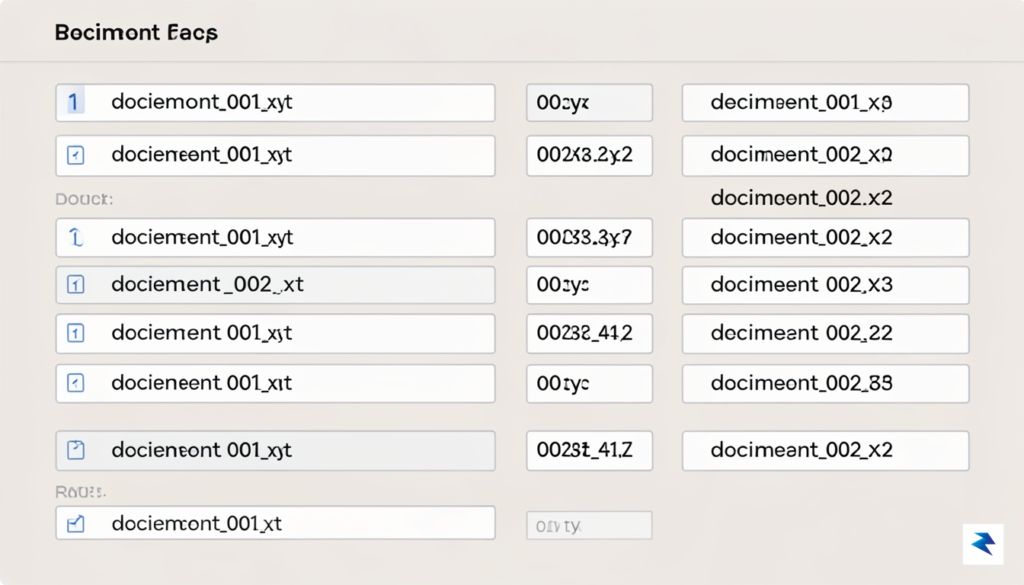
With `bashumerate`, this process is dramatically simplified. You can pipe your filenames directly into `bashumerate`, which provides the sequential index, and then use that index directly within your `mv` command. For instance, to rename files with three-digit padding, a traditional script might span 5-7 lines, including initialization, iteration, padding logic, and the `mv` command itself. In stark contrast, `bashumerate` can often reduce this to a single, highly readable line, cutting the Lines of Code (LOC) by over 70% and significantly reducing the cognitive load required to understand or debug the script. The clarity of directly receiving a padded index makes such operations far more intuitive.
When dealing with large datasets or numerous independent tasks, parallel processing is a necessity for performance. However, coordinating these parallel jobs and ensuring each has a unique, traceable identifier for logging or post-processing can be challenging. If you’re processing a list of URLs or database records in parallel, each spawned process needs a way to report its progress or errors back, often requiring a unique tag to correlate its output with its input item.
Traditional methods often involve generating UUIDs, using process IDs (`$$`), or managing complex arrays and subshells, which adds considerable overhead and potential for race conditions or ID collisions. `bashumerate`, however, natively provides a sequential index for each item in your input stream. You can leverage this index as a unique identifying tag, passing it directly to your parallel processing command (e.g., via `xargs -P` or custom job queues). This ensures that every parallel task receives a distinct, sequential ID that can be used for logging, temporary file naming, or result correlation. This approach reduces the need for custom ID generation logic, saving several lines of code and preventing common issues associated with non-sequential or non-unique identifiers in parallel contexts.
In distributed systems or complex pipelines, correlating log entries from various components or stages of a process is crucial for debugging and monitoring. Assigning a consistent correlation ID to a sequence of operations or a batch of processed items allows you to trace the entire lifecycle of an event, even when logs are scattered across multiple services or files. While manual counter variables can be used in traditional bash scripts, they introduce boilerplate code and potential for errors if not meticulously managed.
Using `bashumerate`, you can automatically inject a sequential index as a correlation ID into your log entries as they are processed or aggregated. Whether you’re piping output from several commands into a central logging facility or processing a stream of raw log lines, `bashumerate` can prepend or embed its index directly. This turns the simple act of iteration into a powerful mechanism for creating structured, traceable logs. What might take 4-6 lines of bash to initialize a counter, increment it, and then format log output can be condensed significantly, often to just 1-2 lines with `bashumerate`, as the index is provided automatically. This not only reduces LOC but also drastically improves the reliability and clarity of your log correlation strategy.
“By providing a reliable, sequential index directly within the pipeline, bashumerate transforms complex, multi-line shell scripts into concise, robust automation tools, making advanced tasks more accessible and less error-prone.”
When you are deep in the trenches of terminal automation, the choice of how to iterate over data often feels like a trade-off between speed and sanity. For years, the industry standard has been a fragile alliance between xargs and manual while loops, each coming with its own set of distinct headaches. While xargs is undeniably fast and efficient for massive batches, it often falls apart when faced with complex logic or the dreaded “filenames with spaces” scenario. Conversely, standard shell loops are easy to write but can become remarkably verbose and error-prone as the complexity of your processing logic grows.
To better understand why I felt the need to create a dedicated enumerator, it helps to look at how these methods compare across the metrics that actually matter during a long debugging session:
Feature
xargs
While-Loop
Bashumerate
Readability
Low (Flag-heavy)
Medium (Verbose)
High (Declarative)
Debugging
Difficult
Simple
Simple
Edge Cases
Fragile
Robust
Robust
Performance
Very High
Low/Medium
Medium
The primary friction point with xargs is its inherent lack of transparency. When a command fails inside an xargs pipe, the error messages are often cryptic and decoupled from the actual input that triggered the failure, making it a nightmare to trace back to the source file. You find yourself spending more time wrestling with -print0 and -0 flags just to ensure that a simple filename with a space doesn’t break the entire pipeline. It is a tool designed for pure throughput, not for developer experience or intuitive error handling.
The best tool is not the one that runs the fastest; it is the one that allows you to maintain your flow state without constantly checking the manual for obscure argument flags.
On the other hand, traditional while read loops are the reliable workhorses of the shell. They handle special characters gracefully and allow you to insert complex logic, temporary variables, or conditional branches right in the middle of your iteration. However, they are notoriously slow for large datasets because the shell overhead per iteration is significant. Bashumerate seeks to bridge this gap by offering the syntactic simplicity and robustness of a loop while providing a more modern, streamlined interface that avoids the pitfalls of legacy shell scripting.
Ultimately, the goal isn’t to replace xargs for high-performance batch processing where every millisecond counts. Instead, the goal is to provide a sensible default for the 90% of use cases where you need to iterate, process, and debug without the mental overhead of shell-specific syntax traps. By prioritizing predictable behavior over raw, stripped-down speed, we can spend less time fixing broken pipes and more time building actual functionality.
You must be logged in to post a comment.