
Enhancing X11 Application Security with LXC: A Practical Guide
The inherent security risks of the X11 window system When the X Window System (commonly known as X11) was first conceived in the mid-1980s,…


Every time you type a web address into your browser, you are initiating a silent, behind-the-scenes process known as Domain Name System (DNS) resolution. Think of the DNS as the internet’s master phone book; while humans rely on easy-to-remember domain names like example.com, computers require numerical IP addresses to locate servers across the global network. When you enter a URL, your device sends a query to a DNS resolver, which quickly translates that human-readable name into the machine-readable digits required to establish a connection. Unfortunately, this fundamental mechanism is often the weakest link in your digital privacy, as the resolver acts as a central checkpoint that monitors every site you attempt to visit.

By default, your internet service provider (ISP) automatically assigns you their own DNS resolver the moment you connect to the web. Because these requests are typically unencrypted, your ISP can view and log every single domain name you look up. This creates a comprehensive record of your browsing habits, interests, and even your health or financial inquiries, which can then be aggregated into a detailed profile for targeted advertising or, in some jurisdictions, sold to third-party data brokers. Because this tracking happens at the network layer, you cannot simply clear your browser history to erase the trail; your ISP has already recorded your activity before the web page even begins to load.
To mitigate this surveillance, many privacy-conscious users switch to third-party public DNS resolvers. Unlike ISP-provided servers, which are often configured to prioritize data collection and traffic redirection, independent public resolvers are frequently managed by organizations that prioritize speed, security, and data minimization. By manually changing your network settings or configuring your router, you effectively bypass your ISP’s logging infrastructure. However, simply switching resolvers is only half the battle; without the right transport protocols, your queries remain visible to anyone positioned between you and the resolver.
To ensure complete privacy, it is not enough to change your DNS provider; you must also ensure your queries are wrapped in a secure, encrypted tunnel to prevent eavesdropping by your ISP or malicious actors on public Wi-Fi networks.
This is where modern encryption protocols—specifically DNS over HTTPS (DoH) and DNS over TLS (DoT)—become essential. These technologies scramble your DNS traffic, making it look like standard, indecipherable web traffic to anyone attempting to monitor your connection. DoH, in particular, integrates DNS lookups into the same encrypted stream used for your web browsing, effectively masking your requests from your ISP entirely. By combining a reputable, privacy-focused third-party resolver with the robust protection of DoH or DoT, you reclaim control over your digital footprint and ensure that your browsing habits remain confidential.

Selecting a DNS resolver is fundamentally an exercise in compromise, as the infrastructure powering the internet is rarely designed to optimize for both blistering speed and absolute anonymity simultaneously. Most high-performance resolvers utilize Anycast networking, a routing methodology where multiple servers share the same IP address. When you send a DNS query, the network automatically routes your request to the geographically closest node, which significantly slashes latency and ensures your web browsing feels snappier. While this architectural choice is excellent for performance, it inherently requires the provider to process your request at a physical location near you, creating a logistical footprint that necessitates careful data handling.
The tension arises because many “free” public resolvers are not truly altruistic; they often view the massive stream of metadata generated by your DNS queries as a valuable commodity. By tracking which domains you visit and when, these providers can build comprehensive profiles of your online behavior, which are frequently sold to advertisers or third-party data brokers. For the average user, the trade-off is often invisible: you gain a millisecond-fast connection at the expense of your digital privacy. Consequently, if your primary goal is speed, you might inadvertently sacrifice the confidentiality of your browsing history to a provider that prioritizes data monetization over user protection.

To determine which resolver best serves your needs, you must first define your personal threat model. If you are a casual user who prioritizes a seamless streaming experience, a high-speed provider with transparent logging policies might be acceptable. Conversely, if you are a privacy advocate, you should shift your focus toward providers that implement strict no-logging policies and utilize privacy-enhancing protocols like DNS-over-HTTPS (DoH) or DNS-over-TLS (DoT). These protocols encrypt your queries between your device and the resolver, preventing local network observers—such as your ISP or public Wi-Fi administrators—from intercepting and snooping on your traffic.
When evaluating a provider’s privacy policy, look for clear language regarding the permanent deletion of logs. If a service claims to “anonymize” data, verify whether they define that as immediate aggregation or if they retain identifiable IP addresses for extended periods.
Ultimately, a robust privacy-conscious choice involves vetting the provider’s jurisdiction and their commitment to transparency. Seek out resolvers that undergo regular, independent third-party audits to verify that their “no-logging” claims are not merely marketing rhetoric. While a highly secure, privacy-focused resolver might add a few extra milliseconds of latency due to the overhead of encryption and a more distributed, non-commercial server network, this is a minor technical cost for the peace of mind that your browsing habits remain private and unmonetized.
The landscape of public DNS resolvers has evolved from a utility-focused service into a sophisticated ecosystem where privacy, speed, and security features compete for the user’s trust. While your internet service provider (ISP) assigns a default resolver by default, switching to a specialized third-party provider can significantly improve your browsing experience. However, not all resolvers are built with the same priorities in mind, and understanding the nuances of the major players is essential for making an informed choice.
Cloudflare’s 1.1.1.1 service has gained massive popularity by positioning itself as the privacy-first alternative to legacy providers. Cloudflare operates on a strict promise to purge all query logs within 24 hours and explicitly states that it does not sell user data to advertisers or third parties. Its primary advantage is speed; by leveraging their expansive global edge network, they consistently rank among the fastest resolvers in latency benchmarks. In contrast, Google Public DNS (8.8.8.8) remains the most ubiquitous choice globally. While Google offers high reliability and excellent uptime, it is important to note that they utilize a subset of query data for security analysis and service improvement. Although Google claims that temporary logs are deleted within 48 hours and that they do not profile users based on DNS traffic, those seeking a more rigorous “no-logs” policy often gravitate toward Cloudflare or other boutique alternatives.

For users who prioritize security over raw speed, Quad9 (9.9.9.9) serves as a robust defense layer. Unlike standard resolvers, Quad9 actively filters traffic by blocking access to known malicious domains, such as phishing sites, malware distribution hubs, and botnet command-and-control servers. By aggregating threat intelligence from dozens of cybersecurity partners, Quad9 provides a “security-by-default” experience that is particularly beneficial for users who want to protect their home network without manual intervention. Because Quad9 is a non-profit organization, their business model is built on transparency and community trust rather than data monetization.
Key Takeaway: If you want hands-off protection against digital threats, Quad9 is an industry leader in threat intelligence, whereas NextDNS provides the ultimate toolkit for power users who want to curate their own browsing environment.
If you are looking for total control, NextDNS distinguishes itself through an incredibly granular configuration dashboard. Rather than a one-size-fits-all approach, NextDNS allows you to implement specific blocklists for trackers, ads, and adult content, while also providing detailed analytics about your network’s traffic. This level of customization makes it an ideal solution for families or privacy-conscious individuals who want to enforce strict policies, such as blocking specific categories of websites or monitoring IoT device traffic. While it requires more initial setup than simply changing a few digits in your router settings, the ability to tailor your DNS resolution to your specific threat model makes it a standout option for those who treat privacy as a proactive project.

For those who prioritize absolute digital sovereignty, self-hosting a DNS resolver represents the ultimate tier of control. By deploying a recursive resolver on your own hardware, you bypass the necessity of trusting third-party providers with your browsing habits. Instead of sending your query history to an external entity, your local machine communicates directly with the root servers and authoritative name servers across the internet. This architecture ensures that your DNS traffic remains contained within your local infrastructure, effectively preventing external companies from aggregating your query logs for profiling or advertising purposes.

Implementing this level of autonomy is now more accessible than ever, thanks to robust software solutions such as Unbound or Pi-hole. Unbound acts as a powerful, lightweight recursive DNS resolver that validates DNSSEC signatures, ensuring the integrity of the data you receive. Conversely, Pi-hole serves as both a DNS sinkhole and a network-wide ad blocker, allowing you to intercept malicious or unwanted domains before they ever reach your devices. These tools can be easily installed on low-power, dedicated hardware like a Raspberry Pi or even inside a lightweight virtual machine on your existing home server. The hardware requirements are surprisingly modest, meaning you do not need an enterprise-grade rack to achieve professional-grade privacy.
Self-hosting transforms your DNS experience from a passive reliance on public infrastructure into an active, curated network environment where you define the security policies.
However, moving away from centralized public resolvers does come with specific trade-offs that every prospective user should evaluate. The primary benefit of self-hosting is the elimination of external data tracking, but this is often balanced against a potential increase in initial latency. Because your local machine must perform the recursive lookups—traversing the chain from root servers to the final destination—the first time you visit a site might feel slightly slower than using a globally cached service like Cloudflare or Google. Furthermore, self-hosting requires a proactive approach to maintenance; you are responsible for updating the software, managing configurations, and ensuring your local resolver remains operational 24/7 to prevent internet outages for your household.
Ultimately, the decision to host your own resolver is a shift toward a “do-it-yourself” philosophy regarding network security. While public resolvers offer convenience and near-instant performance through massive global caching, they inherently require a degree of trust that self-hosting removes entirely. If you are willing to invest the time to configure the software and manage the occasional technical hurdle, the reward is a significantly more private and personalized internet experience.
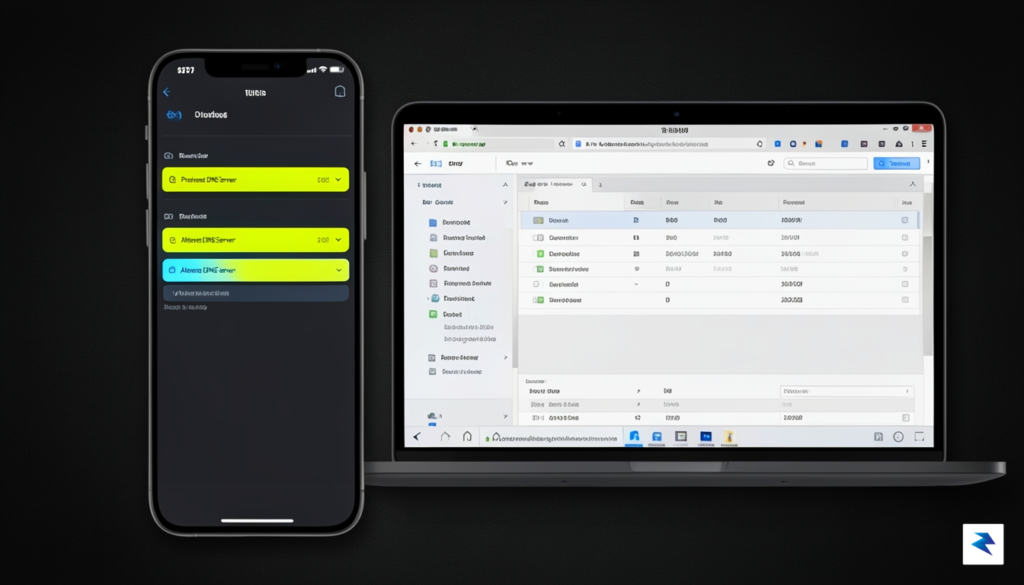
Selecting a privacy-focused DNS provider is only the first step in reclaiming your online anonymity. To truly safeguard your digital footprint, you must ensure that your device is actively communicating with that provider using encrypted protocols like DNS-over-HTTPS (DoH) or DNS-over-TLS (DoT). Without these protocols, your DNS queries are transmitted in plain text, meaning your internet service provider or any malicious actor on your network can easily intercept and monitor the websites you visit. By configuring your devices correctly, you create a secure tunnel that shields your browsing habits from prying eyes.
For Windows 10 and 11 users, modern settings allow for native DoH implementation. Navigate to your Network & Internet settings, select your active connection, and locate the “DNS server assignment” option. Change this to manual, enable IPv4, and enter your chosen provider’s addresses; simultaneously, ensure the “Preferred DNS encryption” toggle is set to “Encrypted only” to prevent fallback to insecure queries. On macOS, head to System Settings, select your Network interface, click Details, and enter your DNS server addresses in the provided fields. Note that while macOS supports encrypted DNS, third-party utilities like DNSCloak or Nebulo can often provide a more user-friendly interface for forcing encryption across all system traffic.
Mobile devices require a slightly different approach to ensure consistent protection. On Android, navigate to Network & Internet in your settings and search for “Private DNS.” Here, you can simply input the hostname provided by your DNS service, which will automatically enable DoT across your entire mobile experience. iPhone users can achieve similar results by installing a configuration profile provided by their chosen DNS service or by using a privacy app that installs a local VPN tunnel to route DNS requests securely. These methods ensure that even when you switch from home Wi-Fi to public cellular data, your requests remain encrypted.
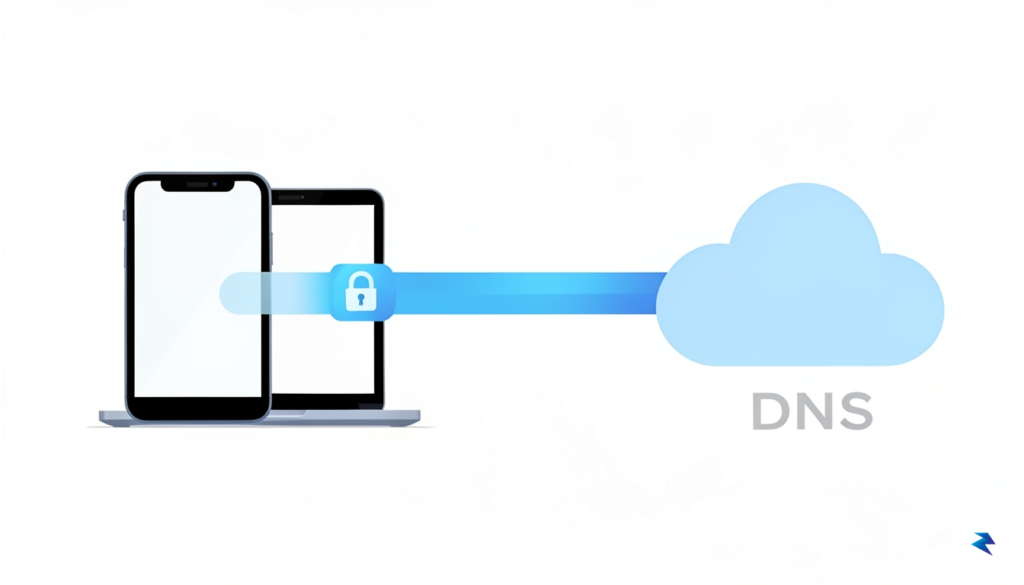
While configuring individual devices is effective, the most robust way to protect your digital environment is to set your DNS at the router level. By changing the DNS settings in your router’s administrative dashboard, every device connected to your home network—including smart home appliances, gaming consoles, and guests’ devices—will automatically use your preferred, secure resolver. This creates a unified layer of protection that doesn’t rely on individual device settings. Simply log into your router’s IP address (often 192.168.1.1 or 192.168.0.1), locate the WAN or Internet settings, and replace the default ISP-assigned DNS entries with those of your provider.
To verify that your configuration is working as intended, visit a diagnostic site like DNSLeakTest.com or Cloudflare’s Browsing Experience Security Check. These tools will confirm whether your queries are being routed through your chosen provider and, more importantly, whether they are being encrypted properly.
If the diagnostic results display your ISP’s name instead of your chosen resolver, or if the “Encryption” status reads as “No,” retrace your steps and ensure that your browser settings aren’t overriding your system-wide configuration. Many modern browsers, such as Chrome and Firefox, have their own built-in DNS settings that may conflict with your OS-level changes. By aligning your browser, operating system, and router settings, you build a resilient, multi-layered defense that keeps your online activity private and secure.
You must be logged in to post a comment.